TL;DR: You combine HR data by listing every system that holds people data, deciding which one owns each field, and connecting them through integrations rather than copying between spreadsheets. Clean the data before it moves, protect it to the standard Australian privacy law expects, and only then build reports. A narrow goal keeps the whole job manageable.
Last updated 11 October 2026.
Key takeaways
- People data usually sits in several systems at once, typically the HRIS, payroll, a recruitment tool, and a rostering tool.
- Each field needs one source of truth. Payroll should own pay, while the HRIS owns the employee record.
- API integrations keep systems in sync automatically, whereas manual copying is cheap but error-prone.
- According to the OAIC, 170 of the 595 data breaches notified from July to December 2024 came from human error.
- Fair Work rules require time and wages records to be kept for 7 years, so combined data needs a retention plan.
Why combine HR data from different systems?
You combine HR data because modern HR runs on several specialised apps, and each one holds part of the picture. Combining them into a single, consistent source gives you automation and operational efficiency, data-driven decision-making, and streamlined data organisation. Without it, HR spends its time reconciling spreadsheets instead of answering questions.
As HR tech moves away from “all in one, one size fits all” platforms, there are now many good apps that help create great workplaces. Newer HR platforms tend to be open, connecting to payroll, rostering, and learning systems through integrations. Older suites tend to be closed, expecting you to adopt their own module for each job. The trade-offs are set out in our piece on specialised HR software over all-in-one.
The cost of the open approach is that data now lives in more places. Suppose a manager asks how many casuals in Queensland are due for a pay review. The answer needs the employee record from the HRIS, the pay rate from payroll, and the hours from rostering. If those three systems disagree, someone has to work out which is right, by hand.
So combining HR data is less about building one giant database and more about making several systems agree. That starts with knowing what you have.
Where does your HR data come from, and what do you need it for?
Start by listing every system that holds people data and the goal you want the combined data to serve. Typical sources are the HRIS, payroll, a recruitment tool, a rostering tool, a learning system, and the spreadsheets that fill the gaps. Typical goals are spotting trends, finding patterns, measuring a gender pay gap, or building dashboards for leaders.
Write the list down, field by field, for the goal you care about first. For example, a turnover dashboard needs start dates, end dates, departments, and termination reasons. By contrast, a pay equity review needs gender, classification, base pay, and hours. The two goals touch different systems and different fields.
Once you are clear on sources and goals, you can plan how to bring the relevant data together. As a result, you also learn which fields matter most and which ones can wait. Most teams find that a few dozen fields cover their first two or three reports.
TIP: This process is all about knowing what data you need to combine to achieve your goals. Reducing this scope will simplify everything that follows!
What are the ways to combine HR data?
There are four common ways to combine HR data: manual copying, a central database, API integrations between systems, and connector tools such as Zapier. The right choice depends on how much data you have, how often it changes, and how much technical support you can call on. Most organisations end up using more than one.
Each approach trades cost against accuracy and effort:
| Method | How it works | Suits | Watch out for |
|---|---|---|---|
| Manual entry or copying | Exporting from one system, pasting into another or a spreadsheet | Small volumes and one-off reports | Errors, delays, and hours of admin time |
| Central database or warehouse | Loading data from each system into one store for reporting | Large organisations with data or IT staff | Needs technical know-how to build and maintain |
| API integrations | Systems exchange records directly, on a schedule or as changes happen | Data that changes often, such as starters, leavers, and pay details | Depends on the vendors offering the integration |
| Connector tools | A service such as Zapier passes records between apps using simple rules | Systems without a direct integration | Someone has to set up, test, and monitor each connection |
Whichever method you choose, data transformation is part of the job. Dates, job titles, location names, and employment types are rarely formatted the same way in two systems. So someone has to map “FT”, “Full time”, and “Permanent full-time” to one value, and that takes extra processing.
TIP: There are HRIS platforms on the market built for API integration, making the upfront process much easier, while providing you the benefit of flexibility, speed and accuracy.
Which system should be the source of truth for each field?
Every field should have exactly one system that owns it, and every other system should read from that owner. Payroll should stay the source of truth for pay, tax, and super. The HRIS should own the employee record, such as name, position, manager, and documents. A recruitment tool owns candidates until they are hired.
Without a clear owner, integrations simply move disagreements around faster. For instance, if a manager updates a job title in the HRIS and payroll staff update it differently in payroll, a two-way sync will keep overwriting one with the other. Deciding ownership first prevents that loop.
A short ownership table is usually enough. List each field, the system that owns it, the systems that receive it, and how often it syncs. Then share it with payroll, HR, and IT, because each team will otherwise assume its own system wins. Review the table whenever you add or replace a system.
How do you clean HR data before combining it?
Clean and validate HR data before it moves, not after. Check for missing, duplicate, and incorrect records, then fix or remove them. Look for anything that does not seem right, resolve conflicts between systems in a logical way, and get rid of outdated information. Finally, verify overall quality and double-check anything suspicious.
Duplicates are the most common problem in HR data. A person who left, came back, and moved entities may exist three times across your systems. Merge them under one identifier, usually an employee number, before you connect anything. Otherwise, the duplicate will spread into every system the integration touches.
Missing data is the second problem, and it is often invisible until a report breaks. Run a simple count of blank fields for the goal you chose earlier, such as missing termination reasons or missing gender data. Then decide whether to collect the gaps, accept them, or leave the field out of the first report.
TIP – more info about structuring your HR data
How do you keep combined HR data secure in Australia?
Combining HR data concentrates sensitive information in fewer places, so security matters more, not less. Under the Privacy Act, organisations covered by the Australian Privacy Principles must take reasonable steps to protect personal information from misuse, interference, loss, and unauthorised access, modification, or disclosure. That obligation is APP 11.
According to the Fair Work Ombudsman, the Australian Privacy Principles apply to businesses with an annual turnover of $3 million or more, plus all private health service providers and some smaller businesses. There is an employee records exemption, but it is narrow. It covers records about current or former employment only when the employer uses them directly in relation to that employment.
That nuance matters when you combine data. The Australian Privacy Principles still apply to unsuccessful job candidates, so recruitment data is covered. Third parties providing HR or payroll services under contract may also need to comply. As a result, best practice is to treat the combined data as if every principle applies, which the Fair Work Ombudsman also recommends.
What does “reasonable steps” mean in practice?
According to the OAIC’s APP guidelines, reasonable steps include both technical and organisational measures. They cover governance and training, access security, ICT security, third party providers including cloud computing, and data breach planning. They also cover destroying or de-identifying information once it is no longer needed. In practice, that means limiting access by role, encrypting data, and checking each vendor’s security.
The risk is not only hackers. According to the OAIC’s Notifiable Data Breaches report for July to December 2024, 170 of the 595 notifications came from human error. Personal information emailed to the wrong recipient was the largest human error cause, with 71 notifications. Every manual export of HR data to a spreadsheet adds to that exposure. Under the Notifiable Data Breaches scheme, a covered organisation must notify affected people and the OAIC when a breach is likely to cause serious harm.
Retention needs a plan too. According to the Fair Work Ombudsman, employers must keep time and wages records for 7 years. Employees can also ask for a copy of their own records, which must be available within 3 business days if the records are kept at the workplace. For how one HRIS handles this, see Worknice’s security and privacy page.
How do you analyse and present combined HR data?
Once your HR data is combined, analyse it against the goal you set at the start. Explore current trends, test a hypothesis, or project what happens next. Then present the findings so leaders can act on them, with clear visuals, a short narrative, and one recommendation per chart, rather than a wall of numbers.
Start with descriptive measures that leaders already ask about, such as headcount, turnover, and absence. For example, a turnover chart split by department and tenure often shows where the problem sits faster than any survey. Measures like a gender pay gap need cleaner data, which is why the earlier steps matter. Our guide to improving the gender pay gap shows what that analysis involves.
Good visualisation highlights key insights and recommendations. So keep each dashboard to a handful of measures, label them in plain English, and note where the data came from and when it was refreshed. Leaders trust numbers more when they can see the source.
What should you look for in tools that combine HR data?
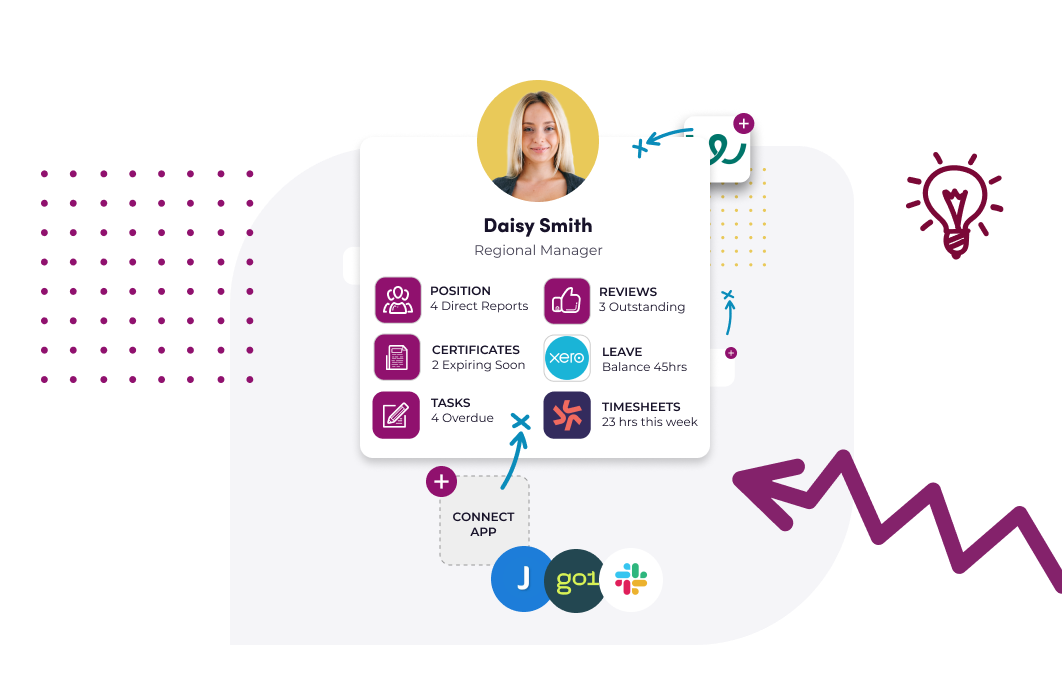
Look for HR software that is open: it should connect to the payroll, recruitment, and rostering systems you already run, rather than asking you to replace them. Check which integrations are built and maintained by the vendor, which run through connector tools, and whether there is a public API for anything else. Then confirm who owns each field.
Ask each vendor three questions. Which systems do you integrate with directly, and in which direction does data flow? What happens when the two systems disagree? Finally, can I export my data, for instance to CSV, if I need it elsewhere?
If you want to keep your payroll and connect the rest, Worknice is a sensible option for Australian organisations of roughly 50 to 1,000 employees. It is HRIS-only by design, so payroll remains the source of truth. Its direct payroll integrations are Xero, MYOB AccountRight, MicrOpay, KeyPay, Employment Hero Payroll, and ELMO Payroll, and the Xero integration guide shows how one of them works. It also connects recruitment tools such as JobAdder and Teamtailor, plus Zapier and a public API. However, a business under 50 people wanting one bundled HR and payroll product may prefer an all-in-one suite.
Frequently asked questions
What is HR data integration?
HR data integration is the process of connecting the systems that hold people data, such as an HRIS, payroll, recruitment, and rostering tools, so they share records automatically. It replaces manual copying with integrations that keep each system in sync. Done well, each field has one owner and every other system reads from it.
What is the best way to centralise employee records from multiple systems?
The best way is to make one system, usually an HRIS, the home of the employee record and connect it to payroll, recruitment, and rostering through integrations. Clean duplicates first, decide which system owns each field, and keep payroll as the source of truth for pay, tax, and super. Avoid rebuilding the record in spreadsheets.
Does the Privacy Act apply to employee records?
Partly. Records about current or former employment are exempt from the Australian Privacy Principles only when the employer uses them directly in relation to that employment. The principles still apply to unsuccessful job candidates, and contracted HR or payroll providers may need to comply. The Fair Work Ombudsman recommends applying the principles to employee records anyway.
How do you keep HR data in sync between systems?
Keep HR data in sync by using direct API integrations wherever the vendors offer them, and connector tools such as Zapier where they do not. Decide which system owns each field so a two-way sync does not overwrite good data. Then monitor each connection’s last sync, because a silent failure looks exactly like correct data.
How long do you have to keep employee records in Australia?
According to the Fair Work Ombudsman, employers must keep time and wages records for 7 years. The records must be legible, in English, and readily accessible to a Fair Work Inspector. Under APP 11, organisations covered by the Privacy Act must also destroy or de-identify personal information once it is no longer needed.
About the author
Graham Martin is Co-founder of Worknice, an Australian HRIS built for mid-to-large organisations. He has spent more than a decade working with Australian People and Culture teams on HR systems, compliance, and payroll integration.
Related reading
- What is HR analytics?: how to turn combined people data into decisions on hiring, retention, and pay.
- Structured HR data and its benefits: why structured fields make HR data easier to combine and report on.
- What is next-gen HR software?: why newer HR platforms are open and built to connect with the systems you already run.
- Managing HR across multiple entities: keeping people data consistent across several ABNs and payroll entities.
Sources
- Office of the Australian Information Commissioner, “Chapter 11: APP 11 Security of personal information”. Updated 3 October 2025. Retrieved 11 October 2026: https://www.oaic.gov.au/privacy/australian-privacy-principles/australian-privacy-principles-guidelines/chapter-11-app-11-security-of-personal-information
- Office of the Australian Information Commissioner, “Notifiable Data Breaches Report: July to December 2024”. Published 13 May 2025. Retrieved 11 October 2026: https://www.oaic.gov.au/privacy/notifiable-data-breaches/notifiable-data-breaches-publications/notifiable-data-breaches-report-july-to-december-2024
- Office of the Australian Information Commissioner, “About the Notifiable Data Breaches scheme”. Retrieved 11 October 2026: https://www.oaic.gov.au/privacy/notifiable-data-breaches/about-the-notifiable-data-breaches-scheme
- Fair Work Ombudsman, “Workplace privacy best practice guide”. Content last updated 16 January 2026. Retrieved 11 October 2026: https://www.fairwork.gov.au/tools-and-resources/best-practice-guides/workplace-privacy
- Fair Work Ombudsman, “Record-keeping”. Content last updated 28 August 2026. Retrieved 11 October 2026: https://www.fairwork.gov.au/pay-and-wages/paying-wages/record-keeping