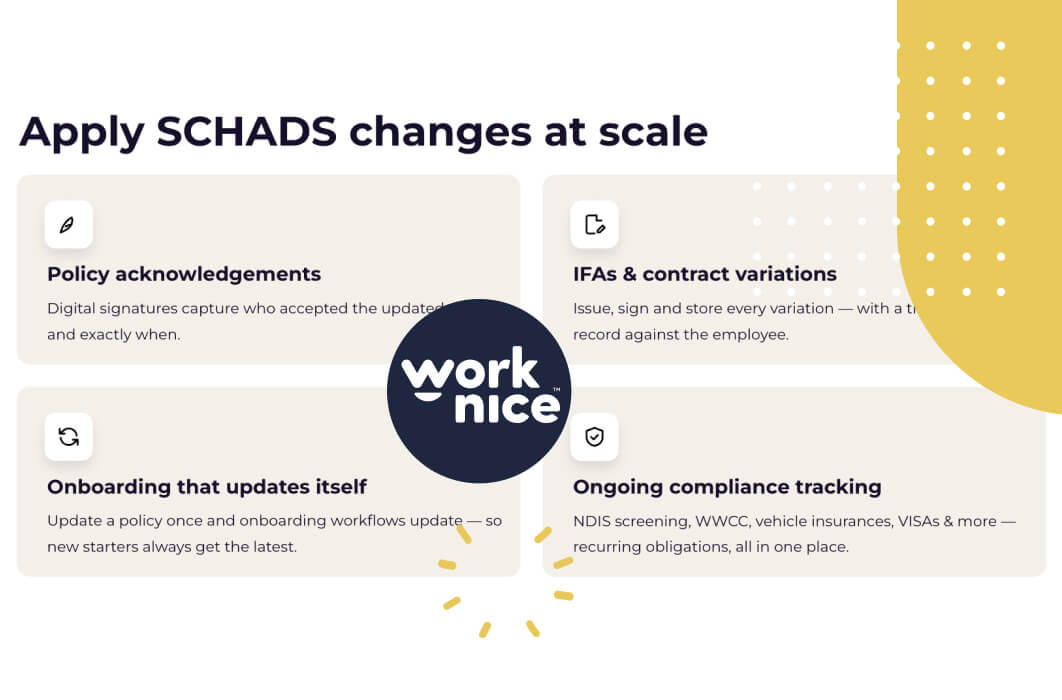
Applying the 2026 SCHADS changes spans payroll, rostering, and people operations. Most providers have the first two covered. However, the gap sits in people operations. HR technology closes it four ways: provable policy acknowledgements, tracked IFAs and contract variations, new requirements embedded into onboarding workflows, and automated tracking of ongoing items such as checks, visas, and insurances.
Key takeaways
- SCHADS readiness spans three operational areas: payroll, rostering, and people operations. The people operations side consistently shows the biggest gap across the sector.
- Every provider should answer four questions. Can I prove every policy acknowledgement? Can I show when each IFA went out? Do new requirements sit inside everyday workflows? Does everything else stay tracked?
- Spreadsheet-and-email administration works until it does not. Emails disappear, spreadsheets get overwritten, and nothing flags what you forgot to ask for.
- Automating people operations can hand back around four hours a day. That time then flows to the work that actually needs people.
- Workflows that pull the latest policy and contract versions automatically stop compliance decaying every time a document changes.
Why is people operations the weak link in SCHADS compliance?
Because most providers have invested in payroll and rostering technology, yet still run policies, contracts, acknowledgements, and compliance records on spreadsheets and email. Award changes as detailed as the 2026 determination demand documentary evidence. However, manual systems cannot reliably produce it.
People operations covers the replicable processes around the employee lifecycle. It includes onboarding and offboarding, e-signing contracts, acknowledging policies, and tracking items such as working with children checks, visas, and NDIS inductions. Everything feeds a central employee database. Done manually, it consumes hours every day. However, with the right technology, that time comes back.
So here are the four ways technology applies the SCHADS changes across an organisation, drawn from what NDIS and community services providers ask about most.
1. How do you prove every employee acknowledged the new policies?
With digital policy distribution and acknowledgement tracking. Select the employees, then issue the updated sleepover or rostering policy. The platform emails each person a link, records a timestamped acknowledgement when they confirm, and chases non-responders automatically. Meanwhile, a live report shows exactly who remains outstanding.
Now compare the manual journey. Write the email and attach the document. Check you have not missed anyone. Watch replies trickle in, then update the spreadsheet each time. Download and file the emails as evidence. Finally, chase the stragglers, repeatedly. Every step risks missing someone, and the evidence ends up scattered across inboxes.
The employee side matters just as much. Staff acknowledge from any device through employee self service, on the way to a shift if they like. The acknowledgement reads explicitly (“I have read and understood”). It also lands timestamped in the document management system against their record. So let the software play the annoying person who chases people, rather than you.
2. How do you show when an IFA or contract variation was issued?
By issuing every IFA, contract variation, and written agreement through a platform that records issue dates, delivery, and e-signatures against each employee’s record. When a dispute asks whether a 12-hour sleepover agreement existed, the answer becomes a report, not an archaeology project.
The 2026 changes make this concrete. The extended 12-hour ordinary hours arrangement only exists where a separate written agreement does. So the agreement is the entitlement. Providers that cannot produce the signed document carry exposure on every roster built on top of it. However, a central employee database holding every signed document turns that risk into a lookup.
3. How do you embed the new requirements into everyday workflows?
By building onboarding and lifecycle workflows that reference the master version of each policy and contract. When you update the sleepover policy or the contract template, every workflow pulls the latest version immediately. As a result, every future new starter automatically receives the current documents.
Here sits the quiet compliance killer in manual systems. The policy gets an update, but the onboarding pack does not. Consequently, every new hire for the next year acknowledges a superseded document. With workflow automation, the fix becomes structural. The workflow holds a reference to the document, not a copy. So updates propagate instantly, with no process maintenance. While SCHADS guidance keeps evolving, each revision flows straight into onboarding without anyone rewiring anything.
4. How do you keep tracking everything else at the same time?
With a compliance dashboard that tracks the 25 to 30 ongoing items a SCHADS workforce needs, such as working with children checks, visas, screening checks, car insurance, and NDIS inductions. It flags items expiring within your chosen window. It also identifies requirements you never collected in the first place.
That last point matters most, because spreadsheets structurally cannot do it. A spreadsheet tracks what you put in it. However, it cannot tell you that nobody ever asked Evan for a working with children check. A configured compliance platform knows which roles require which items. So genuine gaps surface as non-compliance instead of hiding until an audit.
Meanwhile, the tracking runs itself. Employees update expiring documents through self service. Admins get alerts before anything lapses, while the dashboard updates in real time. You can also segment by role, location, or manager to spot who drags the chain. Reporting shows where you stand at any moment, including the morning an auditor calls.
What else can unified people data do for SCHADS providers?
Beyond the four core plays, unifying data from payroll, timesheet, and safety apps enables automations no single system can run alone. For example, flag casual employees with no shift in three months, then trigger a re-engagement or termination workflow automatically.
That casual cleanup ranks among the most popular automations with providers. Pull last-shift-worked data into a people data table, set a three-month threshold, and let a workflow handle the outreach. The same approach also turns WGEA reporting from a weeks-long exercise into a quick one. Additionally, it supports leave approvals, probation reviews, and performance cycles from a single platform. If you want to test this against your own SCHADS readiness checklist, book a demo.
Related reading: SCHADS Award Changes June 2026: What NDIS Providers Need to Do Now details the legal changes these four plays implement.
Frequently asked questions
What HR systems do SCHADS providers need to stay compliant?
Three systems working together. First, payroll configured for the new per-period penalty calculations. Second, rostering that respects spans and minimum engagements. Third, a people operations platform that manages policy acknowledgements, signed agreements, onboarding workflows, and ongoing items such as checks and visas.
How do you prove employees acknowledged a policy change?
With a timestamped digital record. The employee receives the policy, then confirms they have read and understood it. The platform stores who acknowledged which version and when, while reminders chase anyone outstanding. Email threads and spreadsheets cannot reliably produce this evidence at audit time.
Can HR software track NDIS worker screening and other checks?
Yes. A compliance-capable HRIS tracks items such as NDIS worker screening, working with children checks, visas, and insurances against each role’s requirements. It alerts before expiry. It also flags items nobody ever collected, while employees update their own documents through self service.
How much time does automating people operations actually save?
Providers moving from spreadsheets and email commonly save around four hours a day of administration. The savings span policy distribution, acknowledgement chasing, onboarding paperwork, and compliance tracking. As a result, that time flows back to service delivery rather than document chasing.
What happens to onboarding when policies keep changing?
Nothing needs to happen, if workflows reference the master version of each policy and contract. Updating the document then updates every onboarding flow instantly. So every future new starter receives and acknowledges the current version, without anyone editing the process.
About the author
Graham Martin is the co-founder of Worknice, an Australian HRIS for NDIS and community services providers. The platform automates onboarding, document acknowledgements, and compliance tracking. This article draws on a June 2026 webinar Graham co-presented with Isabella Turner, workplace lawyer at Chamberlains. It is general information, not legal advice.
Sources
- Turner, I. and Martin, G. “Getting SCHADS Right in 2026.” Chamberlains Law Firm and Worknice webinar, June 2026.
- Fair Work Commission. “Social, Community, Home Care and Disability Services Industry Award 2010 (MA000100).” https://library.fairwork.gov.au/award/?krn=MA000100