TL;DR: MYOB AccountRight tracks leave balances and pays leave, but it has no request and approval workflow of its own. Worknice adds one. Employees request leave against live MYOB balances, managers approve it, Worknice calculates the hours from each work pattern, and payroll sends approved leave into MYOB timesheets when it is ready.
Last updated 9 October 2026.
Key takeaways
- MYOB AccountRight stays the source of truth for leave balances, leave categories, and pay; Worknice handles the request, the approval, and the hours.
- Leave categories come from MYOB, so annual, personal, family and domestic violence, and long service leave appear in Worknice exactly as payroll set them up.
- Worknice converts a request in days into hours using each person’s two-week work pattern, and public holidays count as zero.
- Approved leave waits until an account owner sends it to MYOB, so payroll keeps control of timing before every pay run.
- MYOB timesheets must be switched on, because Worknice sends leave into MYOB as daily timesheet entries.
How do MYOB AccountRight teams handle leave requests today?
Managing leave in MYOB payroll should not feel like a full-time job, yet it often does. MYOB AccountRight records leave as balances on leave pay items and pays it through the pay run. The request and the approval usually happen somewhere else, so an email, a form, or a chat message becomes the leave system.
For most MYOB AccountRight teams, the process looks something like this. An employee emails their manager, the manager replies with a yes, and someone forwards the thread to payroll. Payroll then checks the balance, enters the leave in the next pay, and files the email in case anyone asks later.
That works for ten people, but it strains at a hundred, because every step depends on a person remembering. Requests get lost in inboxes, approvals cannot be traced, and the employee has to ask payroll for a balance. Typically, the same leave ends up recorded in three places: the email, a spreadsheet, and MYOB.
The record keeping matters too. According to the Fair Work Ombudsman, employers must keep time and wages records for seven years, including leave taken and leave balances. An approval that only exists in someone’s inbox is a weak record. In addition, according to the Fair Work Ombudsman, an employer can only refuse an annual leave request if the refusal is reasonable, so a clear trail of who decided what, and when, protects everyone.
What does the Worknice and MYOB integration change for leave?
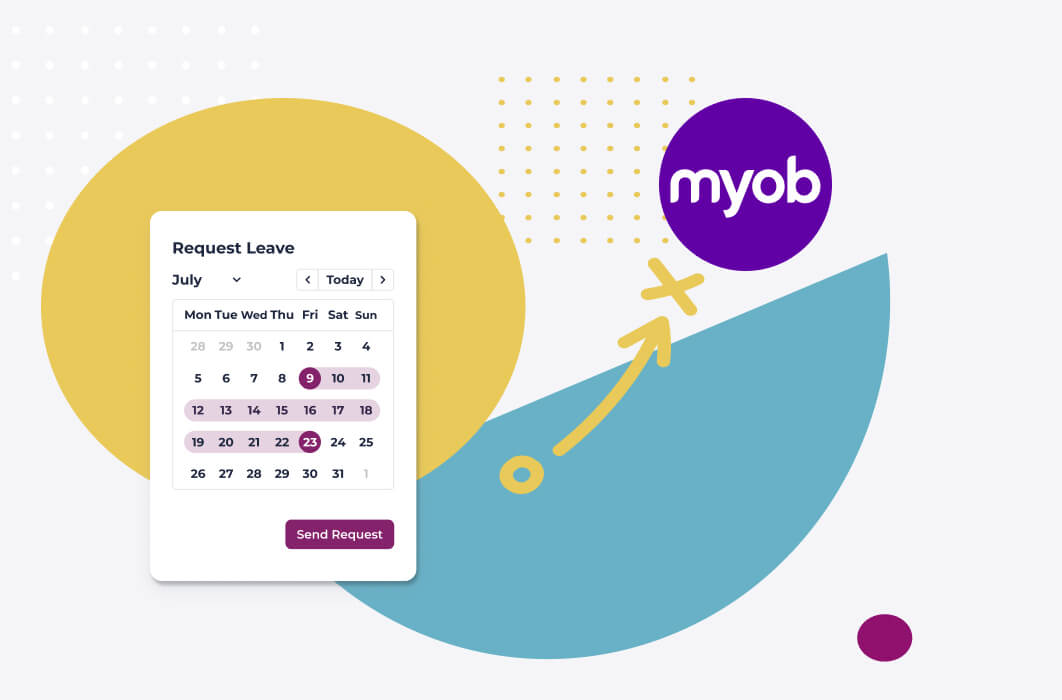
The integration moves the request and the approval into Worknice while MYOB AccountRight keeps the balances and the pay. Employees request leave against live MYOB balances, managers approve it, and Worknice calculates the hours. An account owner then sends approved leave into MYOB, where it lands in timesheets ready for the pay run.
No more:
- Email chains to approve a day off.
- Manually adjusting leave balances in MYOB.
- Switching between systems to make sure everything lines up.
The ownership split is the point of the design. MYOB stays responsible for how much leave someone has and how it is paid. Worknice becomes responsible for who asked, who approved, and how many hours the request is worth.
Both features are optional, which helps teams that are partway through a change. In Worknice, you open Apps, open the MYOB AccountRight integration, and choose Edit. There you can switch on Leave Requests, Leave Balances, or both. Some organisations show balances in Worknice but keep requests in payroll for a while; others turn on the full workflow from day one.
Leave is one part of a broader connection, which also syncs employee records and new hires. The MYOB HRIS integration guide covers the whole integration, including two-way sync and connecting several MYOB files.
Why does MYOB stay the source of truth for leave balances?
MYOB stays the source of truth for leave balances because it is the system that accrues leave, pays it, and reports pay to the ATO. If Worknice calculated its own balances, the two numbers would drift apart. So Worknice shows the balance MYOB holds, and it sends MYOB the hours taken.
The same logic covers leave categories. According to the Worknice help centre, leave categories sync automatically from MYOB AccountRight, and nobody can create or edit them inside Worknice. As a result, a new leave type starts life in payroll, where it is linked to the right pay items, and then appears in Worknice for employees to request.
Common categories that come across from MYOB include:
- Personal and sick leave
- Annual leave
- Family and domestic violence leave
- Long service leave and time off in lieu
Those categories carry real entitlements. According to the Fair Work Ombudsman, full-time and part-time employees get 4 weeks of annual leave and 10 days of paid sick and carer’s leave a year. All employees, including casuals, get 10 days of paid family and domestic violence leave a year. Because the categories and balances come straight from MYOB, Worknice shows what payroll has actually set up.
One setup detail decides whether balances appear at all. Each employee card in MYOB needs a leave pay item, such as an annual leave accrual, and its matching wage pay item. If an employee sees no balance in Worknice, that link in MYOB is the first thing to check.
What can MYOB Team do for leave, and where are the gaps?
MYOB’s own answer to leave requests is MYOB Team, a mobile app and admin portal. According to MYOB, employees can request any paid leave type assigned to them in the app, and managers approve or delete requests in the portal. Approved leave appears in an MYOB timesheet, ready to process in the pay run.
MYOB Team suits teams that already use it for rosters and timesheets, and it keeps everything inside MYOB. For a shift-based workforce that mostly needs to clock on, submit hours, and ask for the odd day off, it may be all you need.
The gaps show up in the details MYOB documents itself. According to MYOB’s admin portal guide, a manager cannot decline a leave request; instead, they tell the employee and delete the pending request. To change leave after approval, payroll updates the hours when processing that pay. The 2026 MYOB integration guide covers the wider complaints MYOB customers raise in public reviews.
There is also the question of what surrounds leave. MYOB describes Team as a time-management tool rather than an HRIS, so it does not hold onboarding documents, an org chart, performance reviews, or HR reporting. Organisations that want those alongside leave usually need a separate HR system anyway.
How does an approved leave request reach MYOB?
An approved request reaches MYOB in batches, under payroll’s control. Once a manager approves leave, Worknice calculates the hours and splits the request into daily entries. An account owner then picks approved requests in the MYOB app inside Worknice and selects Send to Myob. Each day lands in MYOB timesheets, and Worknice marks the request Processed.
| Step | Where it happens | Who acts | What moves |
|---|---|---|---|
| Balance shown | Worknice, from MYOB | Nobody, it syncs live | Leave balances, from MYOB |
| Request | Worknice | Employee | Dates, leave category, approver, notes, attachments |
| Approval | Worknice | The chosen approver, typically the direct manager | Status changes to Approved |
| Hours calculated | Worknice | Automatic | Daily hours from the work pattern, public holidays at zero |
| Send to MYOB | Approved Leave Requests tab in the MYOB app | Account owner | Employee code, leave category, date, and hours per day |
| Pay run | MYOB AccountRight | Payroll | Leave paid from the timesheet |
That manual send is deliberate. Payroll decides when leave goes across, so a late approval does not slip into a pay run that is already being checked. According to Worknice’s MYOB leave page, you can batch approved leave into the current pay run or send it as future-dated timesheets. Meanwhile, the Processed status shows exactly what has already gone to MYOB, so nothing is sent twice.
Two MYOB settings make it work. First, timesheets must be switched on in MYOB AccountRight, because leave arrives as timesheet entries. Second, employee codes must match between Worknice and MYOB. By default, Worknice also deducts the matching base hourly amount, so nobody is paid twice for a day of leave. For employees on a base salary, you can switch that deduction off in the app.
How does Worknice work out leave hours for part-time and rotating staff?
Worknice works out leave hours from each employee’s work pattern, a two-week schedule of hours for every day. When someone requests leave, Worknice reads the pattern, counts only the days they normally work, and sets public holidays in their state to zero. MYOB then receives the correct hours for each day of leave.
Suppose a part-time employee works 7.6 hours on Monday, Tuesday, and Wednesday, and books a full week off. Without a work pattern, someone has to remember that a week off is 22.8 hours for her, not 38. With one, Worknice sends three days of 7.6 hours and nothing for Thursday and Friday.
The two-week pattern also handles nine-day fortnights and alternating rosters, because week one and week two can differ. If a public holiday falls inside the request, Worknice records zero hours for that day based on the employee’s state. Account owners edit patterns in the Work patterns tab of the MYOB app, and Worknice’s MYOB leave page notes that patterns can be future-dated when someone’s hours are about to change.
This is the step MYOB AccountRight does not do for you, because its leave balances are flat numbers of hours. Getting the hours right before leave reaches payroll removes the most common reason for a manual adjustment later.
How do managers approve MYOB leave without leaving the team short?
Managers approve leave in Worknice with the rest of the team in view. The shared leave calendar shows approved leave across the organisation and highlights overlaps, so a manager can see who else is away before saying yes. Worknice also refuses to approve a second request that duplicates leave the same person already has approved.
Need a single-manager approval, or a final check from payroll? The approval sits with the person the employee chooses, typically their direct manager, and payroll gives the final sign-off by choosing when to send leave to MYOB. Requests can carry attachments, such as a medical certificate, so the evidence travels with the approval.
The calendar keeps sensitive details private. Other users see that someone is away, not why, which matters for personal leave and especially for family and domestic violence leave. Meanwhile, HR can run the leave request report across the whole organisation, filter it by date, status, or employee, and group it by approver to chase a backlog.
Duplicate protection closes a gap that used to cost money. Previously, two overlapping requests for the same leave type could both be approved and paid if neither had been answered. Now Worknice re-checks against the employee’s approved and processed leave of that type before approving, and this applies to MYOB as well as Xero.
For more on planning cover, see why leave overlap visibility matters.
Who should use Worknice for MYOB leave, and who should stay on MYOB alone?
Worknice suits MYOB AccountRight organisations that want leave requests, approvals, and balances in one HR system while payroll stays in MYOB. If your team is small, works fixed hours, and is happy with MYOB Team on a phone, you may not need it, because MYOB already covers the basics.
Stay on MYOB alone, or MYOB with MYOB Team, when most of these are true. You have one location and a simple roster. Most staff work the same hours, so leave hours are easy to calculate. Payroll is comfortable entering the occasional adjustment by hand. Nobody needs an org chart, onboarding documents, or performance reviews.
Add Worknice when several of these apply instead:
- Part-time, rotating, or nine-day-fortnight staff make leave hours hard to get right.
- Managers need to see who else is away before approving.
- Payroll wants approved leave in batches, on its own timing, without retyping it.
- Leave is one of several HR jobs, alongside onboarding, documents, and performance.
In those cases, MYOB keeps doing what it does well, which is paying people accurately. Worknice removes the email chains and the double handling that sit in front of it.
Frequently asked questions
Does MYOB AccountRight have leave requests?
Not on its own. MYOB AccountRight tracks leave balances on leave pay items and pays leave through the pay run, but it has no request and approval workflow. MYOB Team adds requests through a mobile app and admin portal. Worknice adds requests, manager approval, and calculated hours, then sends approved leave into MYOB timesheets.
How does approved leave get from Worknice into MYOB?
An account owner opens the MYOB app in Worknice, selects requests on the Approved Leave Requests tab, and sends them to MYOB. Worknice sends each day as a timesheet entry with the employee code, leave category, date, and hours. The request then shows as Processed, so payroll can see what has gone across.
Do I need timesheets switched on in MYOB?
Yes. Worknice sends approved leave into MYOB AccountRight as daily timesheet entries, so timesheets must be enabled in MYOB’s payroll settings first. Employee codes also need to match in both systems. For balances to show in Worknice, each employee card needs a leave pay item linked to its matching wage pay item.
Can employees see their MYOB leave balances in Worknice?
Yes, when the Leave Balances feature is switched on in the MYOB AccountRight integration. Balances sync live from MYOB, so employees and managers see the same figure payroll sees. If someone sees no balance, check that their MYOB employee card links a leave accrual pay item to its matching wage pay item.
How does Worknice calculate leave hours for MYOB?
Worknice uses each employee’s work pattern, a two-week schedule of daily hours, to turn a request in dates into hours. It counts only the days the person normally works and records public holidays in their state as zero. MYOB then receives the correct hours per day, which suits part-time and rotating staff.
About the author
Graham Martin is a co-founder of Worknice, the Australian HRIS for mid-to-large organisations. He works with HR and payroll teams on connecting HR to Xero, MYOB AccountRight, MicrOpay, KeyPay, Employment Hero Payroll, and ELMO Payroll. He writes about keeping leave and people data clean and payroll-ready.
Related reading
- MYOB HRIS integration explained: the full MYOB AccountRight integration, including two-way sync, new hires, and several MYOB files.
- Leave for MYOB payroll: the product page for leave requests, approvals, and balances with MYOB.
- Worknice time off management: how leave requests, the leave calendar, and reporting work across Worknice.
- Worknice and MicrOpay integration: the same leave approach for organisations paying staff through MicrOpay.
Sources
- Worknice Help Center. “MYOB AR Leave Management.” Retrieved 9 October 2026. https://help.worknice.com/article/myob-account-right-leave-management
- Worknice Help Center. “MYOB Account Right.” Retrieved 9 October 2026. https://help.worknice.com/article/myob-account-right
- Worknice. “Streamlined Leave Requests, Approvals and Balances for MYOB Payroll.” Retrieved 9 October 2026. https://www.worknice.com/streamlined-leave-requests-approvals-and-balances-for-myob-payroll/
- MYOB. “Using the MYOB Team admin portal.” Retrieved 9 October 2026. https://www.myob.com/au/support/myob-business/payroll/using-the-myob-team-admin-portal
- MYOB. “Timesheets.” Retrieved 9 October 2026. https://www.myob.com/au/support/myob-business/payroll/timesheets
- Fair Work Ombudsman. “Record-keeping.” Retrieved 9 October 2026. https://www.fairwork.gov.au/pay-and-wages/paying-wages/record-keeping
- Fair Work Ombudsman. “Taking annual leave.” Retrieved 9 October 2026. https://www.fairwork.gov.au/leave/annual-leave/taking-annual-leave
- Fair Work Ombudsman. “Annual leave.” Retrieved 9 October 2026. https://www.fairwork.gov.au/leave/annual-leave
- Fair Work Ombudsman. “Paid sick and carer’s leave.” Retrieved 9 October 2026. https://www.fairwork.gov.au/leave/sick-and-carers-leave/paid-sick-and-carers-leave
- Fair Work Ombudsman. “Family and domestic violence leave.” Retrieved 9 October 2026. https://www.fairwork.gov.au/leave/family-and-domestic-violence-leave