TL;DR: A business case for HR software sets out the problem you need to solve, compares realistic options including staying as you are, estimates costs and benefits over several years, and names the risks and the plan to manage them. Decision makers approve cases built on evidence they can check, not on vendor promises or rounded guesses.
Key takeaways
- According to the Department of Finance, a business case sets out the problem or opportunity, considers options, and analyses costs, benefits, and risks.
- ACT Treasury guidance says the base case is not “do nothing”, but the realistic cost of carrying on as you are.
- Compare at least two real options against the base case, as ACT Treasury expects for its own projects.
- Value staff time with your own salary data. According to the ABS, full-time adult ordinary time earnings averaged $2,083.70 a week in May 2026.
- Count whole-of-life costs, including implementation, training, and integration, not just the subscription.
What is in this business case template?
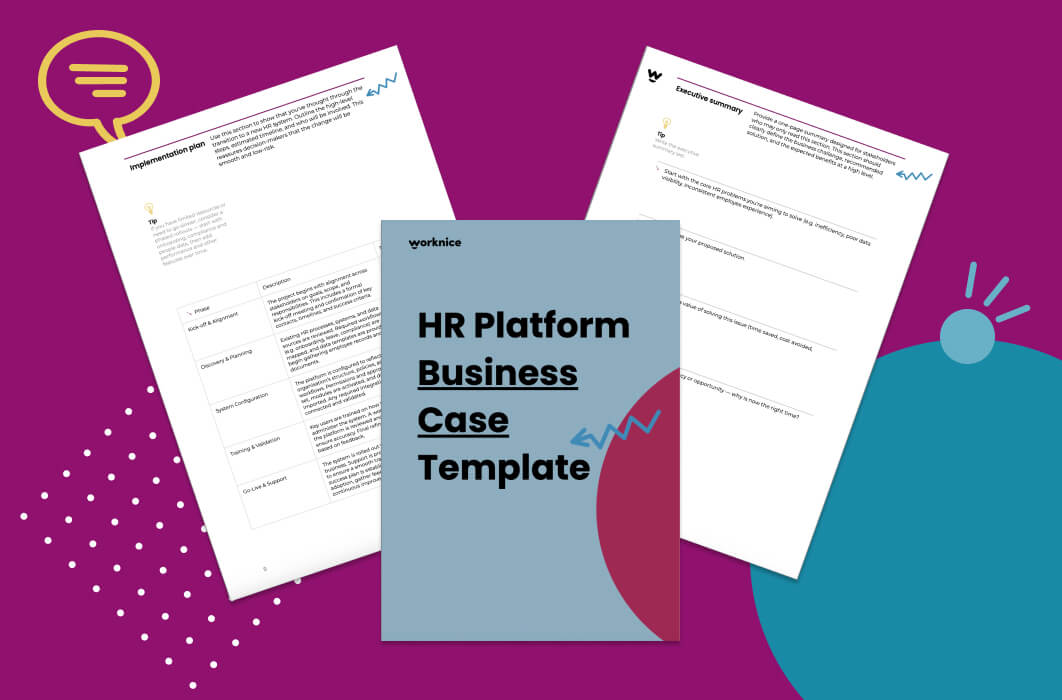
The template gives HR leaders a structured document for presenting the case for HR software to executives, finance, and the board. It follows the questions decision makers ask: what problem you are solving, which options you considered, what each costs and returns, and how you will deliver it. Download it and fill it in with your own figures.
Download Your Business Case Template?
What is a business case for HR software?
A business case for HR software is a decision document. It explains why the organisation should invest in a new HR system, which option to choose, and what it will cost and return. It sets out the problem, compares options, analyses costs, benefits, and risks, and gives leaders enough evidence to approve, defer, or reject the spend.
The Department of Finance describes a business case as the key document supporting an investment decision, and recommends updating it as better information arrives. Its guidance is written for government investment, but the structure suits any organisation. A board or executive team asks the same questions whether the spend is a building or an HR system.
For an HR leader, the business case does a second job. It forces a clear statement of what the system must achieve, which then becomes the yardstick for vendor demonstrations. If you are still working out what an HR system covers, what an HRIS is in an Australian context sets out the scope before you start writing.
How do you define the problem HR software should solve?
Define the problem as a cost you are carrying now or a benefit you are missing, backed by evidence from your own organisation. State how big it is, when it bites, and what causes it. A problem statement that names hours, errors, and compliance gaps persuades far more than a general complaint about outdated tools.
The Department of Finance guidance asks for three things about any problem: its scale, expressed in money where possible, its timing, and its root causes. In HR, the evidence usually sits in places you already control:
- Time. Hours spent re-keying new starter details, chasing forms, and answering leave balance questions.
- Errors. Payroll corrections caused by wrong start dates, missing super details, or out-of-date pay rates.
- Compliance. Expired licences or checks found late, and policies nobody can prove an employee acknowledged.
- Visibility. Headcount and turnover reports that take days to assemble from several spreadsheets.
Suppose onboarding paperwork arrives by email, gets printed, and is typed into payroll by hand. Track one month of new starters and record the hours, the corrections, and the missing items. That one month of real data will carry more weight than any industry benchmark, because leadership can see it is theirs.
Which options should an HR software business case compare?
An HR software business case should compare a realistic base case against at least two genuine options. The base case is what happens if you carry on, including the effort and risk that continues. The options are usually an HR system that integrates with your existing payroll, or an all-in-one platform that also replaces payroll.
ACT Treasury guidance makes the point clearly: the base case is not a “do nothing” scenario. Instead, it represents the realistic activity that continues if the project does not go ahead. For HR, that means the spreadsheets, the manual chasing, and any extra headcount you would need as the organisation grows.
Typical options for a mid-sized Australian organisation look like this:
| Option | What it means | What to weigh |
|---|---|---|
| Base case | Keep current tools and processes | Ongoing admin hours, compliance exposure, growth pressure |
| HRIS that integrates with payroll | Replace HR admin, keep the payroll system you trust | Integration quality, payroll stays the source of truth for pay |
| All-in-one HR and payroll | Replace both with one platform | Larger change, payroll migration effort and risk |
Presenting the base case honestly makes the case stronger, not weaker. Leaders trust a document that admits doing nothing is an option, then shows what it costs. Once you have a shortlist, an HR software evaluation checklist helps you score each vendor on the same criteria.
How do you estimate the costs and benefits of HR software?
Estimate costs over the full life of the system, typically three to five years. Include implementation, data migration, training, integrations, and internal staff time, not just the subscription. Estimate benefits from your own measured baseline, value time at your real salary cost, and show the assumptions so finance can test and adjust them.
The Department of Finance guidance asks how each benefit was estimated and what the ongoing costs are, including maintenance and operating costs. Apply the same discipline. For instance, if the system saves time, the calculation is simple. Multiply hours saved per week by the loaded hourly cost of the people saving them, then by working weeks in the year.
Use your own payroll data for the hourly cost. As a sanity check, the ABS reports that full-time adult average weekly ordinary time earnings were $2,083.70 in May 2026. Spread over a 38-hour week, that is about $55 an hour before super and other on-costs. Your HR team’s real figure may be higher or lower, so use it rather than the average.
Be careful with the benefits you cannot measure yet. Reduced compliance risk and a better employee experience are real, but they rarely convert cleanly into dollars. List them as non-financial benefits, describe them plainly, and keep them out of the payback calculation. Finance teams discount a case quickly once they spot a soft benefit dressed up as a hard number.
On the cost side, what an HRIS costs in Australia breaks down the line items most organisations miss.
How should the business case handle risk and compliance?
The business case should list the main risks of each option, including the base case, with a likelihood, an impact, and a mitigation. For HR software, the usual risks are data migration, payroll integration, low adoption, and budget creep. Compliance belongs in the risk table too, because record-keeping is a legal obligation rather than a preference.
The Fair Work Ombudsman states that employers have to keep time and wages records for 7 years. Those records must be readily accessible to a Fair Work Inspector, and they cannot be changed except to correct an error. So if the base case relies on spreadsheets and shared drives, say how confident you are that records could be produced on request.
A simple risk table works well:
- Data migration. Records arrive incomplete or duplicated. Mitigate by cleaning data before the move and reconciling counts after it.
- Payroll integration. Pay goes wrong in the first cycle. Mitigate by running a parallel pay run before go-live.
- Adoption. Managers keep using email. Mitigate with a phased rollout and named champions in each team.
- Budget. Costs grow as modules are added. Mitigate by fixing scope and pricing for the first phase.
For the data side in detail, see switching HR systems without losing data.
What implementation plan do decision makers expect?
Decision makers expect a short, phased plan showing who is involved, what happens in each stage, and how long it takes. It should also show how people keep getting paid correctly throughout. A credible plan names an internal owner, starts with the highest-value processes, and sets a clear measure of success for each phase.
A typical plan runs in four stages: discovery and configuration, data migration and integration, testing and training, then go-live and review. Many organisations start with people records, onboarding, and compliance, because those carry the most manual effort. Performance and engagement features can follow once the basics are stable.
Also state what you need from other teams. Payroll needs time to test the integration, IT needs to set up single sign-on, and managers need an hour of training. Naming those requests up front stops them surfacing as surprises after approval. For a fuller walk-through, see a practical HRIS implementation guide.
How do you get leadership buy-in for new HR software?
Leadership buy-in comes from a short, evidence-based summary that speaks to each approver’s priorities. Finance wants cost and payback, IT wants security and integration, and the executive wants risk and growth. Involve those stakeholders before the case is final, so the document reflects their questions rather than surprising them with answers they did not ask for.
In practice, write a one-page summary first. It should state the problem, the recommended option, the total cost over the life of the system, the expected benefits, and the main risk. Then put the detail behind it for anyone who wants to check the working.
Next, test the draft with the chief financial officer or a finance business partner before it reaches the executive. Their questions will show where the numbers are weak, and fixing them early is far easier than defending them in the meeting. Finally, treat the case as a living document, as the Department of Finance recommends, and update it as vendor quotes firm up.
How do you choose which HR software to put in the business case?
Choose the HR software for your business case by matching it to the problem you defined, not to the longest feature list. Shortlist systems that fit your size, keep or replace payroll as you intend, and integrate with the tools you already use. Then ask each vendor for references from organisations like yours.
Decide early whether payroll stays where it is. Many mid-sized Australian organisations keep a payroll system that already works and add an HR system that integrates with it, which narrows the change and the risk. Others prefer one platform for both, and accept a larger migration in return.
Worknice is one option for Australian organisations of 200 to 5,000 employees that want onboarding paperwork, people records, and compliance tracking in one HR system while keeping their existing payroll. An organisation that wants a single combined HR and payroll product may prefer an all-in-one platform instead.
What a strong business case includes
- Problem. A statement of the problem, backed by data from your own organisation.
- Options. A realistic base case, compared with at least two genuine options.
- Costs. Whole-of-life costs over three to five years, including implementation and training.
- Benefits. Measured benefits, with every assumption written down so finance can test it.
- Risks. A risk table that gives each risk a likelihood, an impact, and a mitigation.
- Plan. A phased implementation plan with an internal owner and clear success measures.
- Summary. One page at the front that approvers can read in two minutes.
Frequently asked questions
What should a business case for HR software include?
A business case for HR software should include a problem statement backed by evidence, a realistic base case, at least two options, whole-of-life costs, measured benefits with stated assumptions, a risk table with mitigations, and a phased implementation plan. A one-page summary at the front helps busy approvers reach a decision quickly.
How do you calculate the ROI of HR software?
Calculate the return on HR software by comparing whole-of-life costs with measured benefits over three to five years. Value time savings as hours saved, multiplied by the loaded hourly cost of the staff involved, multiplied by working weeks. Keep benefits you cannot measure, such as employee experience, separate from the payback calculation.
What is a base case in a business case?
A base case is the realistic picture of what happens if the project does not go ahead. It is not a “do nothing” scenario with zero cost. For HR software, it includes the ongoing manual effort, the compliance exposure, and any extra staff the current process would need as the organisation grows.
Who should approve a business case for HR software?
Approval usually sits with the executive team or the board, depending on the size of the spend and the organisation’s delegations. In practice, finance, IT, and payroll should review the case before it reaches approvers. Each group checks a different part, such as the payback, the security and integration, and the effect on pay.
How long should an HR software business case be?
An HR software business case should be as short as the decision allows. A one-page executive summary, followed by a few pages covering the problem, options, costs, benefits, risks, and plan, suits most mid-sized organisations. Put supporting detail, such as quotes and data samples, in appendices so the main document stays readable.
Related reading
- HRIS modules explained
- How to reduce HR admin with automation
- What makes an HRIS Fair Work compliant
Sources
- Department of Finance. “Developing a Business Case.” Commonwealth Investments Toolkit. Retrieved 8 October 2026. https://www.finance.gov.au/government/commonwealth-investment-framework/commonwealth-investments-toolkit/developing-business-case
- ACT Treasury. “Options Analysis process.” Capital Framework. Retrieved 8 October 2026. https://www.treasury.act.gov.au/capital-framework/prove/detailed-technical-guidance/options-analysis/options-analysis-process
- Australian Bureau of Statistics. “Average Weekly Earnings, Australia, May 2026.” Released 13 August 2026. Retrieved 8 October 2026. https://www.abs.gov.au/statistics/labour/earnings-and-working-conditions/average-weekly-earnings-australia/latest-release
- Fair Work Ombudsman. “Record-keeping.” Last updated 28 August 2026. Retrieved 8 October 2026. https://www.fairwork.gov.au/pay-and-wages/paying-wages/record-keeping