Every week, decisions get made about your people. A new role. A change of hours. A pay rise. Someone resigning, someone returning from parental leave. Each one matters to the person waiting on it. And each one usually travels the same way: an email to a manager, a message to finance, a form somebody printed, a conversation in a corridor.
- People and culture leads chase the same sign-off three times before it lands.
- Managers send a request and never find out where it’s up to.
- Employees ask for a change and wait, not knowing who has it.
- Today, that changes.
- We’re launching Requests, a new way to get decisions about your people made in Worknice.
- Any request your organisation runs can now be one form, sent to the right approvers, in the right order.
Need approval to hire? Make a request. A change of hours for someone on your team? Make a request. A pay rise that needs finance and the CEO to agree? Make a request.
Everyone involved can see where it’s up to, and once it’s approved it lands with the person who acts on it.
Why we built it
Worknice has had approvals for a while, on paperwork and on leave. Customers used them, and then told us where they stopped.
Only account owners could approve, when the person who really decides is often a manager, a finance lead or a director. Only HR could start one, when the request usually begins with a manager or an employee. There was one group of approvers and no order, when most decisions pass through two or three people in turn. And an approval had to hang off a document, when most decisions have no document at all.
So we built one engine for all of it. Requests is that engine.
One form, the right approvers
The hard part of an approval is rarely the decision. It’s getting the same details in front of the right people, in the right order, without anyone chasing.
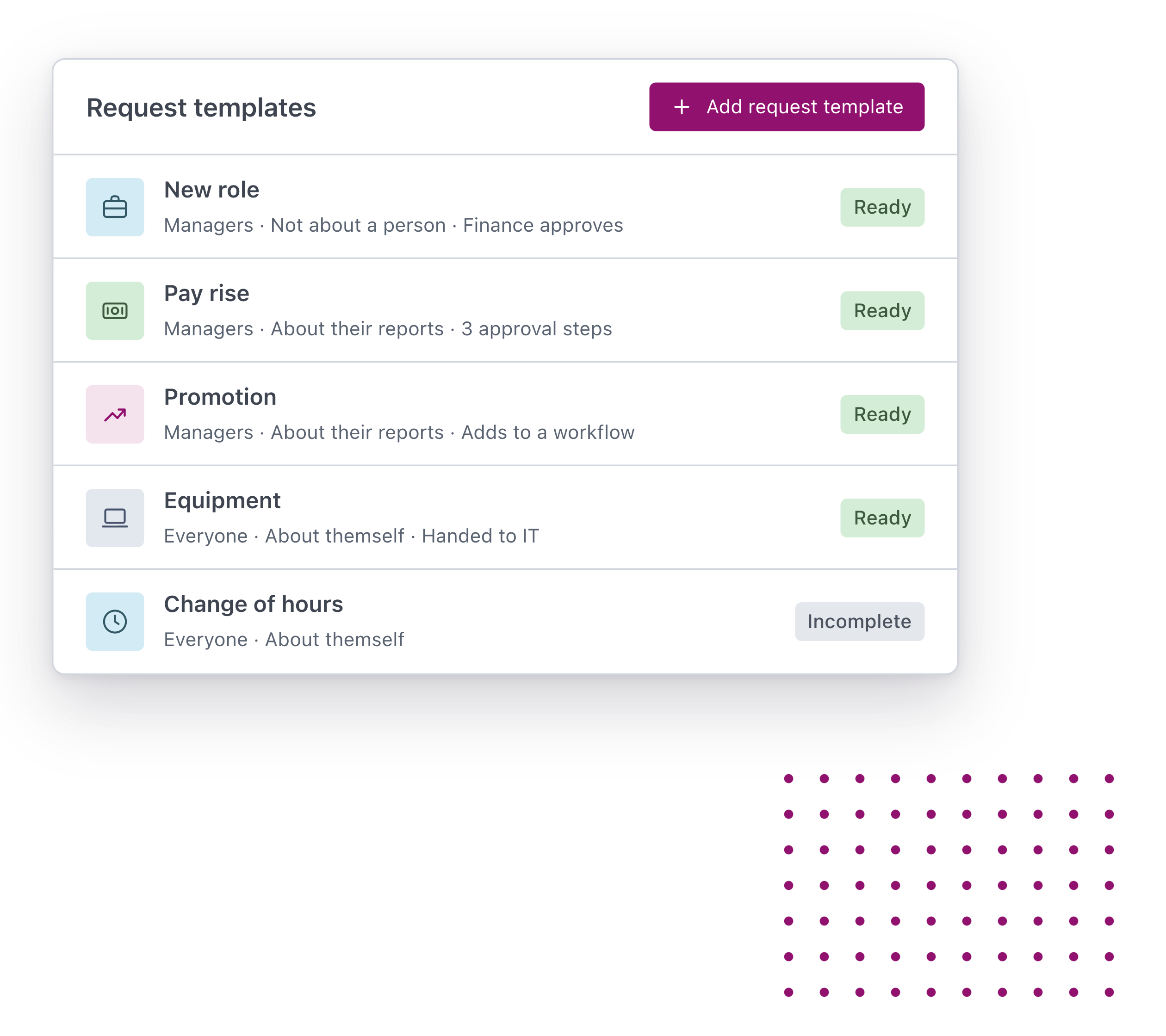
Requests starts with a template you build once. You choose who can make the request, who it can be about, the questions to ask, the approval steps, and what happens once it’s approved.
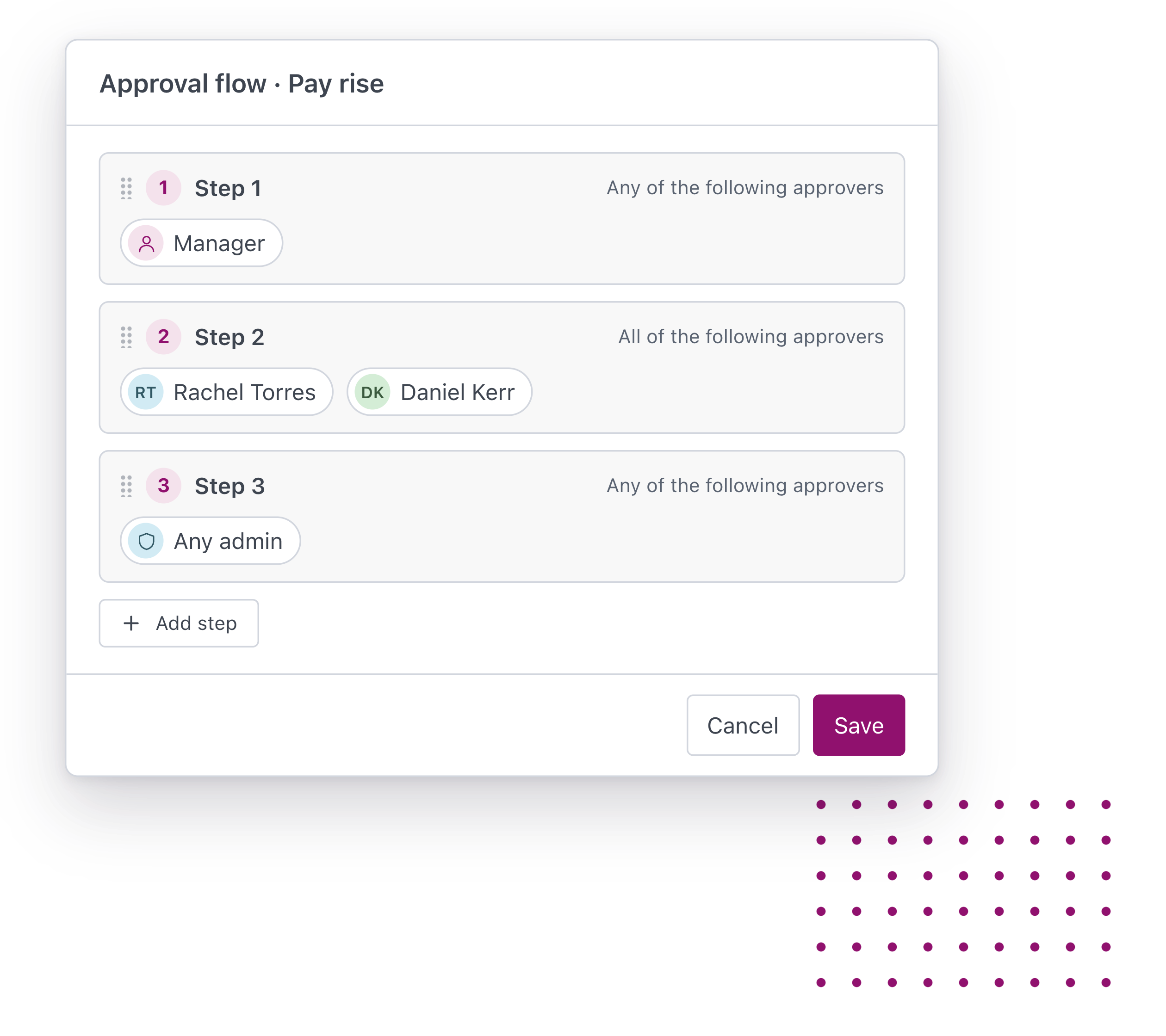
Take a pay rise. The form asks for the new rate, the date it takes effect and the reason. Step one goes to the person’s manager. Step two goes to Rachel Torres in finance and Daniel Kerr, the general manager, and both have to agree. Step three goes to any account owner, and the first one to approve finishes it.
Nobody is asked before their turn. Each approver sees the same answers, approves or rejects, and can say why. If Rachel rejects it, the request stops there, with her reason on it for everyone involved to read.
Once the last step is approved, the request does one of three things: it’s marked complete, it’s handed to someone to action, or the person is added to a workflow such as onboarding.
Requests in action
Managers get a yes or a no without chasing. Approval to hire a new or replacement role goes to their manager, then finance, then the CEO. It’s the request customers ask us for most.
Employees ask for a change themselves. A change of hours, a flexible work arrangement or a resignation starts with the person it’s about, and goes to the people who decide.
People and culture leads stop being the post office. A new starter’s details, a probation outcome or a pay rise arrives complete, already approved, ready to act on.
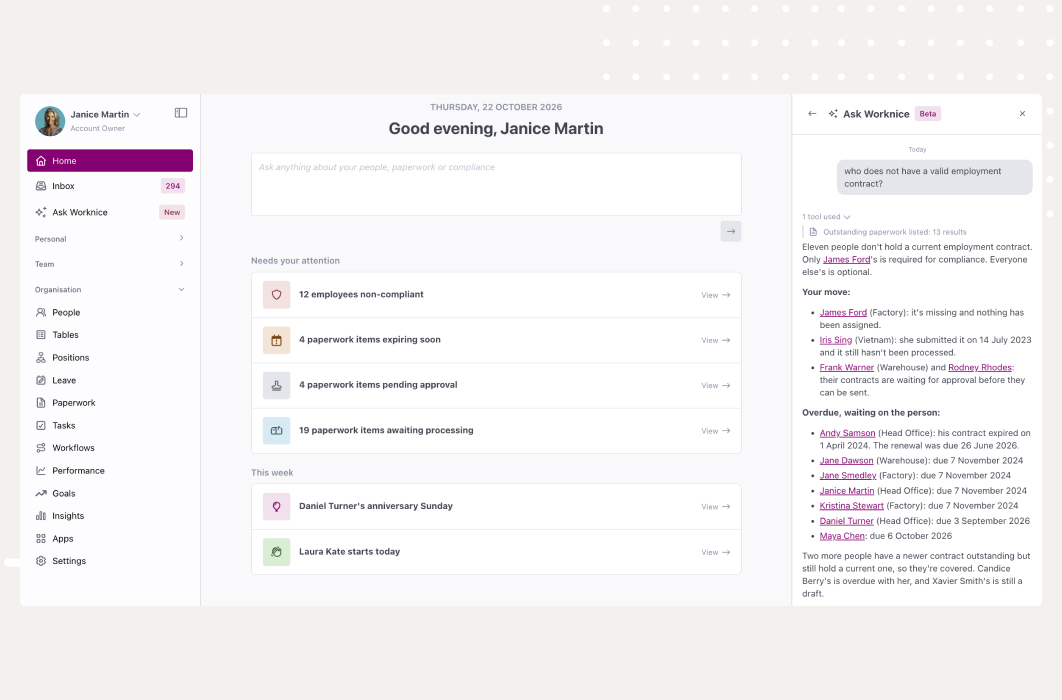
Leaders see what’s waiting on them in one place. Requests that need their approval show on Home and in their inbox, so nothing sits in an email nobody opened.
Control, built in
A decision about someone’s pay or role has to be handled carefully. Requests is built around that.
Only the people involved can see it. The person who made the request, each approver once their step starts, the person who actions it, and account owners. The person a request is about doesn’t see it unless they made it.
Every decision is on record. Who approved, who rejected, when, and the reason they gave, on the request itself.
Nobody approves a request about themself. If an approver turns out to be the person the request is for, an account owner steps in.
Account owners can always step in. They see every request in the organisation, and can approve for someone who’s away, hand a step to someone else, or cancel.
This is just the start
Requests starts with the approval: the form, the steps, and a clear hand-over once it’s done. The record itself is still updated by your team after a request is approved.
From here, the idea gets bigger. Every decision about your people has a beginning, a set of people who need to agree, and something that happens next. We want all of that to live in one place, next to the records it changes, so your team spends its time on the decision and not on moving it around.
Requests is rolling out to Worknice customers now. If you’re a customer and want help setting up your first request, talk to your Worknice contact.
Great work starts here.