Worknice integrates two-way with KeyPay (now branded Employment Hero Payroll) and every white-labelled version of the same product, including ELMO Payroll and PayCat. The integration keeps payroll as the source of truth, supports multi-entity organisations by connecting multiple KeyPay accounts to one Worknice (something Employment Hero’s own HRIS cannot do), and routes leave through Worknice’s approval workflow so that approving leave in Worknice actually approves it in KeyPay.
Last updated 23 September 2026.
Key takeaways
- KeyPay, Employment Hero Payroll, ELMO Payroll and PayCat are all the same underlying payroll engine sold under different brand names. Worknice integrates with all of them through the same connection because it is one product behind the labels.
- Worknice can connect multiple KeyPay (or Employment Hero Payroll) entities into a single Worknice account. Production customers connect three to five payroll entities in one HRIS. Employment Hero’s own HRIS requires one HRIS account per payroll entity, which fragments people data across the organisation.
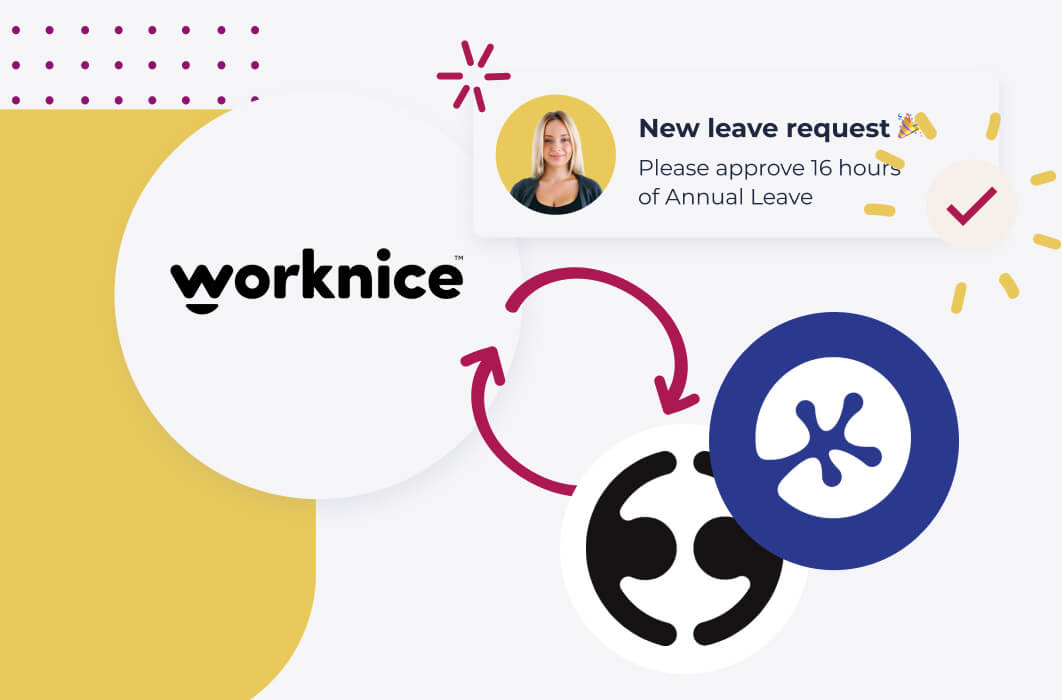
- The integration is genuinely two-way. When a manager approves a leave request in Worknice, the approval flows to KeyPay and the leave is recorded against the pay run. Leave balances flow back from KeyPay so employees see their entitlement in the Worknice portal.
- “Integration connection control” lets you sync at the employee level, not just the account level. Volunteers, board members, contractors or unpaid workers can live in Worknice without ever being created in KeyPay payroll.
- New hires complete onboarding in Worknice and flow into KeyPay with personal details, bank account, TFN, super fund USI/number and emergency contacts. No double entry.
What does the Worknice and KeyPay (Employment Hero Payroll) integration do?
The Worknice and KeyPay integration is a two-way sync between an HRIS and the KeyPay payroll engine (now branded as Employment Hero Payroll, and also sold under white labels including ELMO Payroll and PayCat). The integration sets up new hires in payroll automatically, routes leave through Worknice’s approval workflow into KeyPay, keeps employee records in sync both ways, and supports connecting multiple KeyPay entities into a single Worknice account.
The integration is built around three innovations Worknice published when it launched:
The first is integration connection control. Rather than syncing every record between Worknice and KeyPay, Worknice manages the connection at the individual employee level. A volunteer or unpaid contractor can live in Worknice with all their HR data and compliance documents without ever being created in KeyPay payroll. A paid employee can sync to one or more KeyPay entities depending on how they are paid.
The second is multi-account connection. A single Worknice account can connect to multiple KeyPay payroll entities at the same time, with all connections always online and ready to sync. According to Worknice’s published documentation, production customers have connected as many as five KeyPay entities into one Worknice account.
The third is automation rules. The sync between the two systems is configurable. Teams can decide which data flows from Worknice into KeyPay, which flows back, and which is treated as one-way only.
The result is what Worknice’s product team described as “connecting HR to payroll has never had this much flexibility and control”.
Is KeyPay the same product as Employment Hero Payroll, ELMO Payroll and PayCat?
Yes. KeyPay is the original product name. Employment Hero acquired KeyPay and renamed it Employment Hero Payroll. The same underlying payroll engine is also sold under white-label brands including ELMO Payroll and PayCat. All of these products are the same payroll engine with different vendor branding, support models and pricing. Worknice integrates with all of them through the same KeyPay connection because the API and data model are identical.
A short history of the rebranding for buyers who get confused by the name changes:
KeyPay launched as an Australian cloud payroll engine and grew rapidly through the late 2010s on the strength of its modern award interpretation, STP support and developer-friendly API. It became one of the most-used payroll engines in the Australian SMB and mid-market.
Employment Hero acquired KeyPay in 2022 and progressively rebranded it as Employment Hero Payroll. Many customers who signed up under the KeyPay name still call it KeyPay because that is the brand they know, but the product they are using today is identical to Employment Hero Payroll.
ELMO Payroll, sold as part of the ELMO Software HR suite, is also the KeyPay/Employment Hero Payroll engine under a different brand. ELMO licenses the engine and resells it with its own UI shell.
PayCat is another white-label resale of the same engine, marketed to small business customers with PayCat’s own support and pricing model.
For an Australian HR leader evaluating Worknice, the practical implication is this: if your payroll is KeyPay, Employment Hero Payroll, ELMO Payroll or PayCat, the Worknice integration works the same way. You are connecting to the same underlying engine.
Why does KeyPay remain the source of truth for payroll in this setup?
KeyPay (Employment Hero Payroll) remains the source of truth for payroll because it owns the pay rules, modern award interpretation, leave accrual calculations, STP Phase 2 lodgement and super contributions. Worknice does not try to replicate any of that. The strongest demonstration of the source-of-truth split is leave approval: when a manager approves leave in Worknice, the approval flows directly into KeyPay so the leave is reflected on the pay run, the accrual deducts correctly, and the leave balance updates.
The architectural principle is consistent with how Worknice integrates with every payroll platform:
Pay rules belong with the payroll engine. Modern award interpretation, EBA mapping, leave loading, public holiday rules, overtime calculation and super calculation are all KeyPay’s responsibility. Worknice does not duplicate any of this. The HRIS holds the employee record and the workflow, not the pay calculation.
STP lodgement and ATO obligations stay in KeyPay. Single Touch Payroll Phase 2 lodgements, tax withholding, super contributions, and end-of-year reconciliation belong in the payroll system. Since Payday Super began on 1 July 2026, super has to reach the employee’s fund within 7 business days of each payday, which is one more reason to keep it in the payroll engine.
Leave entitlements are calculated in KeyPay. Leave accruals based on award rules, anniversary date and work pattern are computed in KeyPay. The current balance flows back to Worknice so employees see their entitlement in the HR portal, but the calculation lives where the pay rules live.
Leave approval flows directly into KeyPay. This is the part of the integration that matters most to HR teams. When a manager approves a leave request in Worknice, Worknice calls KeyPay and approves the matching leave record in the payroll system. The approval is real and final in both systems. The leave appears on the pay run, the accrual deducts and the leave balance updates. The employee never has to lodge the request twice. The manager never has to approve it twice.
Termination flows automatically. When a termination is processed in Worknice, the termination date and final pay information flow to KeyPay so the final pay run reflects the correct cessation, leave payout and ETP treatment.
How does Worknice unify multiple KeyPay payroll entities into one HRIS?
Worknice unifies multiple KeyPay payroll entities into one HRIS by allowing a single Worknice account to maintain live two-way connections to multiple KeyPay payroll accounts at the same time. All employees across every entity appear in one org chart, one leave calendar, one compliance dashboard and one HR reporting layer. This is the killer feature for Australian mid-market organisations with multi-entity legal structures, because Employment Hero’s own HRIS cannot do this.
The multi-entity story matters more in Australia than people realise:
Multi-entity is the default, not the exception. Many Australian mid-market organisations operate across multiple legal entities for tax, structuring or risk reasons. A trading company, a service company, a holding company, a separate entity per state or per acquired business. Each entity typically runs its own KeyPay payroll account because payroll lodges to the ATO per ABN.
Employment Hero’s HRIS forces one HRIS account per payroll entity. Because Employment Hero’s HR product is tied to a single payroll entity, multi-entity organisations end up running multiple Employment Hero HR accounts in parallel. The data is fragmented. The org chart in entity A does not see employees in entity B. Compliance dashboards do not roll up. HR reporting is per-entity, not whole-of-organisation. This is a well-known limitation of single-vendor HR plus payroll bundles.
Worknice flips the model. One Worknice HRIS connects to as many KeyPay entities as the organisation needs. The org chart spans entities. The leave calendar shows time off across the whole business. Compliance documents and expiry alerts are unified. HR reporting reflects the entire organisation, not a slice.
All connections are always online. According to Worknice’s published documentation, multi-account connections are “synchronised” rather than requiring manual cycling between payroll entities. All KeyPay connections sync continuously when data changes in Worknice or in any of the connected KeyPay accounts.
A single employee can sync to multiple payrolls. For the small number of cases where one person is paid by more than one entity (an executive working across a group structure, for example), Worknice can sync that single employee record to multiple KeyPay accounts at once.
Volunteers, board members and unpaid workers stay in Worknice only. Using the integration connection control feature, employees who should not appear in payroll (volunteers, contractors paid via accounts payable, board members) live in Worknice with their HR record and compliance documents, without being pushed into KeyPay.
The structural argument is simple: HR and payroll have different jobs. Payroll lodges per legal entity because the ATO requires it. HR should be unified because the people work for the same organisation. Worknice’s multi-entity support reflects this reality.
How does the 2-way leave approval workflow work between Worknice and KeyPay?
The Worknice and KeyPay two-way leave workflow lets employees request leave in Worknice, routes the request through a configurable multi-step approval workflow (e.g. manager only, or manager plus HR for parental and long service leave), and pushes the approval directly into KeyPay so the leave is recorded against the pay run. Approvers can stay in Worknice or, if they prefer, log into KeyPay directly and approve there. Either way, the leave is approved in both systems and stays in sync.
A practical walk-through:
The employee requests leave through their Worknice portal (web or mobile). They choose the leave type from a list that maps to the leave categories KeyPay is configured to support (annual, personal/carer’s, long service, parental, unpaid).
Worknice creates the matching leave request in KeyPay automatically. The two systems now hold the same pending request.
Worknice routes the request to the configured approver(s). Annual leave might go to the direct manager only. Long service or parental leave can require manager plus HR or skip-level sign-off.
Each approver sees the request in their Worknice inbox with the requester’s name, role, dates, available balance and any overlap warnings. They can approve, decline or request more information.
When the request is fully approved in Worknice, the approval flows directly to KeyPay. The leave record in KeyPay moves from pending to approved. The accrual deducts. The pay run reflects the time off.
The two-way nature of the integration means it also works the other way around. If the payroll team or an accountant prefers to approve leave in KeyPay (some Finance teams do), they can. The approval flows back to Worknice and the leave shows as approved in the HR portal too. As Worknice’s product team noted in the launch blog: “By offering 2-way integration different teams can choose to work in the platform they feel comfortable with.”
This is meaningfully different from a one-way integration that creates a leave record in payroll but leaves the approval in the HRIS. Without the two-way approval flow, payroll teams have to double-check or re-approve the request when they run the pay cycle, which defeats most of the value of the integration.
How does new hire setup flow from Worknice to KeyPay?
New hire setup flows from Worknice to KeyPay through an automated onboarding handoff. When a new starter completes onboarding in Worknice (digital tax declaration, bank account, super fund, contracts, policy acknowledgement), Worknice creates the matching employee record in KeyPay with all payroll-relevant fields populated. The phrase Worknice’s blog uses is “never add new employees to KeyPay again”. For the payroll team, the new starter is simply already there.
The specific fields that flow from Worknice to KeyPay at new hire:
| Worknice | Direction | KeyPay (Employment Hero Payroll) |
|---|---|---|
| Personal details (name, contact, address) | Sync | Personal details |
| Bank account details | Sync | Bank account |
| Tax File Number declaration | Sync | TFN |
| Super fund USI and member number | Sync | Super fund USI and number |
| Emergency contact | Sync | Emergency contact |
| New hire employment record (start date, position, pay rate) | Sync | New hire record |
Source: Worknice published integration documentation.
The flow eliminates the most time-consuming part of payroll onboarding for the Finance team. Rather than the payroll administrator re-keying every new starter from a spreadsheet or email, the record arrives in KeyPay complete and ready for the first pay run. Worknice describes this in its product page as “kill double handling and collect all the right information, first time, every time”.
For mid-life changes (pay rises, role changes, manager changes, work pattern changes, location changes), the same flow applies on an ongoing basis. Updates approved in Worknice flow to KeyPay. The two systems stay aligned.
Who should use Worknice with KeyPay, and who should stay on KeyPay or Employment Hero HRIS only?
Stay on KeyPay alone if you are a very small business with no HR-specific compliance burden and HR admin takes less than two hours a week. Stay on Employment Hero HRIS plus Employment Hero Payroll only if you run a single legal entity and you are happy with Employment Hero’s HR feature set. Add Worknice on top of KeyPay if you operate across multiple payroll entities, have regulated compliance needs, want a unified org chart and leave calendar across the whole business, or want a more configurable HR layer than Employment Hero’s bundled HRIS provides.
A practical guide for when Worknice plus KeyPay is the right architecture:
You operate multiple legal entities. This is the strongest signal. If your organisation runs more than one KeyPay account (or Employment Hero Payroll, or ELMO Payroll, or PayCat), Worknice unifies the people data across them. Employment Hero’s own HRIS cannot.
Your HR needs exceed what is bundled with payroll. Multi-step leave approval, configurable onboarding workflows, document bundles with expiry alerts, additional manager scope on performance reviews, custom HR fields with history, WGEA reporting. These are HR functions that the payroll-bundled HR products typically do not handle deeply.
You have any regulated workforce. NDIS, healthcare, education, law, construction, transport, financial services. Worknice’s compliance document management and certificate expiry alerts are difference-makers in these industries.
You want true two-way leave approval. Many HRIS-payroll integrations are one-way only. Worknice’s two-way KeyPay integration means approving leave in Worknice actually approves it in KeyPay, removing the double-handling that plagues most setups.
You expect to add more entities over time. Growing businesses acquire entities, restructure, expand to new states or launch new trading brands. Each new entity adds a KeyPay account. Worknice connects to each one without fragmenting the HR data.
Your accountant or external bookkeeper runs payroll. A common Australian pattern. The external bookkeeper stays in KeyPay (or Employment Hero Payroll, or PayCat) doing what they do well. HR runs in Worknice. The integration keeps the two in sync without forcing the bookkeeper to learn a new system.
Frequently asked questions
Is KeyPay the same as Employment Hero Payroll?
Yes. Employment Hero acquired KeyPay and rebranded it as Employment Hero Payroll. The underlying engine is identical and is also resold under white-label brands including ELMO Payroll and PayCat. The Worknice integration works the same way regardless of the brand because it connects to the same KeyPay API. If your team still calls it KeyPay, the product you are using is what is now branded Employment Hero Payroll.
Can Worknice connect to multiple KeyPay accounts at once?
Yes. A single Worknice account can maintain live two-way connections to multiple KeyPay payroll entities at the same time, with all connections synced continuously. Worknice’s published documentation reports production customers connecting up to five KeyPay entities in one HRIS. This is meaningfully different from Employment Hero’s own HRIS, which requires one HRIS account per payroll entity and fragments people data.
What happens when I approve leave in Worknice, does it sync to KeyPay?
Yes. The leave approval is genuinely two-way. When a manager approves a leave request in Worknice, the approval flows directly into KeyPay (Employment Hero Payroll). The leave record in payroll moves from pending to approved, the accrual deducts and the pay run reflects the time off. There is no need to re-approve in KeyPay. Approvers who prefer to work in KeyPay can also approve there and the approval syncs back to Worknice.
Will Worknice replace KeyPay or Employment Hero Payroll?
No. Worknice is HRIS-only by design and keeps KeyPay as the source of truth for payroll. The integration is two-way, but the architectural split is clear: payroll runs in KeyPay (with modern award rules, STP, super, pay history). HR runs in Worknice (with onboarding, compliance, leave workflows, performance, the org chart). The two systems together are stronger than either trying to do both jobs.
Can Worknice integrate with ELMO Payroll or PayCat?
Yes. ELMO Payroll and PayCat are white-label resales of the KeyPay engine, so the Worknice integration works the same way. If your payroll is ELMO Payroll or PayCat, you can connect Worknice through the same KeyPay connection. The data flow and feature set are identical to a direct KeyPay or Employment Hero Payroll connection.
About the author
The Worknice Team writes about HRIS strategy, payroll integration and HR operations for Australian mid-market organisations. Worknice is an HRIS built for Australian and New Zealand teams of 50 to 2,000 employees, with two-way integrations to KeyPay (Employment Hero Payroll), Xero, MYOB AccountRight, MicrOpay and any payroll with an API.
Related reading
- Worknice becomes KeyPay’s BFF: the integration explained: the canonical Worknice blog post covering connection control, multi-account integration and automation rules.
- Worknice payroll integration overview: the master Worknice page covering two-way payroll sync across KeyPay, Xero, MYOB and other payroll platforms.
- Best HRIS platforms for mid-to-large Australian organisations: broader buyer’s guide for HR leaders evaluating the full HRIS market.
- Worknice and Xero integration: how Worknice adds HR on top of Xero payroll for Australian teams.
- Worknice and MYOB integration: how Worknice adds leave requests, two-way sync and self-service on top of MYOB payroll.
Sources
- Worknice. “Worknice becomes KeyPay’s BFF with its innovative HRIS integration.” Worknice blog, 12 October 2022. https://www.worknice.com/blog/worknice-becomes-keypays-bff-with-its-innovative-hris-integration/
- Worknice. “Payroll Integration.” Accessed May 2026. https://www.worknice.com/payroll-integration/
- Employment Hero. “Employment Hero Surpasses A$300M ARR.” Employment Hero blog, 8 October 2025. https://employmenthero.com/blog/employment-hero-surpasses-300m-arr/
- PayCat. “PayCat Payroll Services.” Accessed May 2026. https://www.paycat.com.au/
- Australian Taxation Office. “Single Touch Payroll Phase 2.” ATO, accessed 2026. https://www.ato.gov.au/businesses-and-organisations/hiring-and-paying-your-workers/single-touch-payroll/single-touch-payroll-phase-2