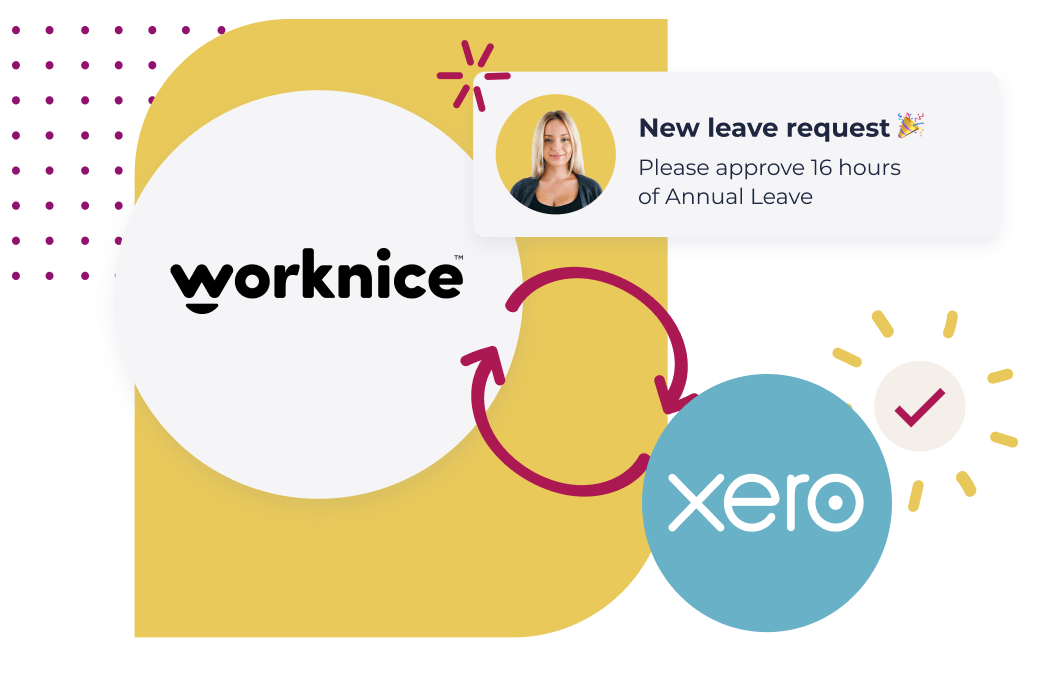
Worknice’s two-way Xero integration keeps Xero as the source of truth for payroll and pay history while adding the HR layer Xero was never built to handle: multi-approver leave workflows, org-wide leave visibility, an org chart, onboarding workflows, compliance documents, certificate expiry tracking, performance reviews and proper HR reporting. New starters sync from Worknice into Xero in a few clicks. Leave balances and pay data flow back to employees through Worknice.
Key takeaways
- Worknice’s Xero integration is designed around a clear functional split: Xero remains the source of truth for pay rules, pay history and STP Phase 2 lodgement with the ATO. Worknice owns onboarding, leave workflows, compliance, performance and the org chart.
- Australian teams running Xero Payroll consistently report two structural gaps in Xero’s HR features: leave requests with no proper multi-step approval workflow, and no way to see leave across the whole organisation in a single calendar view.
- Worknice solves both directly. Multi-step leave approval (e.g. line manager plus HR) is configurable per leave type, and the leave calendar shows the entire organisation with overlap warnings so teams can plan coverage.
- The integration is two-way and “plug and play” out of the box. New hires entered in Worknice flow into Xero with employee details, tax declaration, super and bank info, eliminating double entry.
- Worknice customers describe the Xero integration in verified G2, Capterra and SourceForge reviews as one of the deciding factors for choosing the platform, with quotes like “plugs straight into Xero and new hires are all fully set up in payroll right away”.
What does the Worknice and Xero integration actually do?
The Worknice and Xero integration is a two-way data sync that keeps Xero as the source of truth for payroll while adding a complete HR layer on top. New hires entered in Worknice flow into Xero Payroll automatically, including employee details, tax declaration, super and bank information. Leave balances, pay rate changes and employment history flow back so employees can self-serve through Worknice without needing Xero access.
The integration sits across three core surfaces:
The first is new hire setup. When a new starter completes onboarding in Worknice, their employee record, tax file declaration, super choice, bank details and pay rate flow directly into Xero. According to Worknice customers on G2 and Capterra, this typically removes the entire “set up the new starter in Xero” task from the payroll team’s to-do list.
The second is ongoing employee data sync. Worknice holds the structured employee record (legal name, contact, emergency contact, position, manager, location, employment type, work pattern, pay rate, custom HR fields). Changes flow into Xero so the data Xero needs for the pay run is current. Worknice keeps the historical version of every change with effective dates, which Xero does not preserve as cleanly.
The third is leave and pay data flowing back. Leave balances calculated and accrued in Xero are pulled back into Worknice so employees see their entitlements in the HR portal. Payslips and pay history stay in Xero (the source of truth), but the visibility layer Worknice adds means managers and employees do not need Xero logins to answer everyday HR questions.
The result is what Worknice describes as “kill double handling”, a phrase that shows up across customer reviews because it matches what teams actually experience.
Why does Xero remain the source of truth for payroll in this setup?
Xero remains the source of truth for payroll because payroll is owned by Finance, runs on Australian-specific pay rules (modern awards, STP Phase 2, super, PAYG, leave accruals), and is the system that lodges to the ATO. Worknice is HRIS-only by design. The two systems are stronger together than either one trying to do both jobs. The functional split is the integration’s strength, not a limitation.
A few reasons this split is the right architecture for Australian organisations:
Payroll lodgement is a Finance responsibility. Single Touch Payroll Phase 2 lodgements, super contributions, PAYG withholding and end-of-year reconciliation belong with the CFO and Finance team. Xero is purpose-built for this and is one of Australia’s most-used small and mid-market payroll platforms. Disrupting it makes no sense.
HR data and payroll data have different lifecycles. Pay history, accrual balances, and tax data live in the payroll system because that is where they are calculated and lodged. Employee records, performance reviews, compliance documents and the org chart belong in the HRIS because that is where the HR team works. Trying to force both into one system either bloats payroll with HR features Finance does not need, or shoves payroll into an HRIS that cannot lodge to the ATO.
Replacing payroll mid-flight is high-risk. Most Australian teams looking at an HRIS are not looking to switch payroll at the same time. They have years of pay history in Xero, the BAS is wired up, and the integrations to bank files and super clearing house are working. The right answer is to keep payroll where it is and add the HR layer separately.
Worknice integrates rather than replaces. Worknice is plug-and-play with Xero, MYOB AccountRight, Employment Hero Payroll (KeyPay), MicrOpay and any payroll with an API. The strategic choice to keep payroll separate means an Australian team can switch payroll later (if their needs change) without losing their HR system.
What are the known limitations of Xero’s HR and leave features?
Xero’s HR and leave features are designed for small business payroll teams, not for HR teams managing a growing organisation. The most consistently reported limitations from Australian users are: a single-approver-only leave workflow, no organisation-wide leave calendar, no proper org chart, no onboarding workflows, no compliance document management, no performance reviews and limited HR reporting. Xero solves payroll well. Worknice was built to solve everything else.
The specific gaps that mid-market Australian teams hit as they grow past 50 employees:
Single-approver leave only. Xero’s leave request workflow assumes one approver per employee, usually their direct manager. There is no native support for multi-step approval (line manager plus HR, or line manager plus skip-level for senior leave) and no way to require HR sign-off on certain leave types (parental, long service, unpaid).
No organisation-wide leave calendar. Xero shows leave at the individual or small-team level. There is no native view that surfaces leave across the entire organisation, no overlap warnings when too many people in a critical team are off at once, and no way to filter by department, location or role.
No proper org chart. Xero stores a “manager” field on each employee, but there is no visual org chart, no support for matrix or dotted-line reporting, and no easy way to see the structure of the business at a glance.
No onboarding workflows. Xero will set up payroll for a new hire, but it does not handle the surrounding work: collecting tax declarations digitally, sending employment contracts for e-signature, distributing policies for acknowledgement, scheduling a welcome video, assigning IT setup tasks, or tracking onboarding completion across stages.
No compliance document management. Working rights, visas, working with children checks, professional licences, qualifications, certificates of insurance and other regulator-mandated documents have no structured home in Xero. Most Australian teams that try end up with a folder of PDFs in OneDrive or Google Drive that no one maintains.
No certificate expiry alerts. Without document management, there is also no way to alert on expiring credentials before they lapse. A first-aid certificate, a working with children check or a practising certificate that expires unnoticed is a compliance breach.
No performance reviews. Xero has no performance review module, no goal tracking, no 360-degree feedback and no structured 1:1 check-ins. These are HR functions, not payroll functions, and Xero correctly stays out of them.
No HR reporting depth. Xero’s reports focus on payroll outputs (gross pay, tax, super, leave accruals). HR-side reports (headcount by department, turnover, time-to-hire, gender pay gap, leave usage patterns, manager span of control) are not part of Xero’s design.
Limited HR-specific custom fields. Xero employee records hold the data payroll needs. Capturing HR-specific data (probation end date, qualification, working pattern history, performance rating, succession status) requires either custom fields the system does not support natively, or an external HRIS.
None of this is a criticism of Xero. It is a category description. Xero is a small-business accounting platform with payroll. Worknice is an HRIS that sits on top.
How does Worknice solve each Xero HR limitation?
Worknice solves each Xero HR limitation by adding a purpose-built HR layer that integrates with Xero rather than trying to replace it. Multi-approver leave workflows, org-wide leave visibility, a proper org chart, onboarding bundles, compliance document management, certificate expiry alerts, performance reviews and HR reporting all live in Worknice. The Xero integration ensures the employee record and leave balances stay in sync between the two systems.
The mapping, gap by gap:
Multi-approver leave workflows. Worknice supports configurable multi-step approval per leave type. Annual leave might route to the direct manager only. Long service leave or parental leave can require both the manager and HR. The leave request itself is logged in Worknice, with the approval flow visible to the requester at every step. Once approved, the leave records sync to Xero so accruals and payroll deductions stay correct.
Org-wide leave calendar. Worknice provides a full organisation leave calendar that shows time off across every team and location, with filters by department, location, employment type and leave type. Overlap warnings highlight when too many people in a critical team are out at the same time. According to Worknice’s payroll integration page, the calendar “offers insights like time off overlaps and more” specifically because mid-market teams need that visibility to plan coverage.
Proper org chart with matrix support. Worknice generates an org chart automatically from employee records and reporting lines. It supports multiple managers per employee (the “additional manager” scope used in matrix structures and project-based organisations), updates automatically when roles change, and is searchable by name, role or team.
Onboarding workflows and bundles. Worknice handles the entire pre-Xero work with structured onboarding workflows: digital tax declarations, employment contracts with e-signature, policy acknowledgement bundles, welcome videos, scheduled first-day tasks and automated IT provisioning. Customer Helena Turpin from Flow of Work, in a verified Worknice review, said “the onboarding tool is our favourite, it plugs straight into Xero and new hires are all fully set up in payroll right away”.
Compliance document management. Working rights, qualifications, certificates, visas and any other regulated document live as structured compliance records in Worknice, with expiry dates, document upload and audit history. Bundles can be assigned during onboarding so new starters complete every required document before day one.
Certificate expiry alerts. Worknice sends automated alerts at configurable intervals (typically 90, 60 and 30 days) before an expiring credential lapses, to both the employee and a shared P&C inbox. This is the single biggest compliance protection most mid-market Australian organisations get from moving off Xero-only HR.
Performance reviews, 360s and check-ins. Worknice includes a full performance module: configurable review cycles, 360-degree feedback, ongoing structured 1:1 check-ins, goal setting and additional manager scope for matrix reviews. These are included in the core HRIS subscription rather than priced as a separate module.
HR reporting and people insights. Worknice combines HR data with the payroll data pulled from Xero to create reports Xero alone cannot produce: Workforce insights include headcount by department, turnover, leave usage patterns, time-to-hire, compliance status, manager span of control and WGEA-relevant pay data.
Custom HR fields with history. Worknice supports custom fields with effective dates, so probation end dates, work pattern changes, performance ratings, succession status and any other HR-specific data point can be modelled cleanly and tracked over time.
How does the 2-way payroll sync between Worknice and Xero work in practice?
The 2-way Worknice and Xero payroll sync works by mapping employee records between the two systems and pushing changes in real time. When a new starter completes onboarding in Worknice, their record creates automatically in Xero with all payroll-relevant fields populated. Ongoing changes (pay rate, role, work pattern, manager) sync from Worknice to Xero. Leave balances and pay history flow back from Xero to Worknice so employees see their data in the HR portal.
What happens at each stage:
Setup is a “few clicks” out of the box. Worknice customer Adam M., a Managing Director, described the Xero connection in a verified G2 review as “a built-in Xero Payroll integration which we setup ourselves with a few clicks and all of our employees could access and see all of their HR data right away”. No custom development is required.
Onboarding to payroll handoff is automatic. During onboarding, Worknice collects the data Xero needs: full legal name, tax file declaration (including TFN, residency, leave loading, claim of tax-free threshold), super fund choice (with USI/ABN), bank account details and starting pay rate. When onboarding is marked complete, the record syncs to Xero ready for the first pay run.
Mid-life changes sync continuously. Pay rises approved in Worknice flow to Xero. Manager changes, role changes, location changes and employment type changes flow through. Worknice keeps the historical version of every change with an effective date, which is useful when an employee returns from extended leave or when an audit needs the pay history at a specific point in time.
Leave records sync both ways. Leave approved in Worknice flows to Xero so it is reflected in the next pay run and the accrual balance is correct. Accruals calculated by Xero (the source of truth for leave entitlement under the relevant award or contract) flow back to Worknice so employees see their balance in the HR portal.
Termination flows automatically. When a termination is processed in Worknice (with notice period, final leave payout, return-of-property checklist and exit interview triggered), the employee record updates in Xero with the termination date so the final pay run reflects the correct cessation.
The phrase customers use is “kill double handling”. Worknice customer Sherley K., a COO of a mid-market business, summarised the value of the connection in a verified G2 review: “We were able to replace a number of spreadsheets and finally have all our employee data consolidated”. Double entry between an HR spreadsheet and Xero is the problem the integration removes.
How does Worknice handle multi-approver leave with Xero?
Worknice handles multi-approver leave by routing leave requests through a configurable approval workflow inside Worknice, then syncing the approved leave to Xero so accruals and pay reflect the time off. Annual leave can be configured for single manager approval. Long service, parental, unpaid or extended leave can require multiple approvers (manager plus HR, or manager plus skip-level) before reaching Xero.
The workflow looks like this in practice:
The employee requests leave through their Worknice portal (web or mobile). They choose the leave type from a list that maps to the leave categories Xero is set up to support.
Worknice routes the request based on the rules configured for that leave type. Annual leave goes to the direct manager. Long service leave routes to the manager and then to HR. Parental leave routes to the manager, HR and the leader of People and Culture.
Each approver sees the request in their Worknice inbox with the requester’s name, role, dates, available balance and any overlap warnings (someone else in the same team off at the same time, public holidays, end-of-quarter blackouts).
Each approver can approve, decline or request more information. The requester sees the status of every step.
Once fully approved, the leave is recorded in Worknice and synced to Xero so the accrual deducts and the pay run reflects the time off. If the leave is declined at any step, Xero never sees the request because it was rejected before it became real.
The leave calendar updates in Worknice immediately and shows the approved time off across the organisation with overlap visibility.
This is the workflow most Australian HR teams say they cannot build natively in Xero. Worknice customer Samuel W. described the value in a verified G2 review: “The leave management feature is great, you can setup workflows so leave requests can be approved by two people (couldn’t do that in Xero before)”.
Who should use Worknice with Xero, and who should stay on Xero only?
Stay on Xero alone if you are a very small business (under 20 employees) where the manager approves leave directly, you have no HR-specific compliance burden, and HR admin takes less than two hours a week. Add Worknice on top of Xero once you cross 20 to 50 employees, particularly if you have any of these triggers: multi-step leave approvals, regulated credentials with expiry dates, structured onboarding requirements, performance reviews or HR reporting needs.
A practical guide for when to add Worknice:
You hit the 20 to 30 employee mark. This is the size where single-manager leave approval starts to break down, particularly if your business has multiple teams or locations and you need any HR oversight on leave patterns.
Compliance becomes a real cost. Industries with regulated credentials (NDIS, healthcare, education, law, construction, financial services) need certificate expiry tracking that Xero does not provide. A single lapsed working with children check, practising certificate or first aid qualification can create regulatory exposure.
You start running structured onboarding. Once your onboarding involves more than “send the offer and add to Xero”, you need digital contract signing, policy acknowledgement bundles, scheduled welcome tasks and onboarding completion tracking. Xero does not offer any of these.
You introduce formal performance reviews. When HR or leadership decides to run formal review cycles (annual, six-monthly, probation), Xero has nothing to support this. Worknice includes performance reviews, 360s and 1:1 check-ins in the core subscription.
HR reporting becomes a board-level ask. When the CEO or board starts asking for headcount by department, turnover trends, time-to-hire, leave usage patterns or WGEA-relevant pay data, the Xero-and-spreadsheet stack stops scaling. Worknice combines its HR data with Xero pay data to produce these reports.
You want managers and employees to self-serve without Xero logins. Most Australian organisations give Xero access only to Finance and Payroll. Worknice’s HR portal lets every employee see their record, request leave, view their balance, access policies and update personal details, without ever logging into Xero.
If two or more of these triggers apply, Worknice on top of Xero is almost always the right answer. The integration is configured to keep Xero as the source of truth, so your existing payroll process is preserved.
Frequently asked questions
Does Worknice replace Xero payroll?
No. Worknice is HRIS-only by design and keeps Xero as the source of truth for payroll. The integration is two-way, so new hires set up in Worknice flow into Xero ready for the first pay run, and pay history and leave balances flow back to employees through the Worknice portal. Xero continues to lodge STP, calculate super and run the pay cycle.
Can Worknice solve Xero’s single-approver leave limitation?
Yes. Worknice supports configurable multi-step leave approval per leave type. Annual leave can require one approver (direct manager) while long service, parental or unpaid leave can require two or more approvers (manager plus HR, or manager plus skip-level). Once fully approved in Worknice, the leave syncs to Xero so accruals and pay are correct.
Does Worknice give Xero a proper organisation-wide leave calendar?
Yes. Worknice provides an organisation-wide leave calendar showing time off across every team, with overlap warnings when too many people in the same team are off at once. It can filter by department, location, leave type and employment status. The same view is impossible to build natively in Xero because Xero shows leave at the individual or small-team level only.
How quickly can Worknice be connected to Xero?
Worknice customers describe the Xero connection as a few-clicks setup that they configure themselves. According to a verified G2 review, the connection took “a few clicks” and “all of our employees could access and see all of their HR data right away”. Full implementation of Worknice (including onboarding workflows and document bundles) typically completes in 4 to 8 weeks.
Will my historical Xero pay data move into Worknice?
No, and it should not. Xero retains pay history as the source of truth for payroll. Worknice pulls leave balances and current pay rate into the employee portal so people can see their data, but pay slips and historical pay records stay in Xero where they are lodged for STP and ATO purposes. The two systems play complementary roles.
About the author
The Worknice Team writes about HRIS strategy, payroll integration and HR operations for Australian mid-market organisations. Worknice is an HRIS built for Australian and New Zealand teams of 50 to 2,000 employees, with two-way integrations to Xero, MYOB AccountRight, Employment Hero Payroll (KeyPay), MicrOpay and any payroll with an API.
Related reading
- Worknice and KeyPay integration: how multi-entity teams connect several Employment Hero Payroll accounts to one HRIS.
- Australia’s best HR software with Xero integration: companion piece comparing HRIS options that integrate with Xero in the Australian market.
- Best HRIS platforms for mid-to-large Australian organisations: broader buyer’s guide for HR leaders evaluating the full HRIS market, including Xero-compatible platforms.
Sources
- Worknice. “Payroll Integration.” Accessed May 2026. https://www.worknice.com/payroll-integration/
- Worknice. “Australia’s Best HR Software with Xero Integration.” Accessed May 2026. https://www.worknice.com/blog/australias-best-hr-software-xero-integration/
- G2. “Worknice Reviews 2026.” Verified customer quotes used in this article. Accessed May 2026. https://www.g2.com/products/worknice/reviews
- Xero App Store AU. “Worknice Reviews and Ratings.” Accessed May 2026. https://apps.xero.com/au/app/worknice/reviews
- Australian Taxation Office. “Single Touch Payroll Phase 2.” ATO, accessed 2026. https://www.ato.gov.au/businesses-and-organisations/hiring-and-paying-your-workers/single-touch-payroll/single-touch-payroll-phase-2