Worknice learning management (LMS)

Learning Management System

Training built, done and proven.

Turn your policies and know-how into courses with Worknice AI, get them to the people who need them, and keep the proof on every record.

Worknice learning management (LMS)

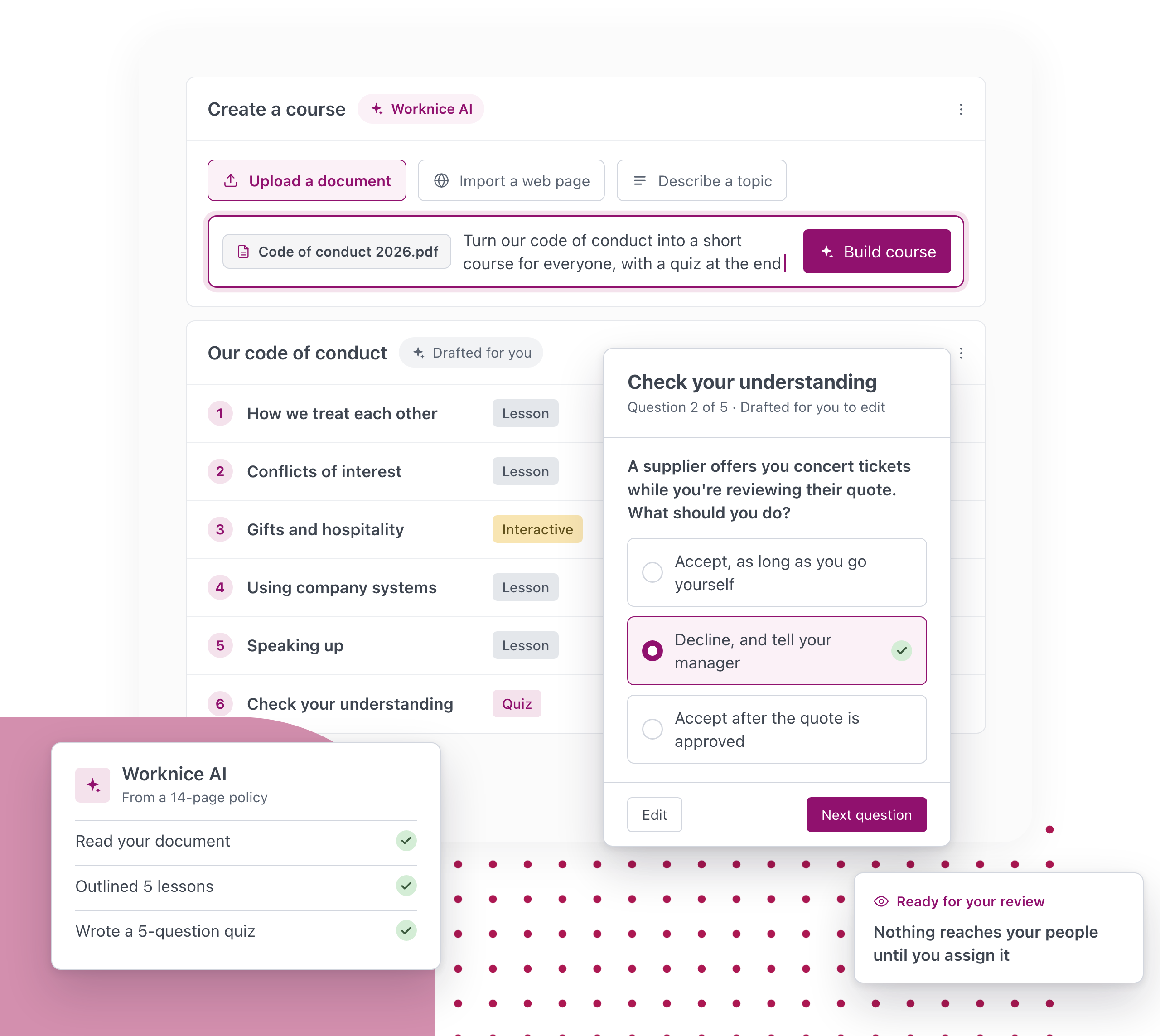
Most training lives in three places: slides nobody updates, a learning system nobody logs into, and a spreadsheet of who finished what. Worknice brings it together. Upload a policy or describe a topic, and Worknice AI drafts the course for you to check and edit. Assign it to one person, a team or everyone, wherever they work and on any device. When someone finishes, the completion is recorded as a certificate on their profile, with an expiry date if the training needs refreshing, so you can see who is compliant, who is at risk and what is due next without chasing anyone.

Why you will love our learning software

Why you will love our learning software

Turn what you know into training

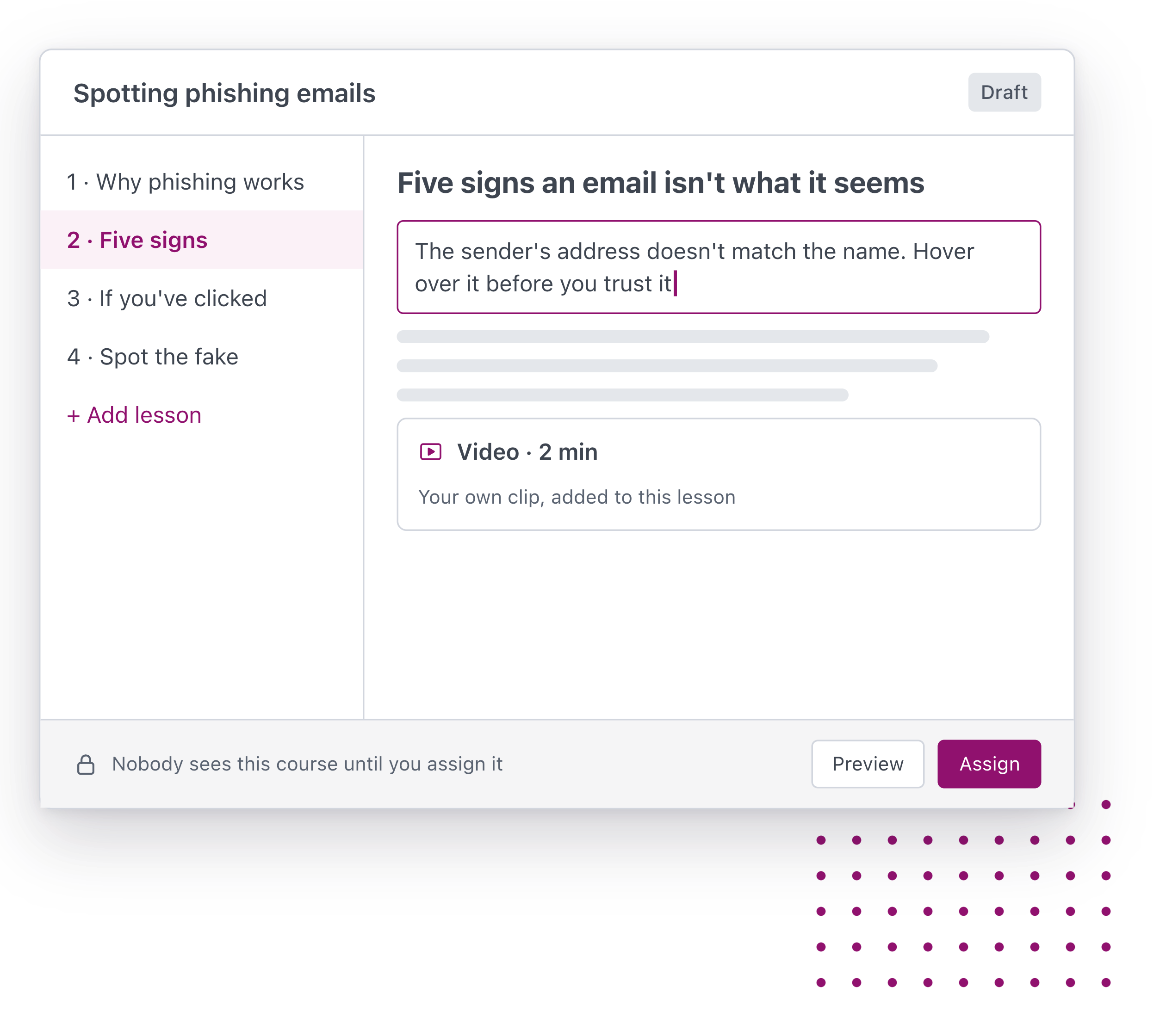
Upload a policy, procedure or document, or describe a topic. Worknice AI drafts the course, and you edit it and add a quiz before anyone sees it.

Training that reaches everyone

Assign a course to one person, a team or the whole organisation, and group courses into pathways for onboarding, compliance and growing into a new role.

Done, proven and renewed

Every completion becomes a certificate on the person’s record, with an expiry date and a reminder before it lapses. You know who is compliant before an audit asks.

Get started with Worknice

Turn what you know into training

Build courses from the policies, procedures and know-how you already have, without starting from a blank page.
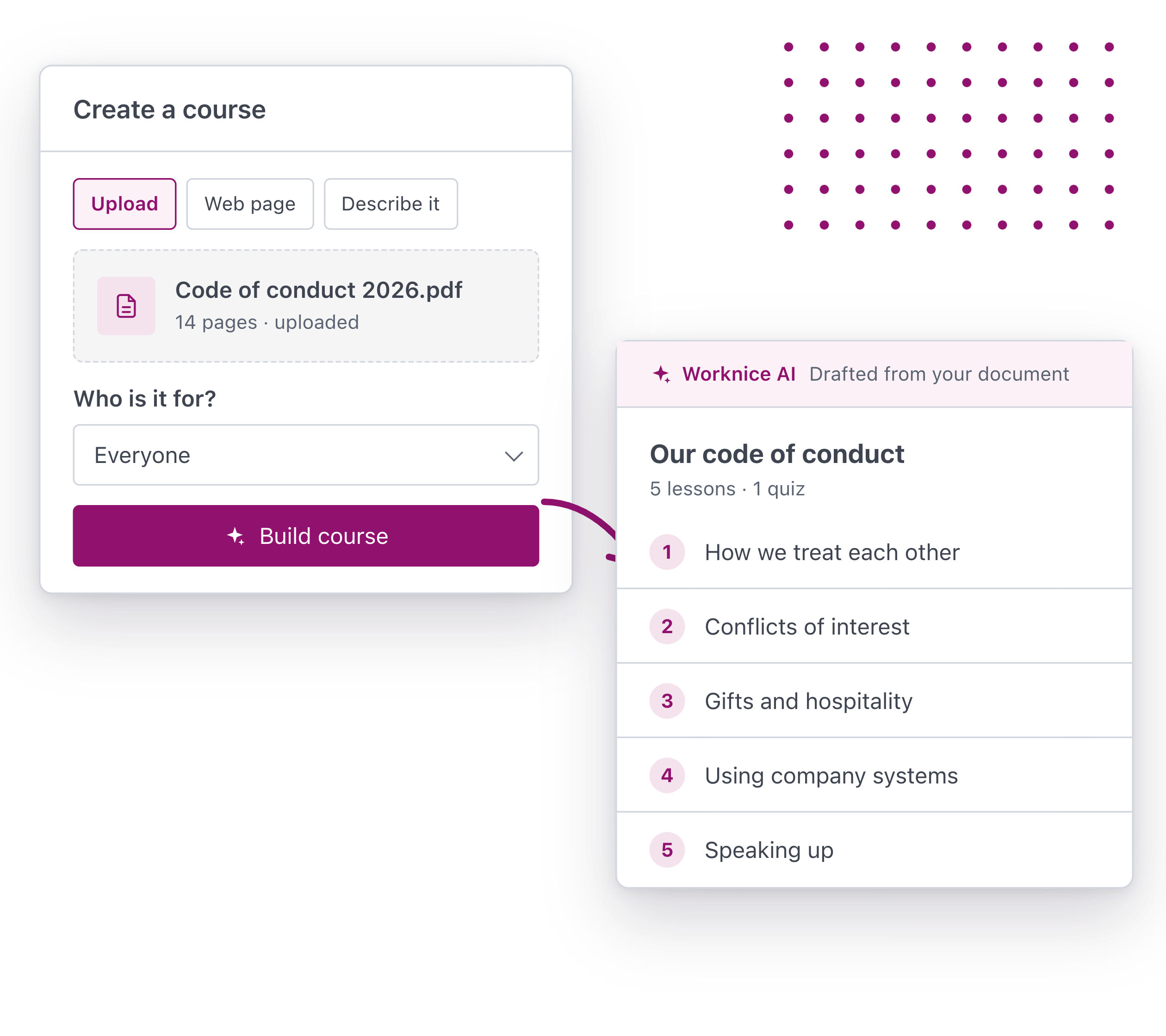
Upload a policy, procedure or document, or import a web page. Worknice AI turns it into a structured course, ready for you to review.

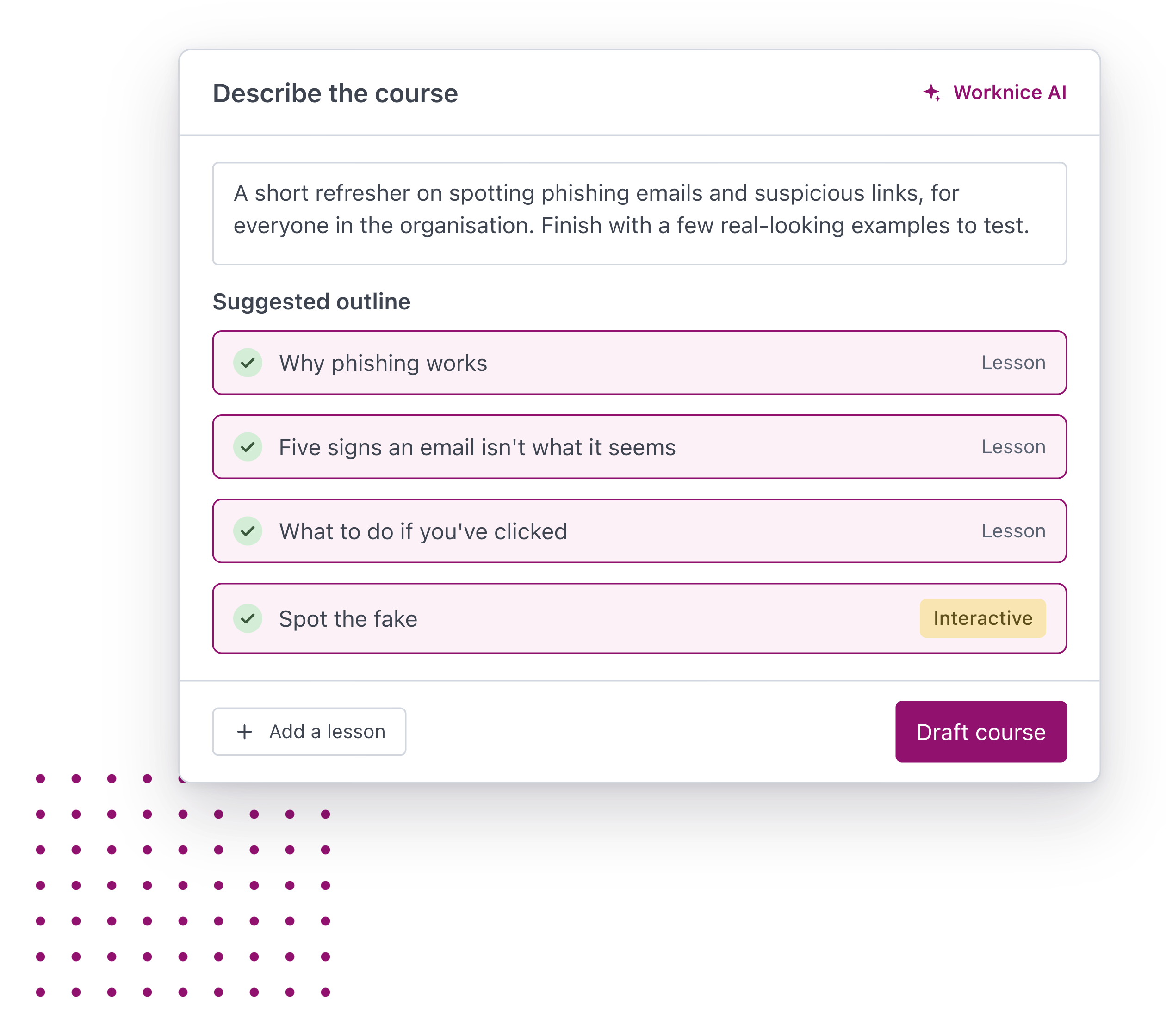
Describe the topic and who it’s for. Worknice AI suggests an outline, then drafts the content and interactive elements.

Change the wording, reorder lessons and add your own material. Nothing reaches your people until you’ve checked it and assigned it.

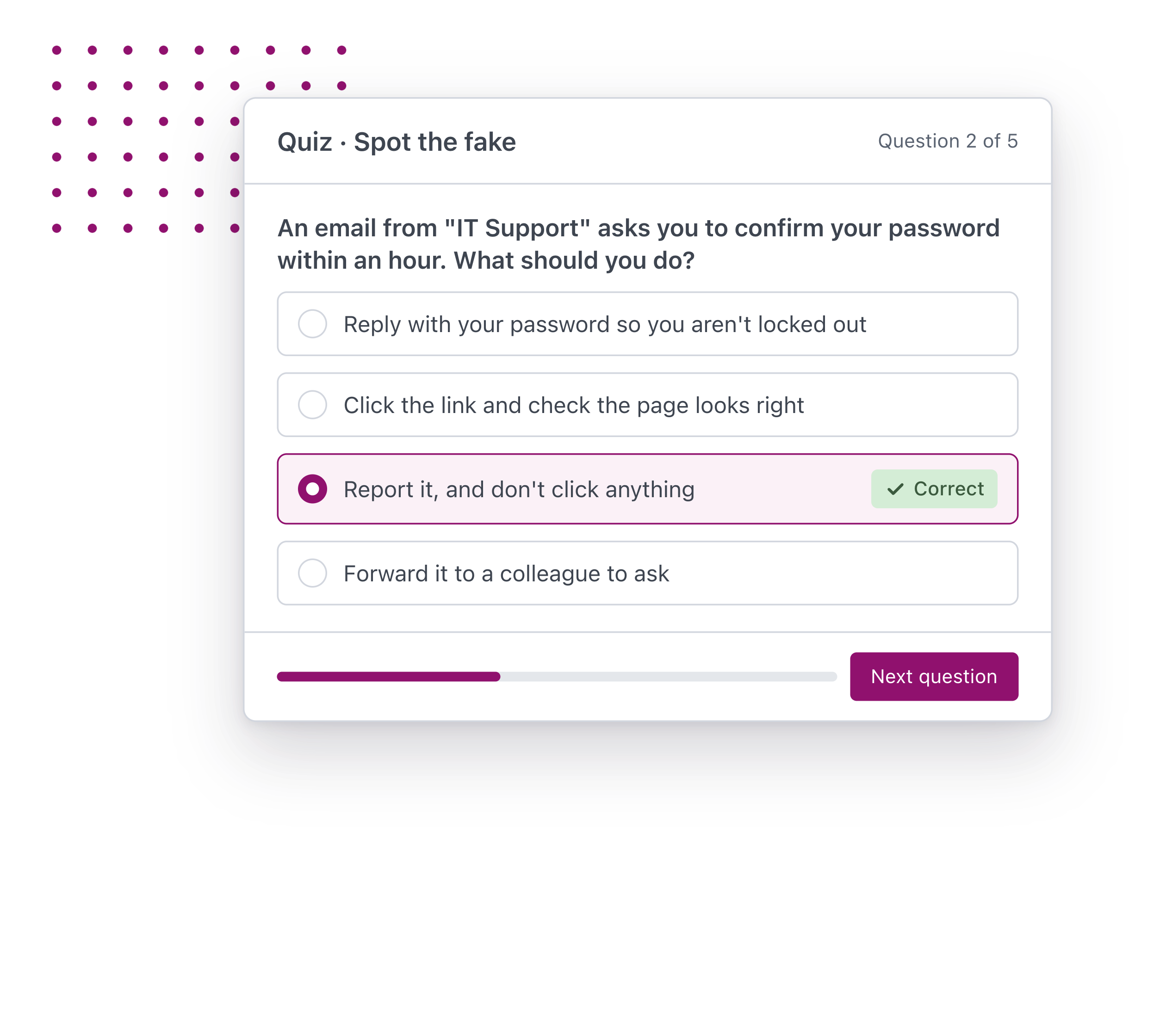
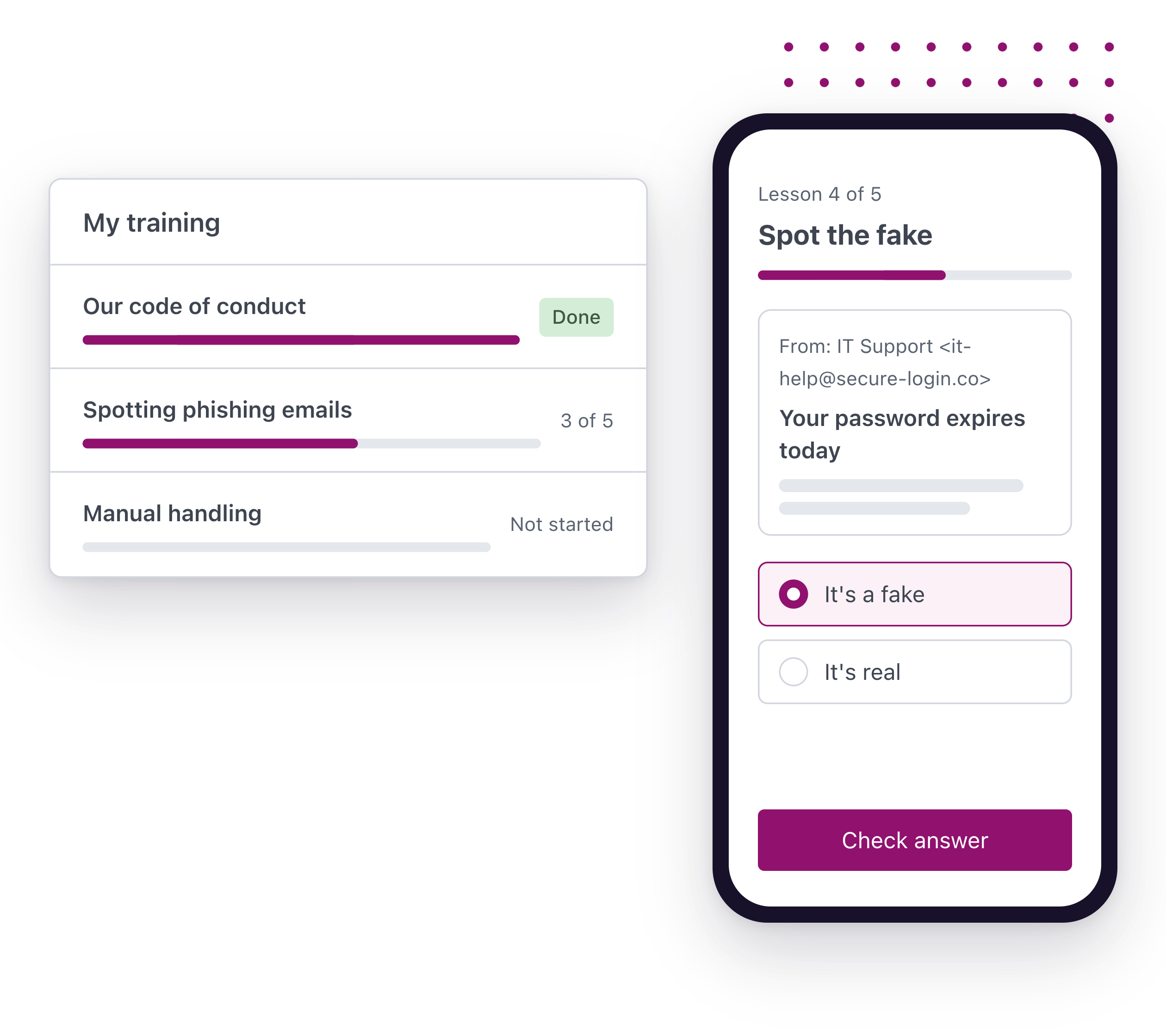
Add a quiz or a short survey to any course, so you know the training was understood, not just opened.

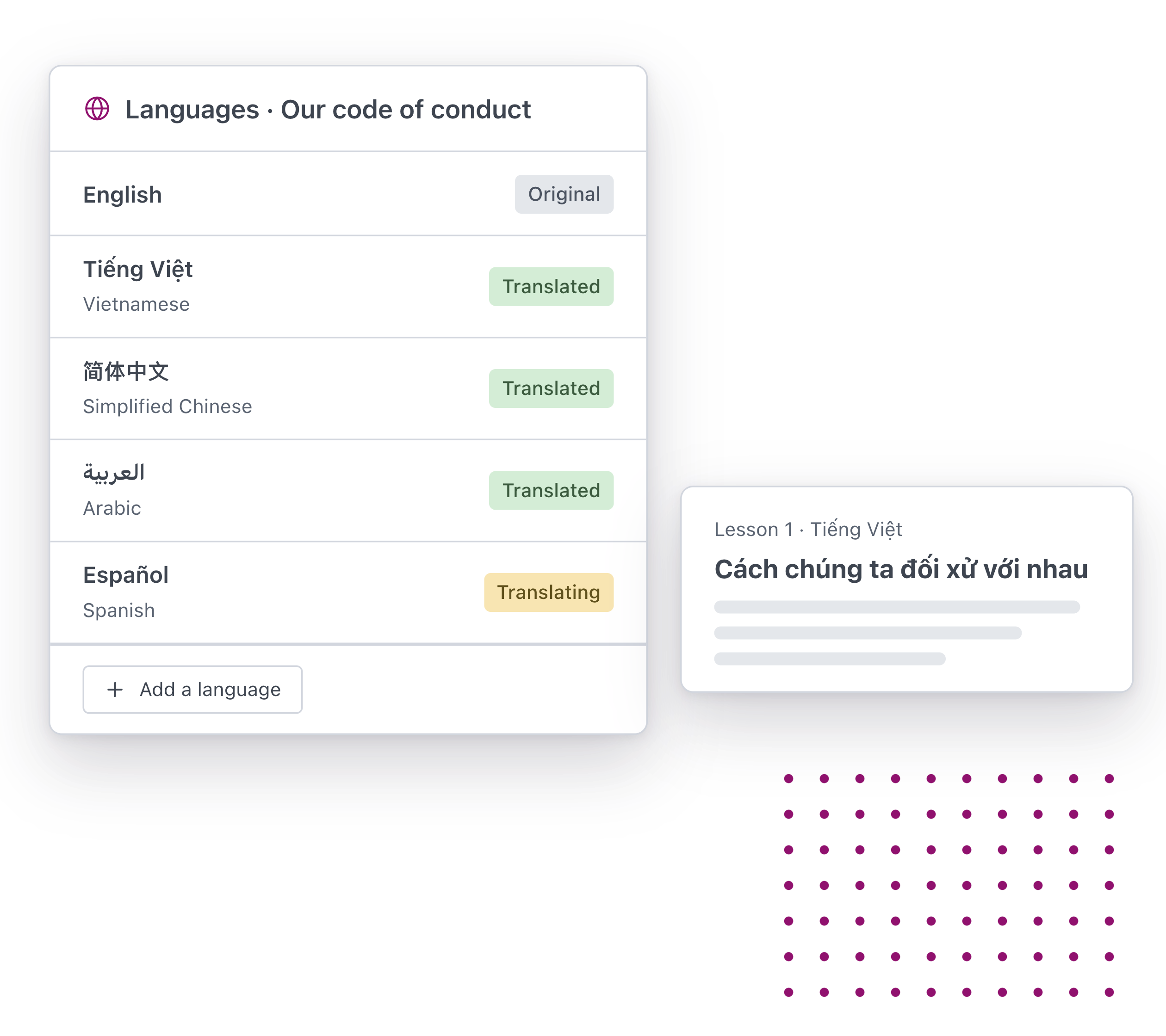
Translate a course for the people who need it, with the formatting and learning objectives kept intact.

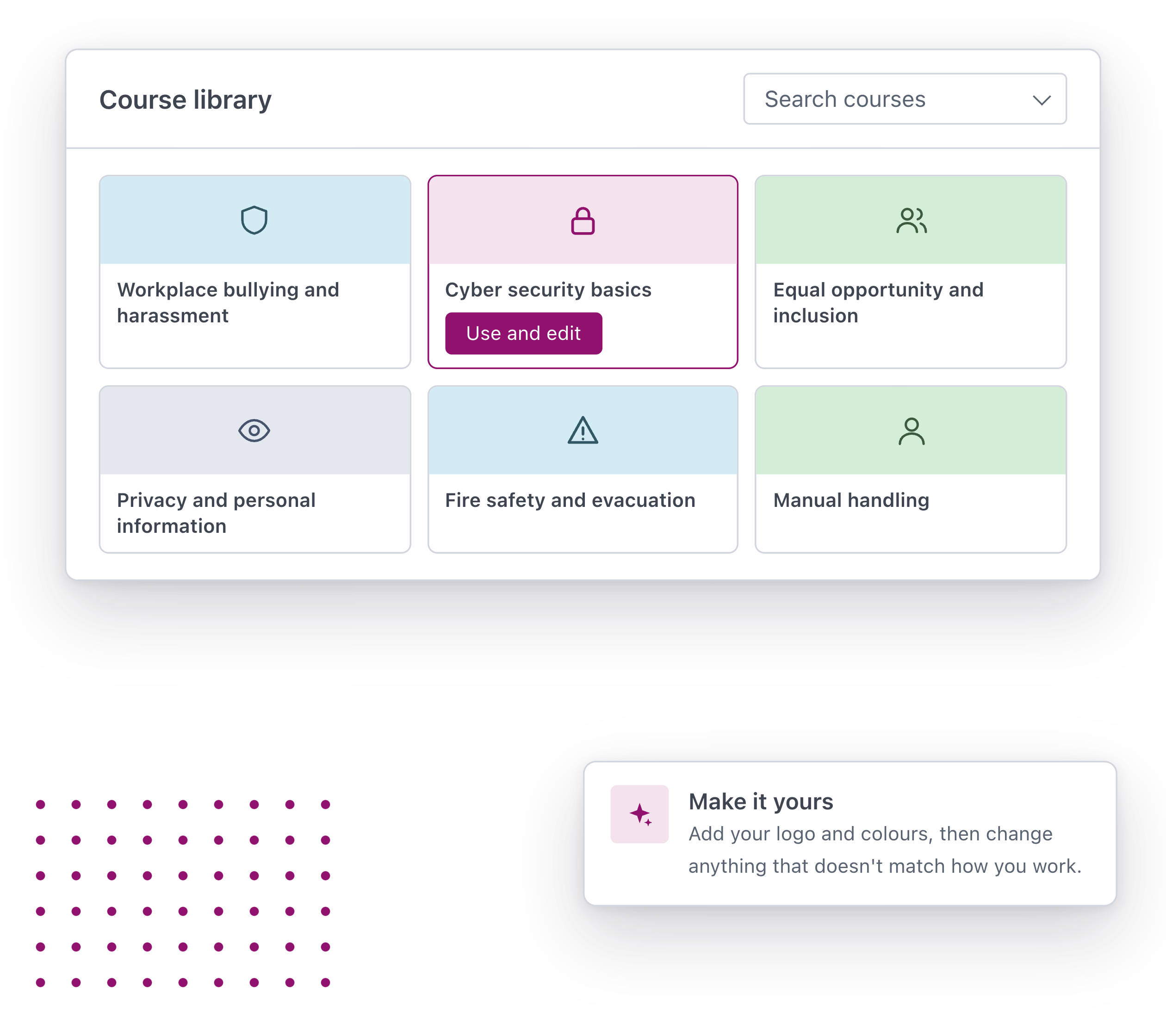
Begin with a library of ready-made training, then rebrand it and edit it to match how your organisation works.

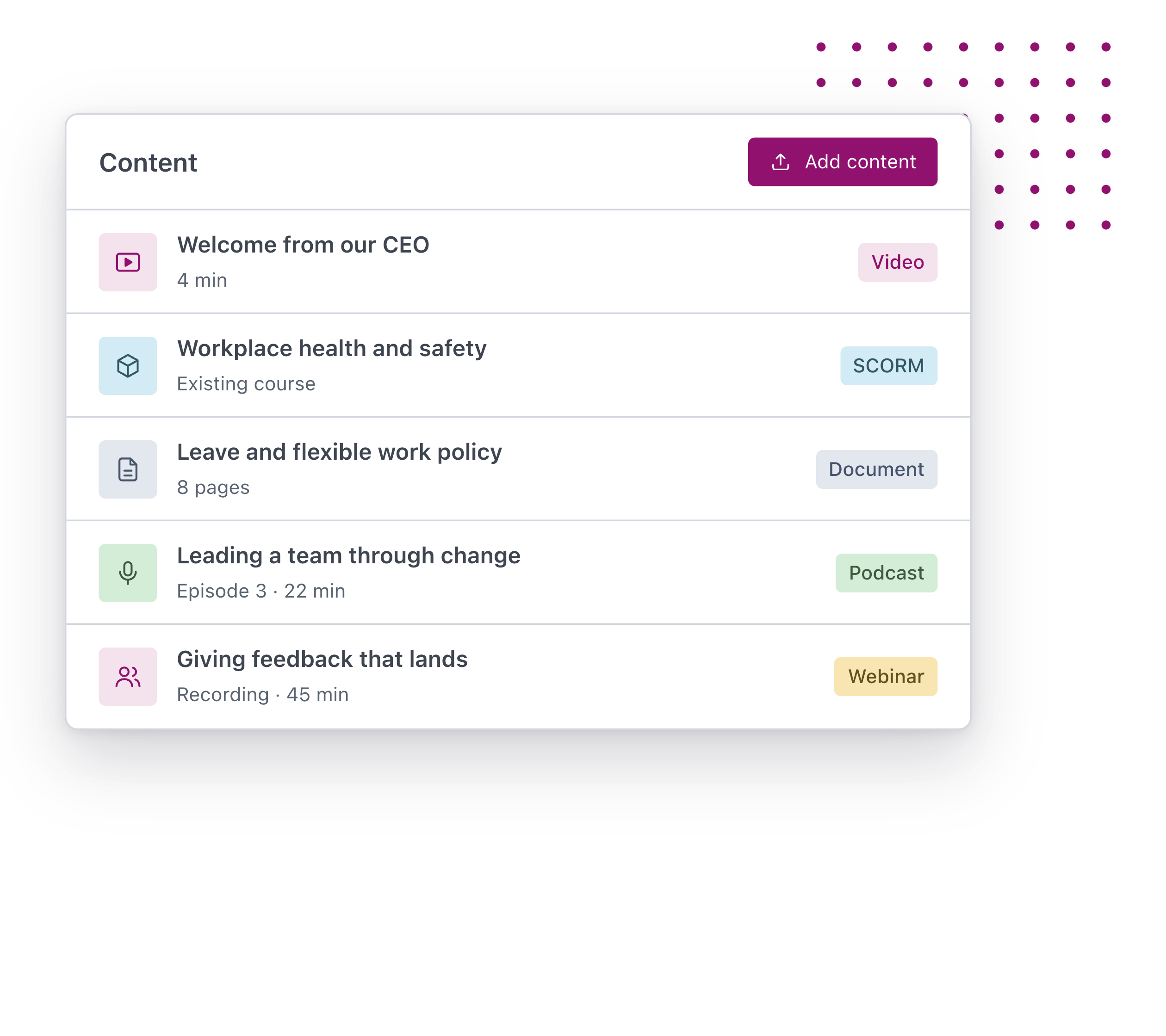
Add videos, documents, podcasts, webinars and SCORM courses alongside the courses you build.
From policy to course. Upload a policy, procedure or document, or import a web page. Worknice AI turns it into a structured course, ready for you to review. Start from a prompt. Describe the topic and who it's for. Worknice AI suggests an outline, then drafts the content and interactive elements. Yours to edit. Change the wording, reorder lessons and add your own material. Nothing reaches your people until you've checked it and assigned it. Check it landed. Add a quiz or a short survey to any course, so you know the training was understood, not just opened. In the languages your people speak. Translate a course for the people who need it, with the formatting and learning objectives kept intact. Ready-made courses to start from. Begin with a library of ready-made training, then rebrand it and edit it to match how your organisation works. Bring the training you already have. Add videos, documents, podcasts, webinars and SCORM courses alongside the courses you build.

Training that reaches everyone

Get every course in front of the people who need it, and know where everyone is up to.
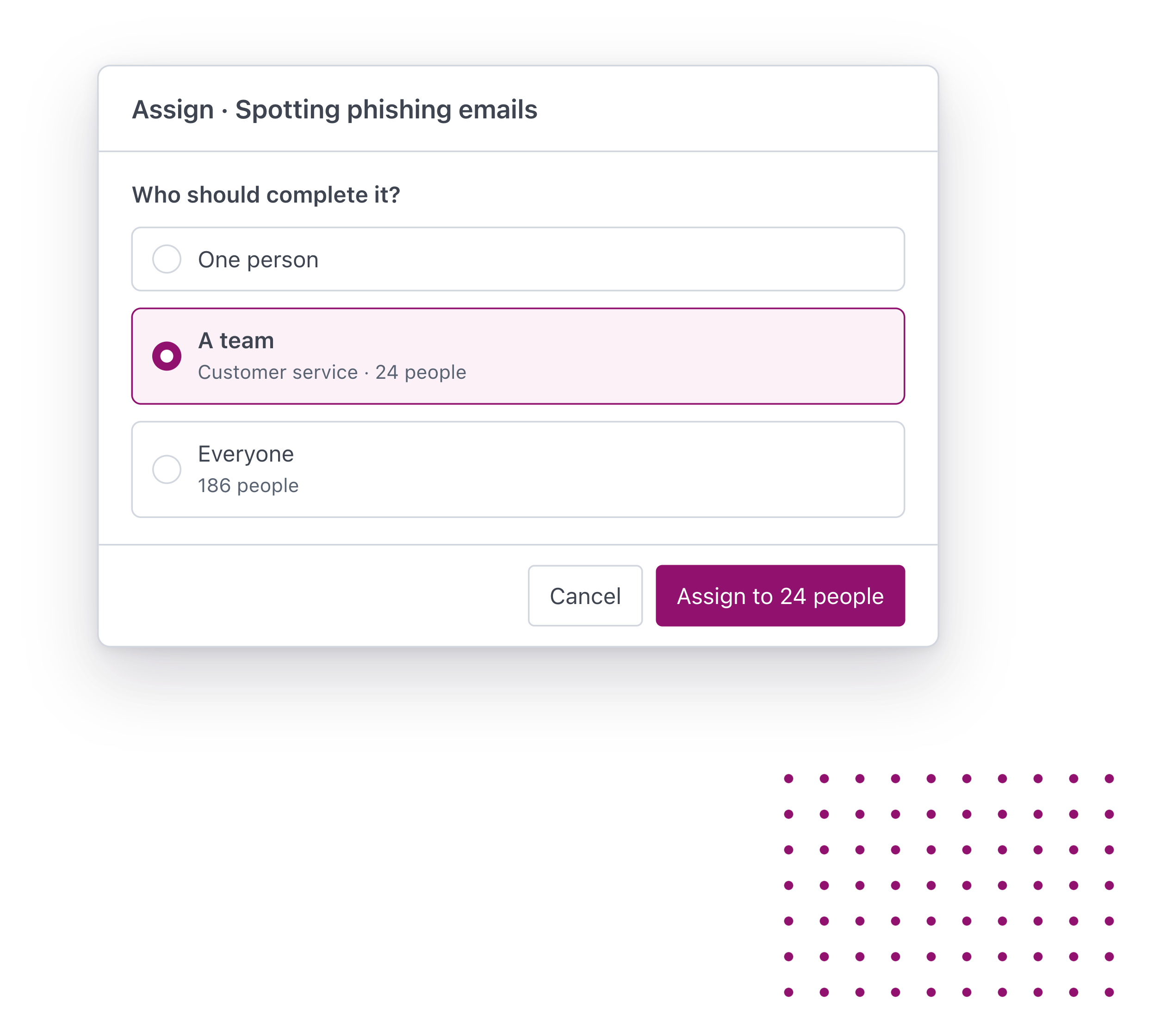
Send a course to one person, a team or the whole organisation as soon as you’ve finished checking it.

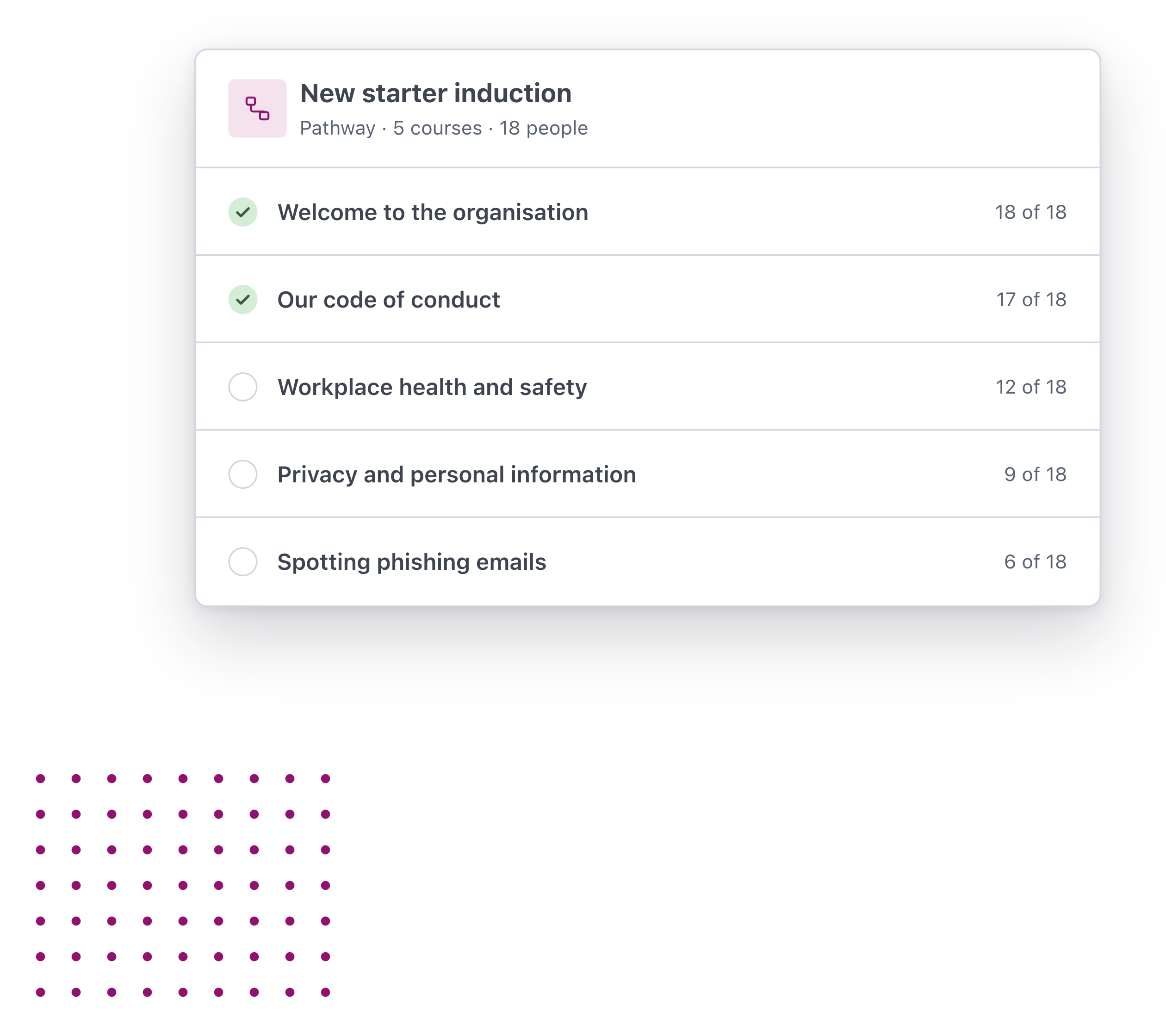
Group courses into a pathway for onboarding, compliance or a move into a new role, so everyone in that group follows the same programme.

Your people complete training on a phone, tablet or computer, wherever they work.

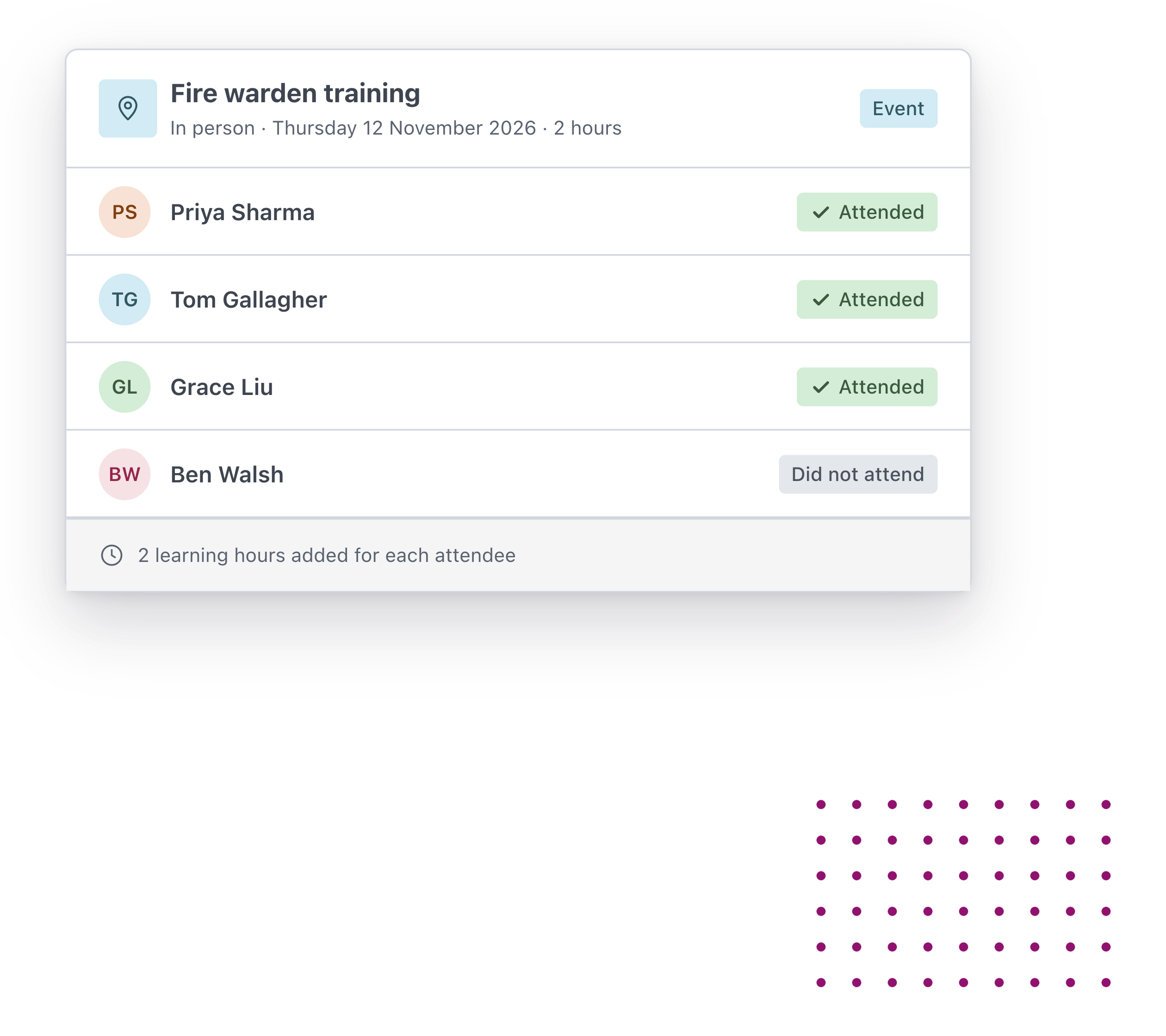
Record workshops, conferences and in-person sessions alongside online courses, so every hour of learning is in one place.

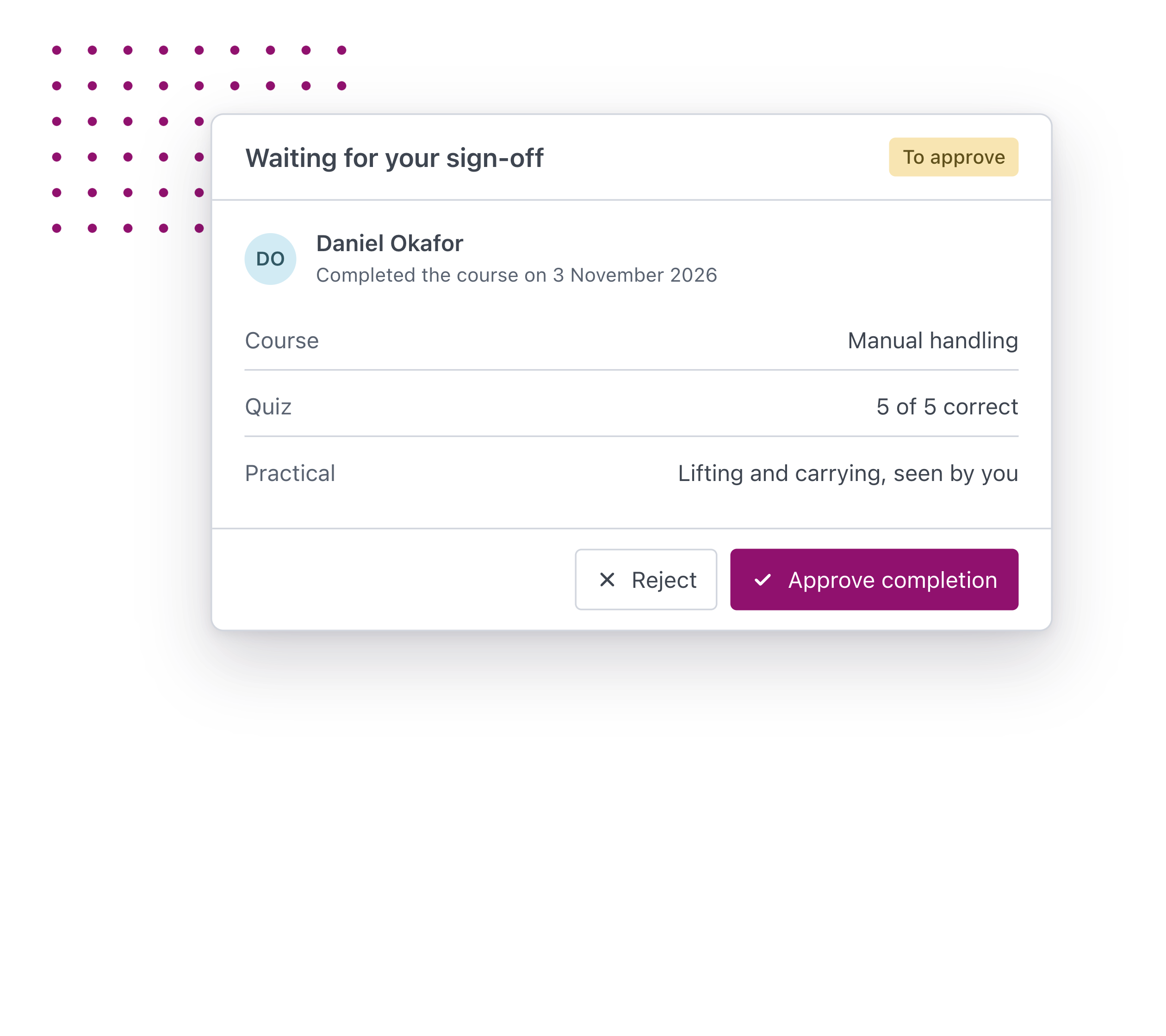
Add an approval step so a manager confirms a completion before it counts.

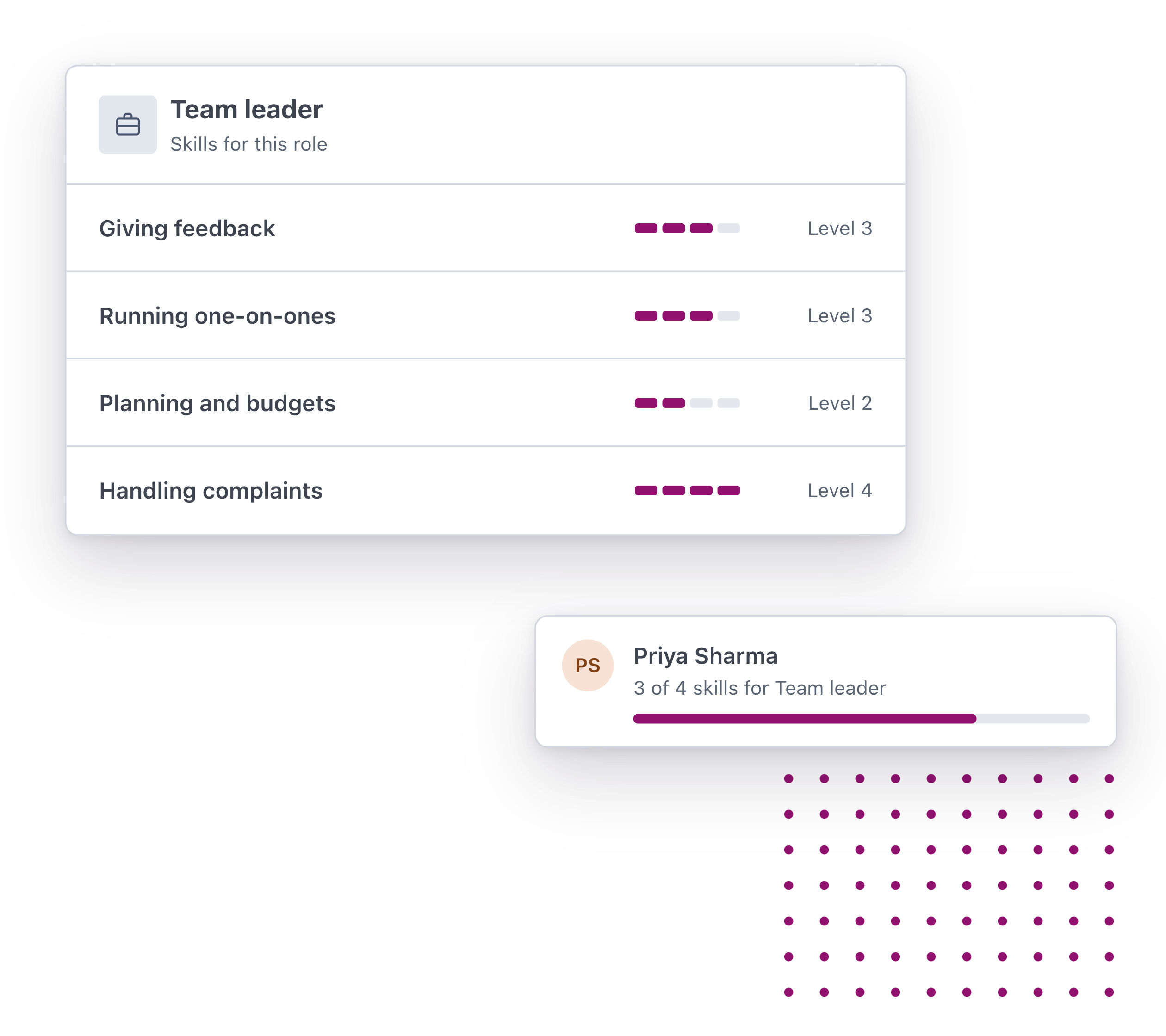
Set the skills each role needs and track them across your workforce, so your people can see what comes next for them.

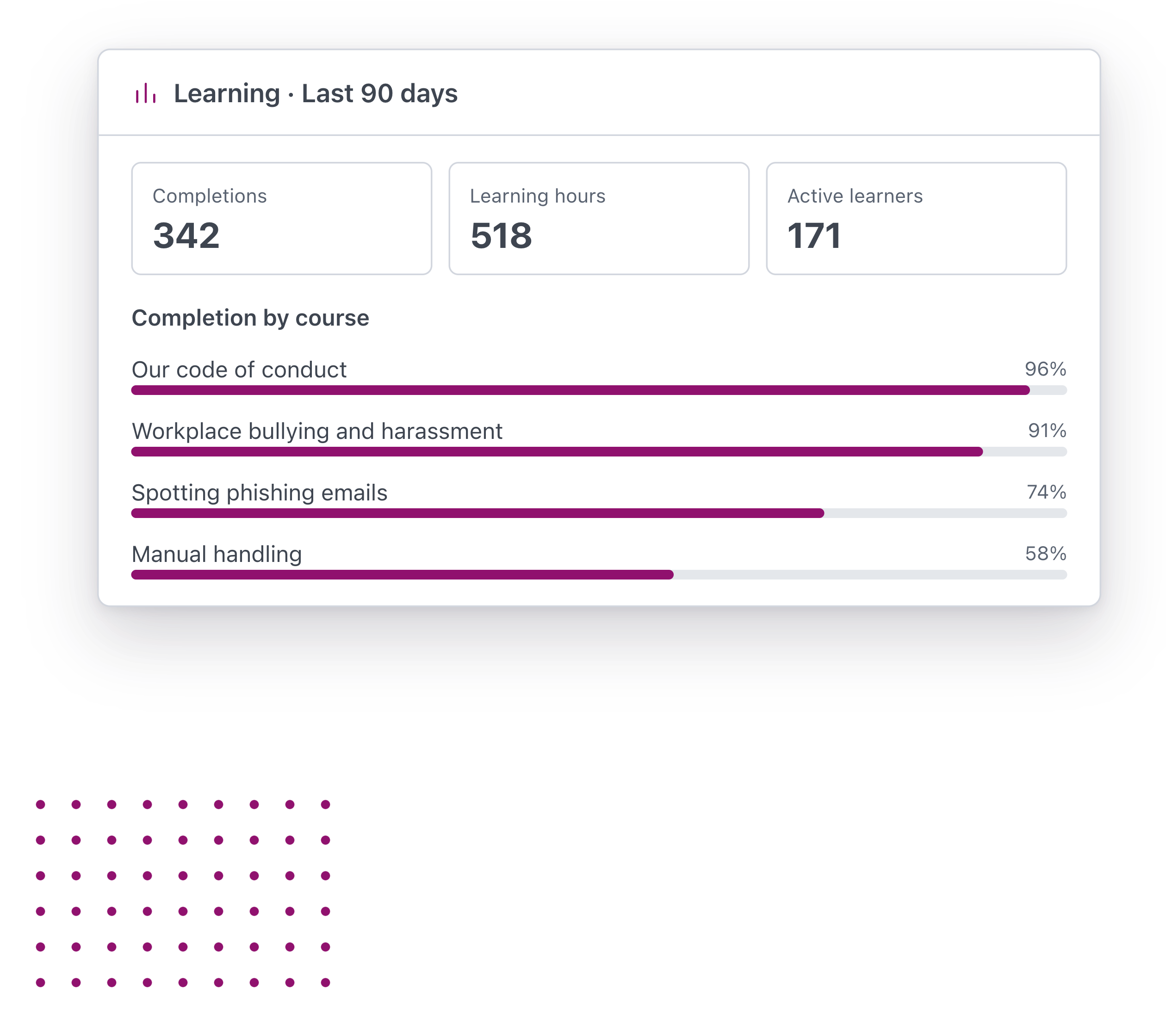
See completions, learning hours and engagement across the organisation, and which courses people actually finish.
Assigned the moment it's ready. Send a course to one person, a team or the whole organisation as soon as you've finished checking it. Pathways for every stage. Group courses into a pathway for onboarding, compliance or a move into a new role, so everyone in that group follows the same programme. Learn on any device. Your people complete training on a phone, tablet or computer, wherever they work. Face-to-face training counts too. Record workshops, conferences and in-person sessions alongside online courses, so every hour of learning is in one place. Sign-off where it matters. Add an approval step so a manager confirms a completion before it counts. Skills mapped to every role. Set the skills each role needs and track them across your workforce, so your people can see what comes next for them. Know what's working. See completions, learning hours and engagement across the organisation, and which courses people actually finish.

Done, proven and renewed

Every completion is recorded on the person’s profile as a certificate, so training sits alongside the rest of their compliance.
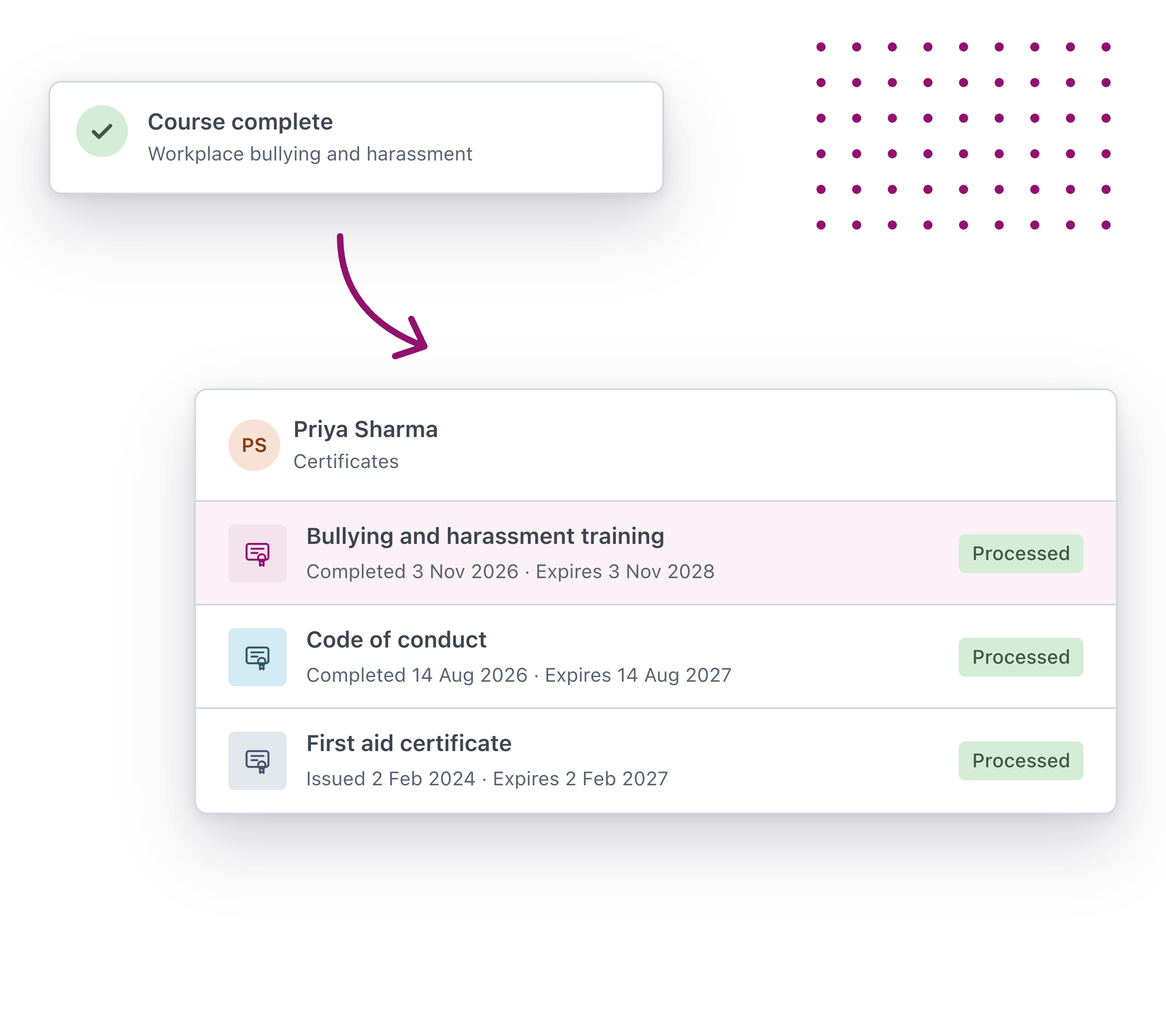
When someone finishes a course, a certificate is added to their Worknice profile with the date they completed it.

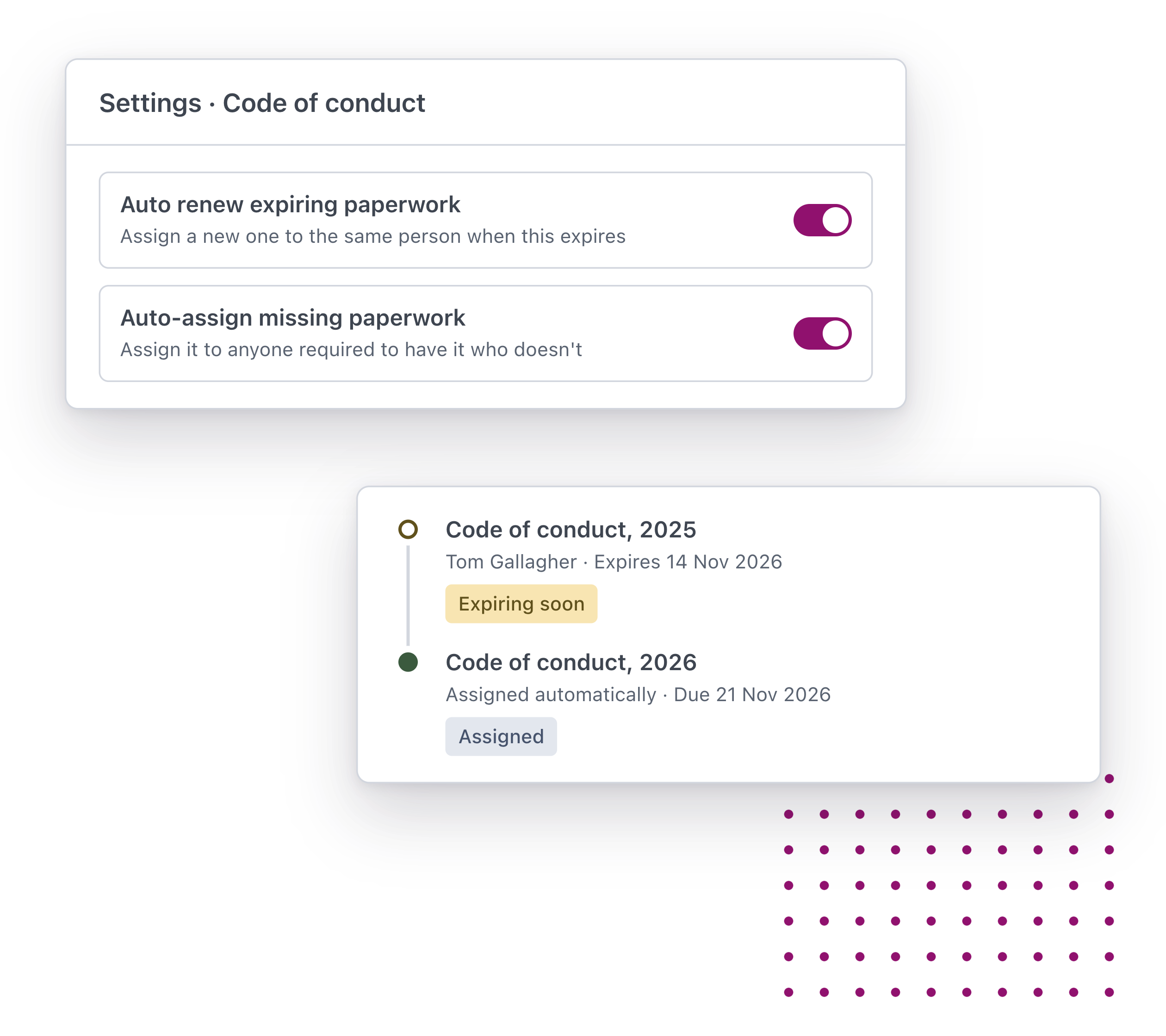
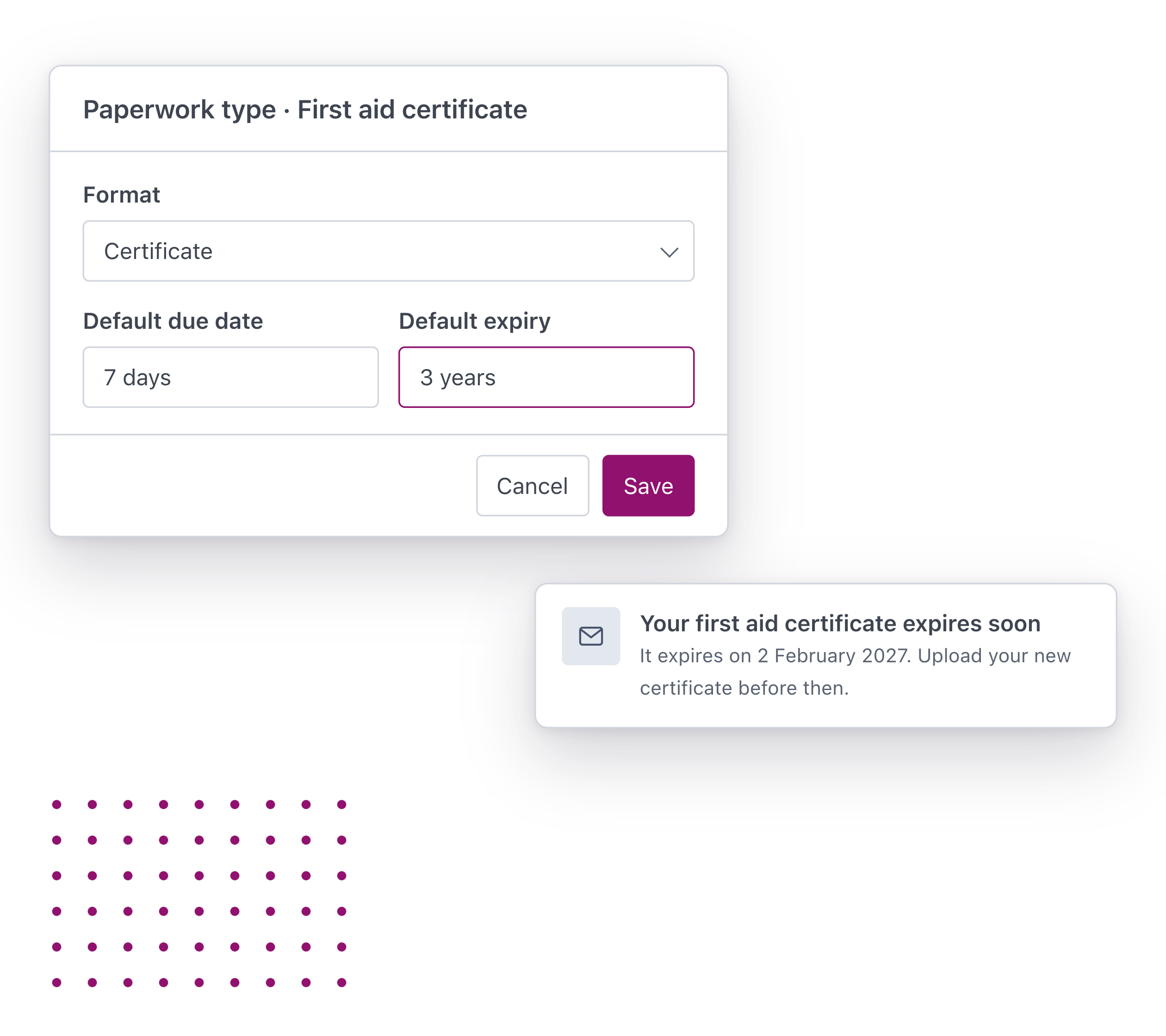
Set how long each type of certificate lasts. When one is close to expiring, a reminder goes out before it lapses.

Turn on auto renew and a new certificate is requested as the old one nears expiry, so nobody has to remember.

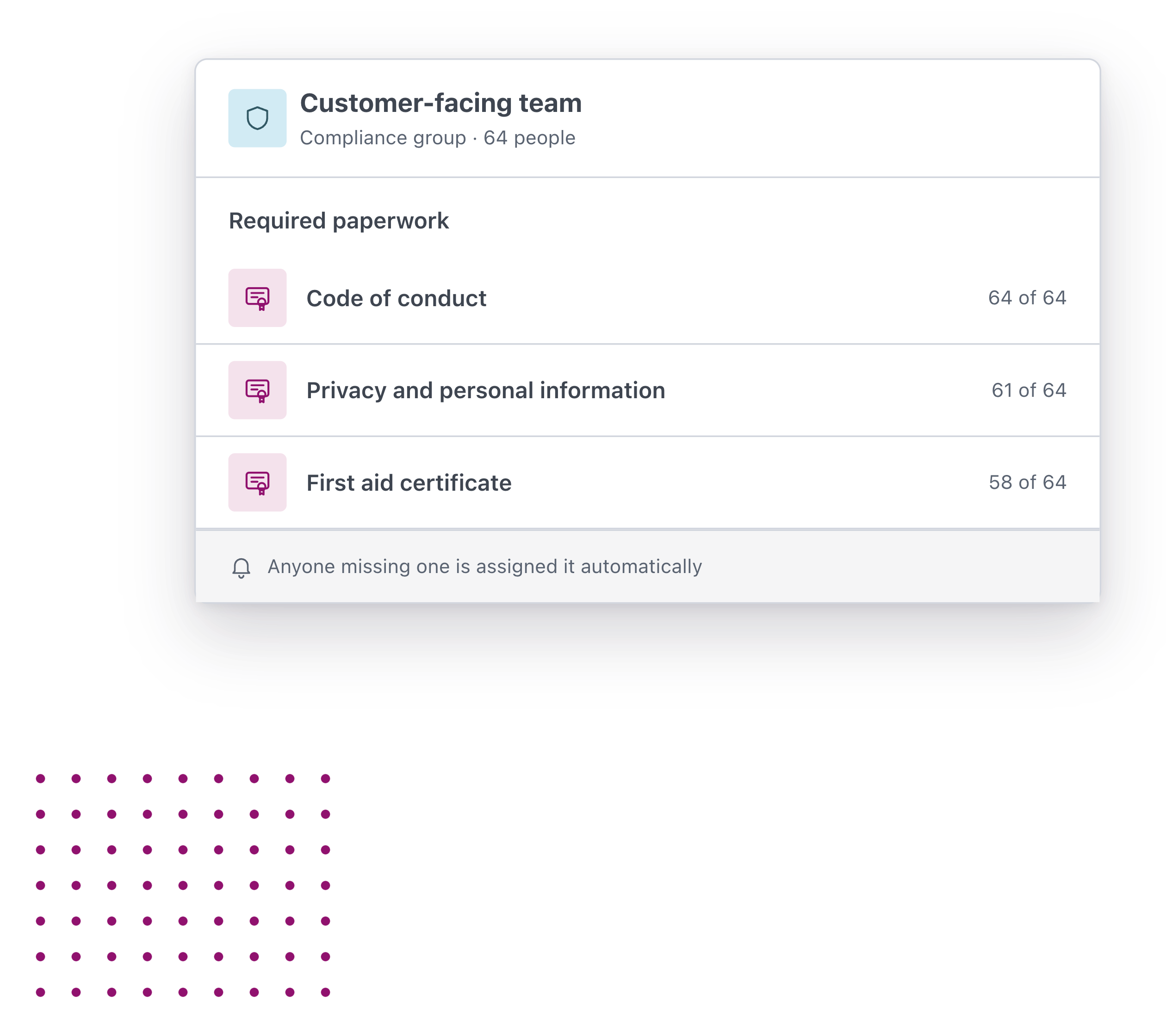
Use compliance groups to set who needs which certificate. Anyone missing one is assigned it automatically.

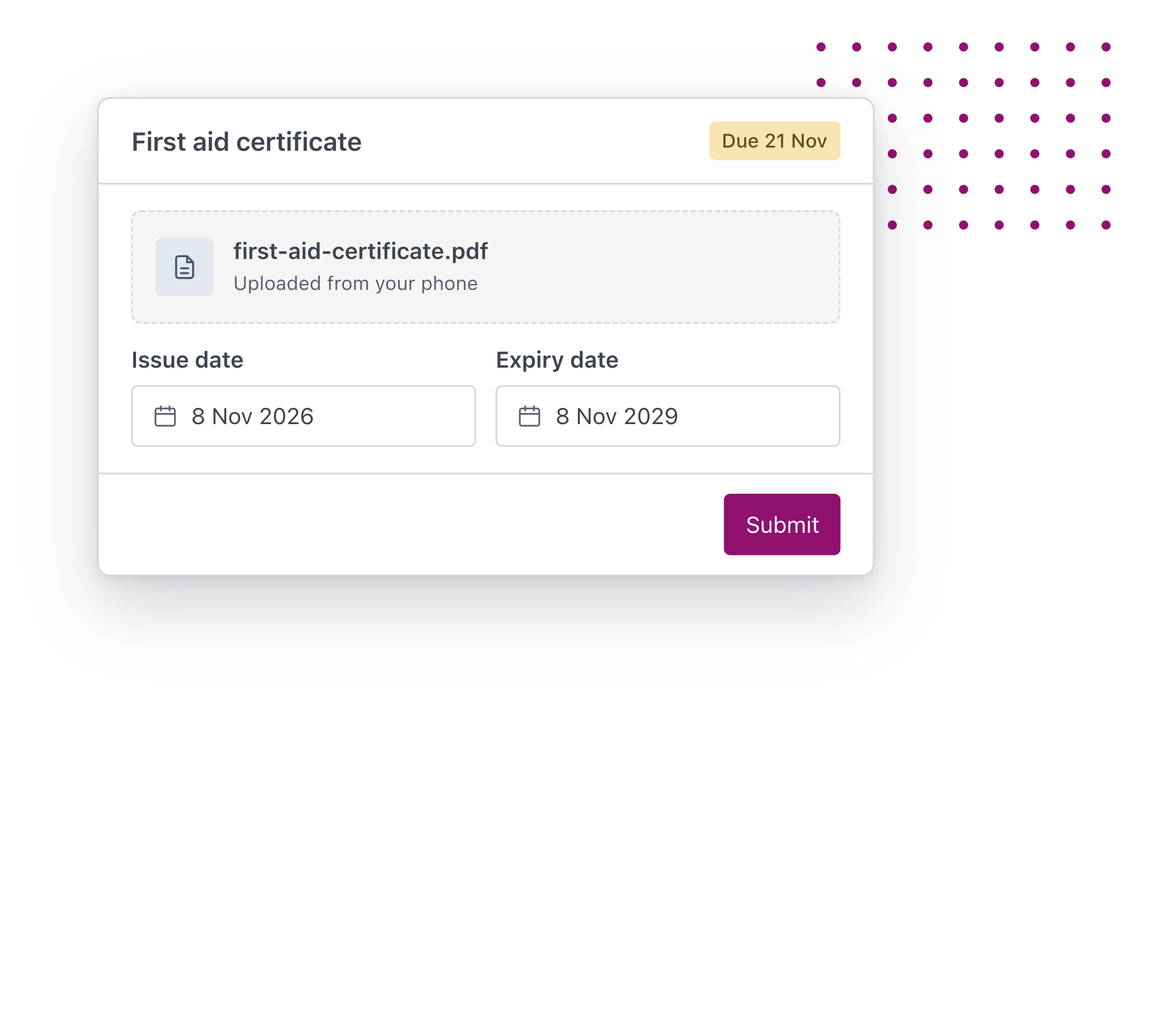
First aid, licences and courses run elsewhere are uploaded as certificates too, each with its own expiry date.

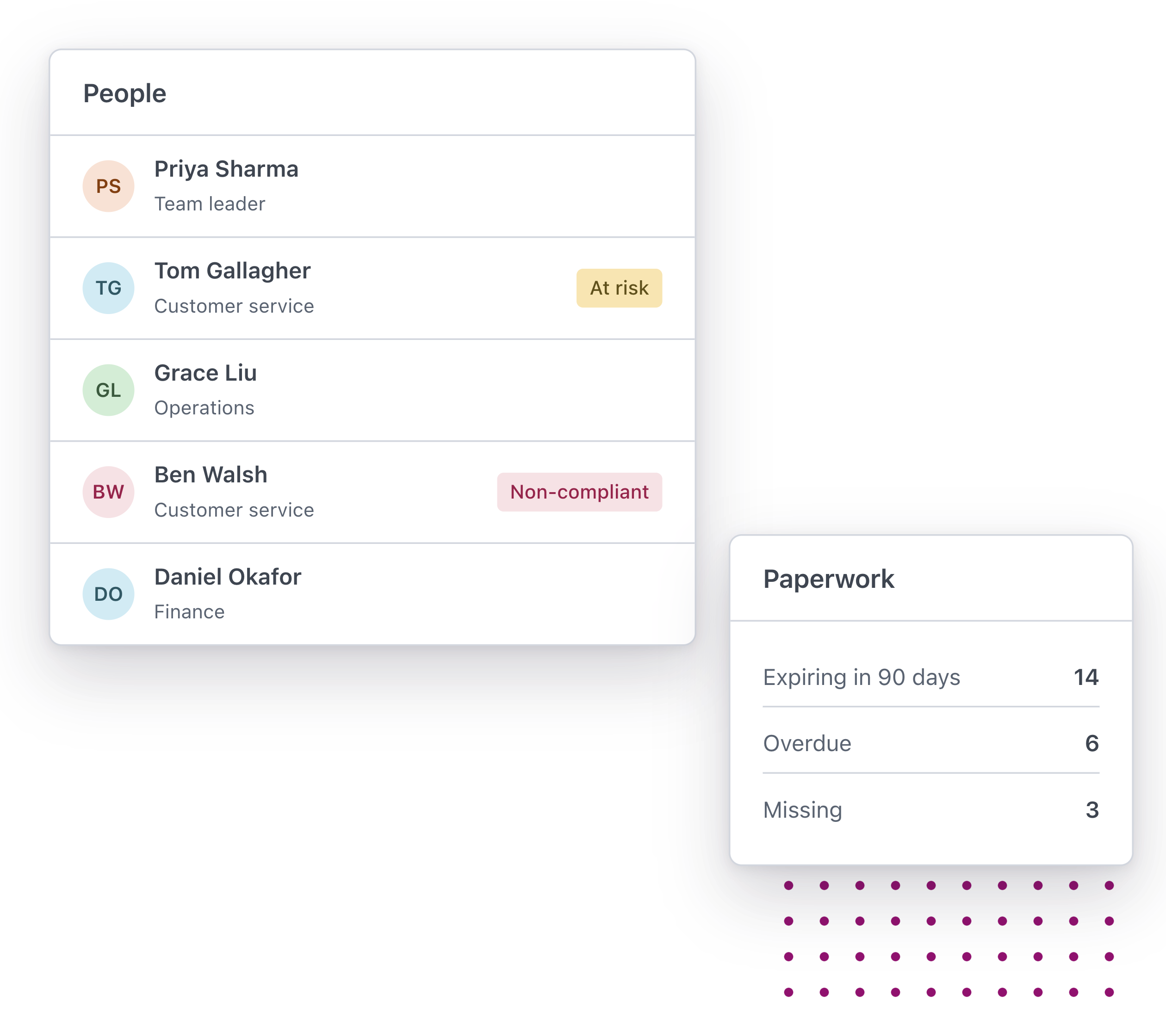
Anyone at risk or non-compliant is flagged on your people list, and reports show what is overdue or expiring in the months ahead.

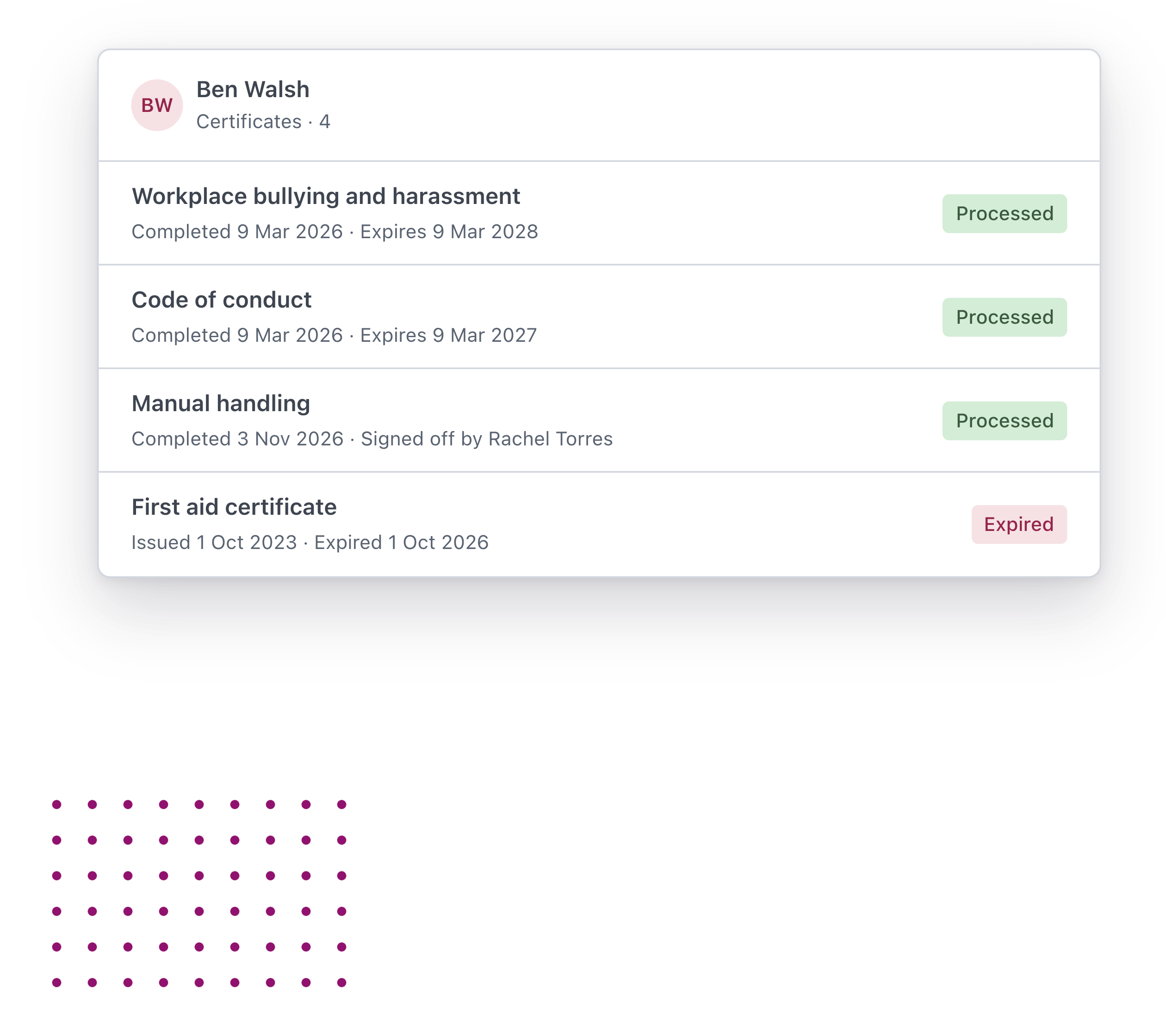
Every certificate sits on the person’s record with its dates, so you can show who completed what, and when.
Completions on the record. When someone finishes a course, a certificate is added to their Worknice profile with the date they completed it. Expiry dates that mean something. Set how long each type of certificate lasts. When one is close to expiring, a reminder goes out before it lapses. Renewals that assign themselves. Turn on auto renew and a new certificate is requested as the old one nears expiry, so nobody has to remember. Required training by role. Use compliance groups to set who needs which certificate. Anyone missing one is assigned it automatically. Outside training in the same place. First aid, licences and courses run elsewhere are uploaded as certificates too, each with its own expiry date. See who's at risk at a glance. Anyone at risk or non-compliant is flagged on your people list, and reports show what is overdue or expiring in the months ahead. Ready when an auditor asks. Every certificate sits on the person's record with its dates, so you can show who completed what, and when.

Learning everyone will love

Maya – Employee

Training that fits around work

Finish a course on my phone, check it landed with a quick quiz, and know the certificate is on my record.

James – Manager

Know who’s due before it lapses

See where my team is up to, sign off practical skills, and hear about a refresher before it expires.

Sarah – People Leader

Proof without the spreadsheet

Build courses from our own policies, set who needs what, and show every completion when an auditor asks.


“HR admin was becoming quite overwhelming and we wanted something that automated our processes as much as possible. We also didn’t want to spend months getting things setup.”

Iris Apello – Co-founder

Flow of Work

“Worknice is by far the best solution on the market. I am able to combine my data from different HR related apps together and report on key metrics with confidence.”

Michael K – Director

Silk Hospitality

“More time to focus on my people! Worknice helps cut down on the number of requests and questions flowing to HR and instead gives control back to my people.”

Matthew Browne – Managing Partner

Black Nova Group

“The onboarding tool is our favourite, it plugs straight into Xero and new hires are all fully set up in payroll right away. Worknice has streamlined many of our other HR processes (onboarding, leave approvals, pay increases etc.) & has saved us countless hours.”

Helena Turpin – Co-founder

Flow of Work

Save Time & Automate
Ensure Compliance
Streamline HR
Integrations

What people are saying about us

More Features

  • Fast, Local Australian

    Built for Australian’s by Australian’s.

  • Next-Gen Technology

    Modern technology approach enabling scalable HR.

  • Assisted Onboarding

    A fast and pain free onboarding experience.

  • Trusted Security

    Market leading security and data privacy by AWS.

  • 100s of Integrations

    Connect your people, data and systems through powerful integrations.

  • Mobile friendly

    Built for mobile from the ground up. Works on any device, any where.

Discover Worknice Today

Bring a course you need to run, and we’ll show you how Worknice would build it.

If you have the questions, then we have the answers!

Like our HR employee onboarding software, Worknice’s free resource’s are created to set HR leaders free to do great work. Discover our free HR resources now.

Ensure employee compliance during the onboarding process

You’ve hired a new employee for your organisation. You ensure there is a desk set up, you rummage through the dusty supply closet to gather all of the necessities, grab some swag items, try and find a spare […]

Read more

Sample employee onboarding process map

An employee onboarding process refers to the steps to integrate a new employee into a company and its culture. This process also contributes to getting a new hire the tools and information […]

Read more

Employee Onboarding checklist template

This downloadable and free employee onboarding checklist template is designed to help employers get prepared in the lead up to an employee’s first day at work. It includes many of the key tasks to complete […]

Read more

FAQs

  • Is Worknice a learning management system?

    Yes. Worknice gives you courses, pathways, quizzes, assignment and reporting, with every completion recorded as a certificate on the same platform as onboarding, compliance and the rest of your people work.

  • How does Worknice AI build a course?

    Upload a policy or document, import a web page or describe the topic. Worknice AI suggests an outline and drafts the course. You review and edit it, and nothing goes to your people until you assign it.

  • Can we use the training content we already have?

    Yes. Add videos, documents, podcasts, webinars and SCORM courses, or start from the library of ready-made courses and edit them to suit your organisation.

  • How are completions tracked?

    Each completion is recorded as a certificate on the person’s Worknice profile, with an expiry date where the training needs refreshing. Reports show completions, learning hours and what is coming up for renewal.

  • What happens when training expires?

    A reminder goes out before a certificate expires. With auto renew switched on, a new one is requested automatically, and anyone who falls behind is flagged as at risk or non-compliant on your people list.

  • Can we track training done outside Worknice?

    Yes. First aid, licences and external courses are uploaded as certificates with their own expiry dates, alongside the training completed in Worknice.

  • Can different roles have different training?

    Yes. Pathways group the courses each role needs, compliance groups set which certificates each group of people must hold, and anyone missing a required certificate is assigned it automatically.

  • Can new starters complete training during onboarding?

    Yes. Add courses to an onboarding pathway and put the certificates new starters need into their onboarding bundle, so training is part of their first weeks rather than something to catch up on later.

  • Can our people train in their own language?

    Yes. Courses can be translated, with the formatting and learning objectives kept intact.

  • Can managers sign off training?

    Yes. Add an approval step so a manager confirms a completion before it counts, which suits practical skills that need someone to see them done.

  • What does getting started involve?

    Learning is an add-on to Worknice. Start with what you need. Add more when you’re ready. Every plan includes managed implementation, so you’re up and running in weeks, not months.

Close Worknice uses cookies to improve your experience. By continuing you accept the use of cookies, in accordance with our Privacy Policy