HR workflow automation software runs repeatable people processes for you, from onboarding and approvals to role changes and offboarding. It triggers tasks from an event, assigns them to the right owner, sets due dates, and chases stragglers. Because volume turns small inefficiencies into real cost between 100 and 1,000 employees, automation frees HR to spend time on people instead of admin.
Last updated 24 September 2026.
Key takeaways
- HR workflow automation replaces manual chasing with rules, so a single event can trigger a whole chain of tasks.
- The strongest use cases are onboarding, offboarding, approvals, and employee changes, because they repeat often and follow clear steps.
- No-code builders let HR design workflows without engineering help, so you adapt processes as the business changes.
- Automation reduces compliance risk, because it records who did what and when, rather than relying on memory.
- The goal is not fewer people; instead, it is HR time redirected from admin to higher-value work.
What is HR workflow automation software?
HR workflow automation software lets you turn repeatable HR processes into rules that run on their own. You define a trigger, the steps, the owners, and the timing. Then the system executes the process every time the trigger fires. As a result, tasks that once needed manual coordination now happen automatically and consistently.
The core idea is simple: move work from people’s memories into a system. For example, a new hire, a promotion, or a resignation each kicks off a predictable set of tasks. When those tasks live in a workflow automation engine, the right people get the right jobs at the right time. When they live in checklists and email, something always slips. So automation is really about reliability as much as speed.
What HR processes can you automate?
You can automate any HR process that repeats and follows clear steps. The four biggest wins are onboarding, offboarding, approvals, and employee changes. Each happens often, involves several people, and carries a compliance angle. So each rewards a consistent, tracked workflow.
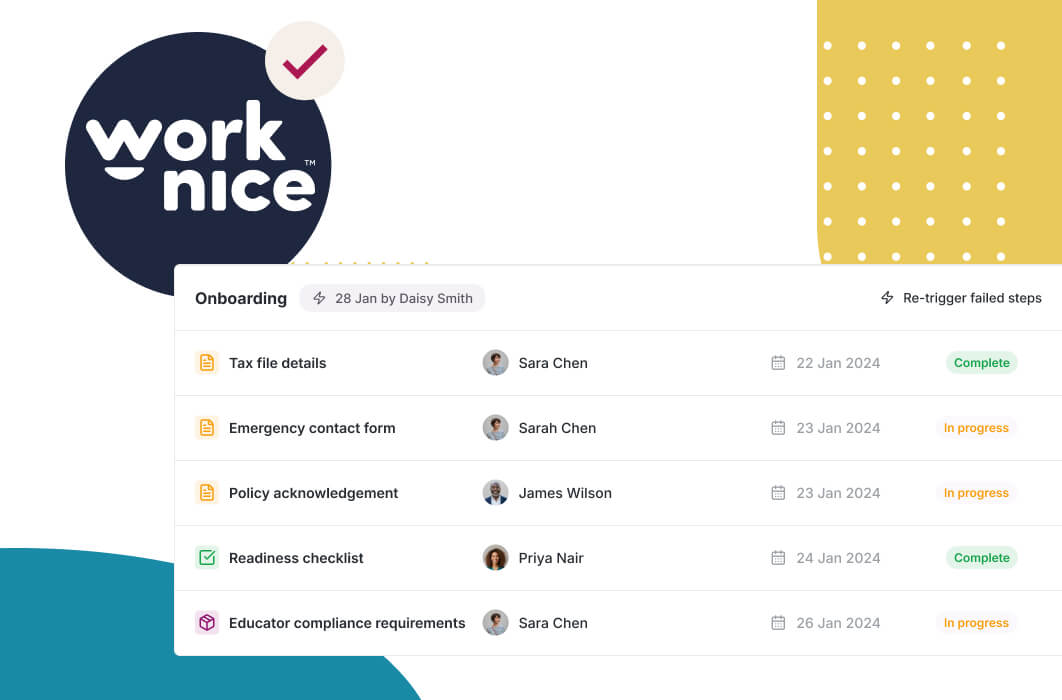
Onboarding is the classic example, and it deserves its own depth. A signed contract can create the employee record, order equipment, assign policies, and notify payroll. Because this matters so much, employee onboarding is usually the first workflow teams automate. Offboarding is the mirror image, and it is often riskier. When someone leaves, you must revoke access, recover assets, and close records. If those steps rely on memory, security gaps appear.
Approvals and changes round out the list. Leave requests, expense sign-offs, and role changes all follow rules, so they suit automation well. For instance, leave requests can route to the right manager, apply the correct policy, and update the calendar without HR touching them. As a result, HR stops being the bottleneck in every small decision.
How do automated HR workflows actually work?
Automated workflows work through triggers, actions, and rules. A trigger is an event, such as a signed contract or an approved leave request. An action is a task the system performs or assigns, such as creating a record or sending a form. A rule decides the path, such as which manager approves or when a reminder fires. Together, they run the process end to end.
The escalation logic is what makes automation trustworthy. Suppose a manager does not approve a request within two days. A good workflow sends a reminder, then escalates to the next approver. So nothing stalls indefinitely. This is why automation reduces both delay and risk at the same time. The Fair Work Ombudsman recovered $453 million for more than 181,000 underpaid workers in 2025-26, up 27 per cent on the year before. Because automated workflows log every step, they build the evidence trail that manual processes lack.
Volume is the reason this pays off at mid-market scale, and it is a core reason to adopt an HRIS for mid-sized companies with automation at its centre. Between 100 and 1,000 employees, you might onboard dozens of people, process hundreds of leave requests, and handle constant role changes each year. So even a two-minute saving per task adds up to weeks of recovered time annually. That is how automation helps reduce HR admin.
What is no-code HR automation, and why does it matter?
No-code HR automation lets HR build and change workflows without writing code or waiting on IT. You configure triggers, steps, and approvers through a visual interface. As a result, the people who understand the process design it, and they can adjust it the moment the business changes. So your workflows keep pace with reality instead of freezing at go-live.
This matters because HR processes change constantly. A new award, a new policy, or a new entity can all reshape a workflow. If every change needs a developer, updates stall, and staff drift back to manual workarounds. By contrast, a no-code builder means HR owns the process. For example, when a policy changes, you update the workflow that afternoon rather than logging a ticket.
No-code does not mean no limits. Very complex, deeply integrated processes may still need technical input. However, for the vast majority of HR workflows, a configurable builder inside your HRIS covers the need. This flexibility is a core reason mid-sized teams choose an Australian-built HRIS with automation at its centre rather than a rigid legacy suite.
Should workflow automation be a separate tool or part of your HRIS?
For most mid-sized companies, workflow automation belongs inside the HRIS, not in a separate tool. The reason is data. HR workflows act on people data: records, roles, leave, and compliance. When the automation engine sits inside the system that holds that data, workflows read and update records directly. When it sits outside, you add integrations and risk stale data.
A separate automation platform can still help for cross-system processes that span finance, IT, and HR. However, for people-centric workflows, native automation is simpler and safer. So the practical rule is this: automate HR processes inside your HRIS, and reserve general automation platforms for genuinely cross-functional work. This keeps your people data unified rather than scattered across tools that each hold a slice of the truth.
The trade-off is honest. A dedicated automation platform may offer more raw flexibility. For pure HR processes, though, that extra power rarely justifies the added complexity and data risk. Fewer moving parts usually wins at this size.
Why is Worknice a strong choice for HR workflow automation?
Worknice is an Australian next-gen HRIS with configurable, no-code automation built into the core platform. Because workflows act on your live employee data, onboarding, approvals, changes, and offboarding all run against a single source of truth. Reviewers rate it 4.9 out of 5 on G2 and 5 out of 5 on Capterra, and they often highlight how much admin it removes.
Independent reviews support this. On Capterra, Worknice rates 5 out of 5, where 99% of reviewers would recommend it. On G2 it holds 4.9 out of 5. One reviewer described a truly customisable product that the team could shape to their own processes. Because automation only helps when it fits how you actually work, that configurability is exactly what mid-sized teams need.
A fair caveat: Worknice automates HR processes and syncs with your existing payroll rather than running pay. So a workflow can update an employee record and push changes to payroll, but payroll stays the source of truth for pay rules. Most mid-market teams prefer this split. You can see automation in action through a free demonstration.
Frequently asked questions
What is HR workflow automation software?
HR workflow automation software turns repeatable HR processes into rules that run automatically. You define a trigger, the steps, the owners, and the timing, and the system executes the process every time. As a result, tasks like onboarding, approvals, and offboarding happen consistently, with reminders and escalation, instead of relying on manual chasing and memory.
What HR processes should you automate first?
Start with onboarding, because it happens often and touches many people. Then automate approvals, employee changes, and offboarding. These processes repeat, follow clear steps, and carry compliance risk, so they reward a consistent, tracked workflow. Offboarding is especially worth automating, because manual exits often leave security and access gaps.
What is no-code HR automation?
No-code HR automation lets HR build and change workflows through a visual interface, without writing code or waiting on IT. The people who understand the process design it, and they adjust it as the business changes. So when a policy or award changes, HR updates the workflow the same day rather than logging a development ticket.
Does HR automation replace HR staff?
No. Automation removes repetitive admin, not people. It handles the predictable tasks, so HR spends time on judgement-heavy work like advising managers, resolving issues, and improving culture. Between 100 and 1,000 employees, automation usually lets a lean HR team support a growing workforce without adding headcount just to keep up with admin.
Should workflow automation be part of the HRIS?
For people-centric processes, yes. HR workflows act on employee data, so automation works best inside the system that holds that data. A separate platform can suit cross-functional processes spanning finance and IT. However, for onboarding, leave, changes, and offboarding, native automation inside the HRIS is simpler, safer, and keeps your people data unified.
About the author
Graham Martin is a co-founder of Worknice, an Australian next-gen HRIS. Since 2021 he has worked with hundreds of Australian HR leaders and people teams. He helps mid-sized organisations replace fragmented HR administration with automated, unified workflows.
Related reading
- Which HR processes to automate first: a practical guide to choosing the first processes to automate and building the workflows step by step.
- What no-code HR automation means: how HR builds and changes workflows without code, why it matters, and where its limits are.
- How automated onboarding workflows work: how a single trigger drives onboarding tasks to completion across HR, IT and the manager.
- How HR approval workflow tools work: how requests route to the right approver, escalate when they stall, and leave a record of every decision.
Sources
- Fair Work Ombudsman. “Fair Work Ombudsman recovers $453 million for workers, as Booth urges compliance common ground.” September 2026. https://www.fairwork.gov.au/newsroom/media-releases/2026-media-releases/september-2026/20260914-fwo-2025-26-recoveries-media-release
- Gallup. “Why the Onboarding Experience Is Key for Retention.” https://www.gallup.com/workplace/235121/why-onboarding-experience-key-retention.aspx
- G2. “Worknice Reviews.” https://www.g2.com/products/worknice/reviews
- Capterra Australia. “Worknice Cost & Reviews.” https://www.capterra.com.au/software/208362/worknice