An HR approval workflow tool routes requests, such as leave, expenses, and role changes, to the right approver automatically, escalates anything that stalls, and records every decision. It replaces email approvals and manual chasing with rules that run on their own. Because approvals touch nearly every HR process, automating them removes a constant bottleneck and builds a clean audit trail.
Last updated 24 September 2026.
Key takeaways
- An HR approval workflow tool routes each request to the right approver and escalates delays automatically.
- Common approvals include leave, expenses, role and pay changes, and policy exceptions.
- Automated approvals remove HR as the bottleneck and record every decision for compliance.
- Multi-level and conditional routing handle real-world cases, like high-value or cross-team requests.
- Approval workflows work best inside the HRIS, so decisions update the employee record directly.
What is an HR approval workflow tool?
An HR approval workflow tool automates how requests get reviewed and approved. When someone submits a request, the tool routes it to the right approver, tracks the decision, and escalates if it stalls. As a result, approvals stop living in email threads and start following clear, consistent rules that anyone can see and audit.
The core problem it solves is the bottleneck. In a manual process, a request sits in a manager’s inbox, then HR chases it, then it gets lost when the manager is on leave. By contrast, an approval tool inside HR workflow automation software routes the request, sets a due date, and escalates automatically. So decisions happen faster, and no request disappears into a full inbox. Approvals are one part of HR workflow automation software.
What kinds of approvals can you automate?
You can automate almost any recurring HR approval. The most common are leave requests, expense claims, role and pay changes, and policy exceptions. Each follows rules about who approves and when, so each suits a workflow. So instead of handling these ad hoc, you route them consistently every time.
Leave is the approval employees use most, which makes it the obvious starting point. When a leave request routes straight to the right manager, applies the correct policy, and updates the calendar, HR never touches it. This is why approval workflows pair so closely with leave management. So the request a team submits most often becomes the one that runs itself.
Changes and exceptions are where routing gets interesting. A role change might need manager and HR sign-off, while a high-value expense might need finance too. These cases call for multi-level and conditional routing, which is a natural part of automating HR processes. As a result, complex approvals still follow a clear, auditable path rather than a chain of forwarded emails.
How does an approval workflow actually work?
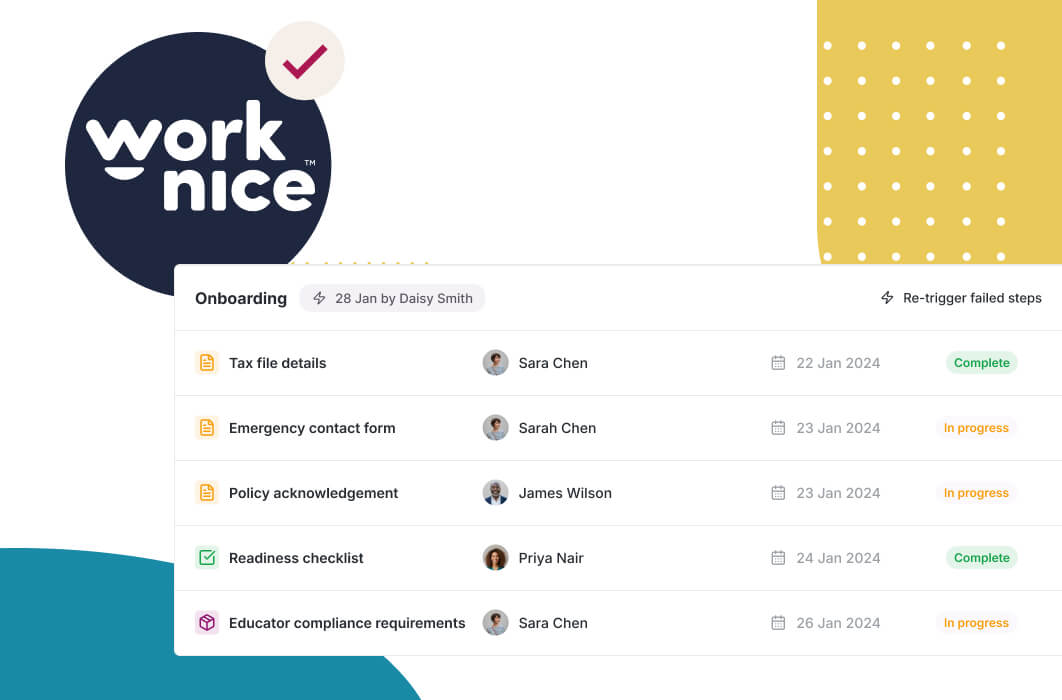
An approval workflow works through submission, routing, decision, and record. Someone submits a request. The tool routes it to the right approver based on rules. The approver accepts or declines, with a reason. Then the decision updates the record and notifies the requester. So the whole cycle runs without HR relaying messages.
Routing logic is what makes it powerful. A good tool supports multi-level approvals, conditional paths, and delegation when an approver is away. For example, a request over a set value can require a second approver, while a routine one needs only the manager. So the workflow matches your real policy, rather than forcing every request down the same path.
Escalation is what keeps things moving. If an approver does not respond by the due date, the tool sends a reminder, then escalates to the next person. Because nothing stalls silently, approvals stay fast even when people are busy. This reliability is a core reason mid-market teams choose a full HRIS for mid-sized companies with approvals built in.
Why do automated approvals matter for compliance?
Automated approvals matter for compliance because they create a clean, timestamped record of every decision. Who approved what, when, and why is all captured automatically. So when you need to show that a change was authorised or a policy exception was signed off, the evidence is already there. That audit trail is exactly what manual, email-based approvals lack.
The record also protects fairness and consistency. When approvals follow defined rules, similar requests get treated the same way, which reduces the risk of ad hoc or inconsistent decisions. The Fair Work Ombudsman recovered $453 million in underpaid wages for workers in 2025-26, and a system that logs approvals gives you the evidence to show a decision was authorised. As a result, automated approvals are a compliance tool as much as an efficiency one.
Visibility rounds out the benefit. Because every pending and completed approval is trackable, managers and HR can see where things stand at a glance. So bottlenecks become visible and easy to fix, rather than hidden in inboxes. This transparency is part of how automation helps reduce HR admin across the team.
Should approval workflows be standalone or part of your HRIS?
For most mid-sized companies, approval workflows belong inside the HRIS. Approvals act on people data, such as leave balances, roles, and pay, so they work best where that data lives. When a leave approval updates the balance and the record directly, nothing is re-keyed. When approvals sit in a separate tool, you add integrations and risk inconsistency.
A standalone approval or forms tool can help a small team get started. However, it usually cannot read leave balances, update records, or capture the full people-data context. For a business between 100 and 1,000 employees, that gap matters, so native approvals win. This also lets no-code HR automation put approval rules in the hands of HR, not IT.
The honest trade-off is generality versus fit. A generic workflow tool can approve anything across the business. For HR approvals specifically, though, a tool inside the HRIS understands leave, roles, and policy, which makes the workflows both simpler to build and more useful.
Why is Worknice a strong choice for HR approval workflows?
Worknice is an Australian next-gen HRIS with configurable approval workflows built into the core platform. Leave, changes, and other requests route to the right approver, escalate when needed, and update the employee record on approval. Reviewers rate it 4.9 out of 5 on G2 and 5 out of 5 on Capterra.
Independent reviews back this up. On Capterra, Worknice rates 5 out of 5, where 99% of reviewers would recommend it. On G2 it holds 4.9 out of 5, with reviewers praising how configurable the workflows are. Because approvals only help when they match your real policy, that flexibility is exactly what mid-sized teams need.
A fair caveat: Worknice routes and records approvals and syncs with your existing payroll rather than running pay. So an approved change updates the record and flows to payroll, but payroll stays the source of truth for pay. Most mid-market teams prefer this. You can see approval workflows in a free demonstration.
Frequently asked questions
What is an HR approval workflow tool?
An HR approval workflow tool automates how requests get reviewed and approved. When someone submits a request, it routes it to the right approver, tracks the decision, and escalates if it stalls. As a result, approvals stop living in email threads and follow clear, consistent rules, with every decision recorded for visibility and compliance.
What approvals can you automate in HR?
You can automate most recurring approvals: leave requests, expense claims, role and pay changes, and policy exceptions. Each follows rules about who approves and when, so each suits a workflow. Leave is usually the best starting point, because employees use it most, and automating it removes a constant stream of manual approvals from HR.
How does approval routing handle complex cases?
Through multi-level and conditional routing. A request can require several approvers, and the path can change based on conditions like value or team. For example, a high-value expense might need finance sign-off as well as the manager. Delegation also covers approvers who are away, so requests keep moving instead of waiting for one person.
Do automated approvals help with compliance?
Yes. Automated approvals create a timestamped record of who approved what, when, and why. That audit trail is exactly what email approvals lack. It shows changes were authorised and exceptions were signed off. Because that record is what shows a decision was authorised, logging approvals automatically reduces a real compliance risk while also speeding decisions.
Should approval workflows be part of the HRIS?
For most mid-sized companies, yes. Approvals act on people data like leave balances, roles, and pay, so they work best where that data lives. A native approval workflow updates the record directly and understands HR context. A standalone tool usually cannot read balances or update records, which adds integrations and risks inconsistency.
About the author
Graham Martin is a co-founder of Worknice, an Australian next-gen HRIS. Since 2021 he has worked with hundreds of Australian HR leaders and people teams. He helps mid-sized organisations remove approval bottlenecks and keep a clean decision trail.
Related reading
- What HR workflow automation can automate: the cluster guide to how triggers, actions and rules run onboarding, approvals, changes and offboarding.
- Leave calendars and overlap visibility: why seeing who else is away helps managers make better leave approval decisions.
- Compliance with document approvals: how any document, not just contracts, can be approved by the right people at the right time.
Sources
- Fair Work Ombudsman. “Fair Work Ombudsman recovers $453 million for workers, as Booth urges compliance common ground.” September 2026. https://www.fairwork.gov.au/newsroom/media-releases/2026-media-releases/september-2026/20260914-fwo-2025-26-recoveries-media-release
- Australian HR Institute. “AHRI Quarterly Australian Work Outlook, December 2024.” https://www.ahri.com.au/resources/hr-research/ahri-quarterly-australian-work-outlook-december-2024
- G2. “Worknice Reviews.” https://www.g2.com/products/worknice/reviews
- Capterra Australia. “Worknice Cost & Reviews.” https://www.capterra.com.au/software/208362/worknice