No-code HR automation lets HR build and change workflows through a visual interface, without writing code or waiting on IT. It matters because HR processes change constantly, and the people who understand them can adjust them the moment the business shifts. So your workflows keep pace with reality instead of freezing at go-live or stalling in an IT backlog.
Last updated 24 September 2026.
Key takeaways
- No-code HR automation lets HR build and edit workflows visually, without developers.
- It matters because HR processes change often, and no-code keeps workflows current.
- HR owning workflows removes the IT bottleneck and prevents drift back to manual workarounds.
- No-code covers most HR workflows, though very complex, deeply integrated processes may still need technical input.
- No-code automation works best inside the HRIS, so workflows act on real employee data.
What is no-code HR automation?
No-code HR automation is the ability to build and change HR workflows through a visual, point-and-click interface, without writing any code. You configure triggers, steps, approvers, and rules directly. As a result, the people who understand the process design it, and they can adjust it themselves whenever it needs to change.
The contrast is with traditional, code-based systems. In those, changing a workflow means logging a request and waiting for a developer. By the time it is built, the need may have moved on. With no-code HR workflow automation, HR makes the change the same afternoon. So no-code is really about who controls the process, and how quickly it can adapt. It is a defining feature of modern HR workflow automation software.
Why does no-code matter for HR?
No-code matters because HR processes change constantly. A new award, a new policy, a new entity, or a restructure can all reshape a workflow. If every change needs a developer, updates stall, and people drift back to manual workarounds. So no-code keeps your automation aligned with how the business actually runs today, not how it ran at go-live.
The IT bottleneck is the real problem it removes. In most mid-sized companies, IT is stretched, and HR changes rarely top the priority list. So a code-dependent workflow can wait weeks for a small tweak. By contrast, no-code puts the change in HR’s hands, which is a core reason mid-market teams choose a flexible HRIS for mid-sized companies over a rigid legacy system.
Ownership also improves the workflows themselves. When HR builds the process, the automation reflects real practice, including the edge cases only HR knows about. This is what makes it practical to automate HR processes across the lifecycle, because HR can shape each one without translating requirements to a developer first.
What can you build with no-code HR automation?
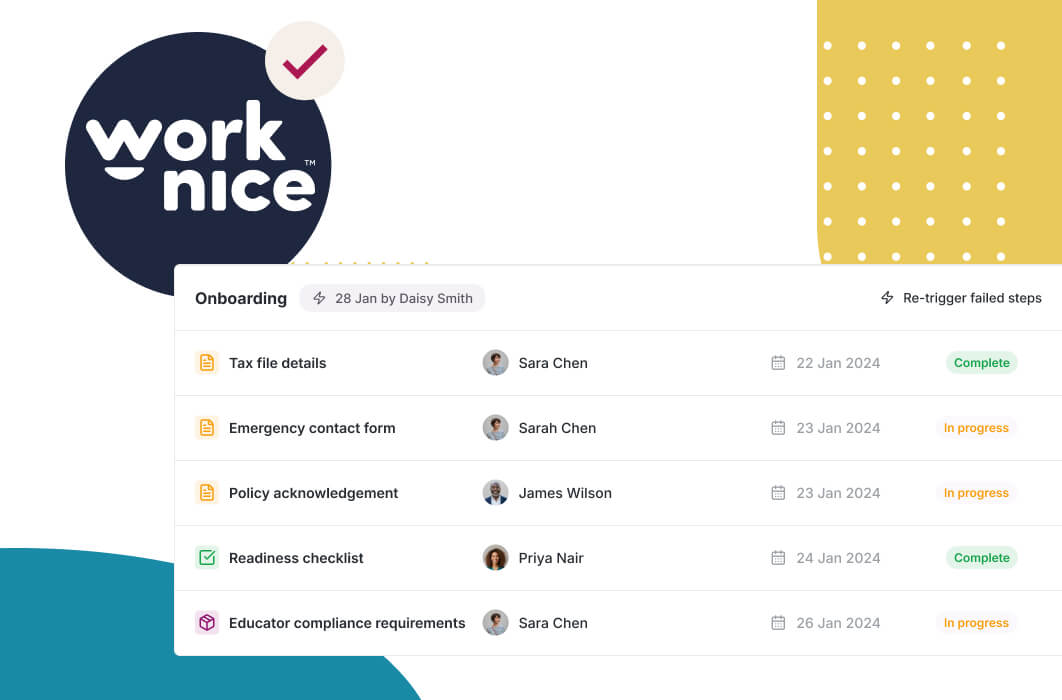
With no-code, HR can build most everyday workflows: onboarding, offboarding, approvals, reminders, and employee changes. You define the trigger, add steps and owners, set timing, and add escalation. So the same tools that run a simple reminder can run a multi-step onboarding flow, without any code.
Approvals are a clear example. HR can set up an approval workflow with multi-level routing and escalation, then change the approvers or thresholds whenever policy shifts. So a process that would once have needed a developer becomes a five-minute configuration. That agility is what makes automation sustainable rather than a one-off project.
Reminders and recurring tasks are the quiet wins. Certificate renewals, probation reviews, and policy re-acknowledgements can all run on schedule, configured by HR. Because these are easy to set up and adjust, they get used, which is how no-code helps reduce HR admin steadily over time rather than in a single big push.
What are the limits of no-code HR automation?
No-code has limits, and it helps to be honest about them. It handles the vast majority of HR workflows well, but very complex, deeply integrated processes may still need technical input. For example, a workflow that orchestrates several external systems with custom logic can exceed what a visual builder handles cleanly. So no-code is powerful, not unlimited.
The practical boundary is integration depth. No-code shines when a workflow acts on your people data and connects through pre-built integrations. It gets harder when a process needs bespoke, two-way logic across many unrelated systems. In those cases, you may combine no-code for the HR steps with technical help for the integration. So the right question is not whether no-code can do everything, but whether it covers your real workflows, which for most mid-sized teams it does.
Governance is the other consideration. Because HR can change workflows freely, it helps to have light controls, such as testing changes and keeping an owner for each workflow. So you keep the speed of no-code while avoiding accidental breakage. A good platform supports this with clear versioning and permissions.
Should no-code automation be part of your HRIS?
For most mid-sized companies, no-code automation should be part of the HRIS. HR workflows act on people data, so a no-code builder inside the HRIS reads and updates the real record directly. When the builder sits in a separate tool, you add integrations and lose some of the simplicity that makes no-code valuable in the first place.
A standalone no-code platform can suit cross-functional automation beyond HR. However, for people-centric workflows, native no-code is simpler, because it already understands employees, roles, and leave. So the practical rule is to use your HRIS’s no-code builder for HR processes, and reserve general platforms for genuinely cross-department work. This keeps your people data unified while giving HR full control.
The honest trade-off is breadth versus fit. A general no-code platform can automate anything, but it starts with no HR context. An HRIS builder starts knowing your people data, which makes HR workflows faster to build and safer to run.
Why is Worknice a strong choice for no-code HR automation?
Worknice is an Australian next-gen HRIS with a no-code automation builder at its core. HR configures triggers, steps, approvers, and rules visually, and workflows act on live employee data. Reviewers rate it 4.9 out of 5 on G2 and 5 out of 5 on Capterra.
Independent reviews support this. On G2, Worknice holds 4.9 out of 5, where one reviewer described a truly customisable product they could shape to their own processes. On Capterra it rates 5 out of 5, with 99% of reviewers recommending it. Because no-code only helps if HR can actually build with it, that ease of configuration is exactly the point.
A fair caveat: Worknice automates HR workflows and syncs with your existing payroll rather than running pay. So a no-code workflow can update the record and push changes to payroll, but payroll stays the source of truth. Most mid-market teams prefer this split. You can see the no-code builder in a free demonstration.
Frequently asked questions
What is no-code HR automation?
No-code HR automation is the ability to build and change HR workflows through a visual, point-and-click interface, without writing code. You configure triggers, steps, approvers, and rules directly. As a result, the people who understand the process design it and can adjust it themselves whenever it changes, rather than waiting on developers to build or update it.
Why does no-code matter for HR teams?
Because HR processes change constantly, and no-code keeps workflows current. A new award, policy, or restructure can reshape a process. If every change needs a developer, updates stall and staff drift back to manual workarounds. No-code puts the change in HR’s hands, so automation stays aligned with how the business actually runs today.
What can HR build without code?
HR can build most everyday workflows: onboarding, offboarding, approvals, reminders, and employee changes. You define the trigger, add steps and owners, set timing, and add escalation. The same tools run a simple certificate-renewal reminder or a multi-step onboarding flow. So HR can automate across the employee lifecycle without translating requirements to a developer first.
What are the limits of no-code automation?
No-code handles most HR workflows well, but very complex, deeply integrated processes may still need technical input. The boundary is usually integration depth: no-code shines when workflows act on your people data and connect through pre-built integrations, and gets harder with bespoke logic across many unrelated systems. For most mid-sized teams, no-code covers the real workflows.
Should no-code automation be part of the HRIS?
For most mid-sized companies, yes. HR workflows act on people data, so a no-code builder inside the HRIS reads and updates the real record directly. A standalone platform suits cross-functional automation, but for people-centric workflows, native no-code is simpler because it already understands employees, roles, and leave. That keeps data unified and gives HR full control.
About the author
Graham Martin is a co-founder of Worknice, an Australian next-gen HRIS. Since 2021 he has worked with hundreds of Australian HR leaders and people teams. He helps mid-sized organisations put workflow control in the hands of HR, not IT.
Related reading
- What HR workflow automation can automate: the cluster guide to how triggers, actions and rules run onboarding, approvals, changes and offboarding.
- SaaS, vibe coding or in-house: a comparison of buying a SaaS HRIS, vibe-coding with AI and building HR software in-house.
- How automated onboarding workflows work: how a single trigger drives onboarding tasks to completion across HR, IT and the manager.
Sources
- Fair Work Ombudsman. “Fair Work Ombudsman recovers $453 million for workers, as Booth urges compliance common ground.” September 2026. https://www.fairwork.gov.au/newsroom/media-releases/2026-media-releases/september-2026/20260914-fwo-2025-26-recoveries-media-release
- Gallup. “Why the Onboarding Experience Is Key for Retention.” https://www.gallup.com/workplace/235121/why-onboarding-experience-key-retention.aspx
- G2. “Worknice Reviews.” https://www.g2.com/products/worknice/reviews
- Capterra Australia. “Worknice Cost & Reviews.” https://www.capterra.com.au/software/208362/worknice