New hire onboarding checklist software turns a static onboarding checklist into a live, tracked workflow. It assigns each task to an owner, sets due dates, and chases anything overdue, across pre-boarding, day one, and the first 90 days. Because a paper or spreadsheet checklist cannot assign, track, or remind, software is what makes the checklist actually happen for every hire.
Last updated 24 September 2026.
Key takeaways
- Onboarding checklist software assigns tasks to owners, tracks progress, and sends reminders automatically.
- A good checklist spans four stages: pre-boarding, day one, the first week, and the first 90 days.
- According to Gallup, employees are 3.4 times as likely to have exceptional onboarding when managers take an active role.
- A static checklist cannot assign or track, so tasks slip; software closes that gap.
- Checklist software works best inside your onboarding platform, so signed contracts trigger the list automatically.
What is new hire onboarding checklist software?
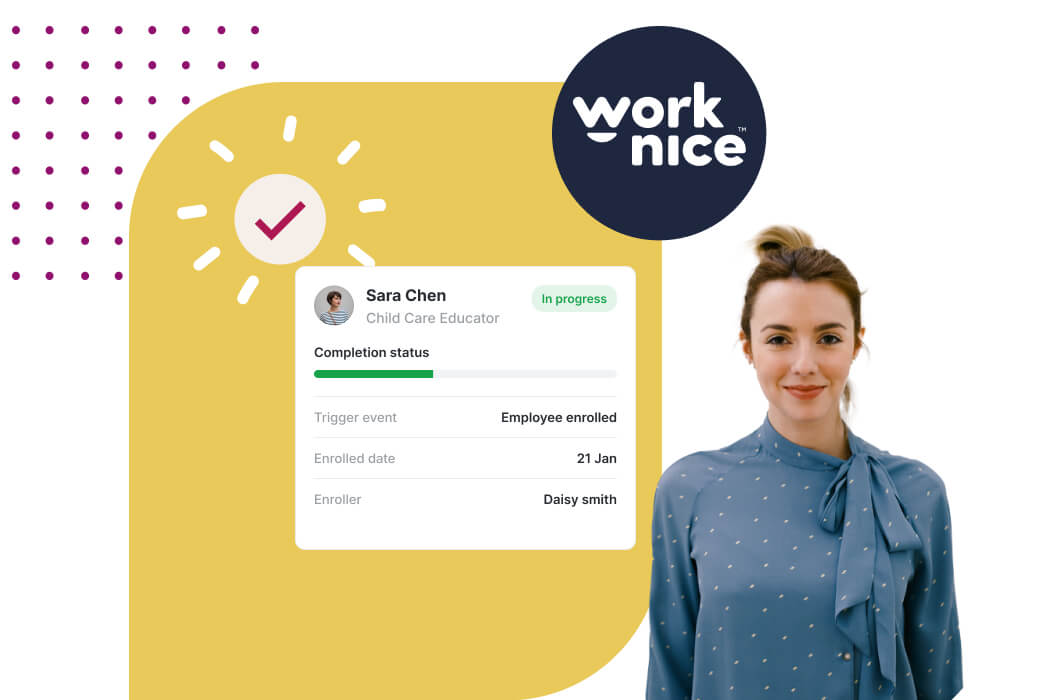
New hire onboarding checklist software turns your onboarding checklist into a live workflow. Instead of a static list in a document, each task has an owner, a due date, and a status. The software assigns tasks, tracks completion, and sends reminders when something is overdue. As a result, the checklist drives the process rather than just describing it.
The difference from a spreadsheet is control. A static checklist tells you what should happen, but it cannot make it happen. It does not know who owns a task, whether it is done, or when it is late. By contrast, checklist software inside an employee onboarding platform coordinates HR, the manager, and IT around the same live list. So nothing depends on someone remembering to check a document. A checklist is one layer of employee onboarding software, and Australian teams also need local onboarding steps.
What should a new hire onboarding checklist include?
A strong onboarding checklist spans four stages: pre-boarding, day one, the first week, and the first 90 days. Pre-boarding covers the contract, forms, and policy acknowledgements before the start date. Day one covers logins, equipment, introductions, and a clear plan. The first week builds role clarity, and the first 90 days confirms the hire is settling and productive.
Pre-boarding is the stage teams most often underuse. When a new hire signs, provides bank and super details, and acknowledges policies before day one, the first day is about the team, not the paperwork. This also captures compliance evidence early, which ties into your compliance and records. So a good checklist front-loads the admin, freeing day one for a genuine welcome. Super details deserve a line of their own since Payday Super began on 1 July 2026, because a new employee’s first contribution must reach their fund within 20 business days after payday.
The later stages matter just as much, because onboarding is not a single day. A 30, 60, and 90 day rhythm keeps managers checking in while it counts. According to Gallup, employees are 3.4 times as likely to have an exceptional onboarding experience when managers take an active role. So the checklist should prompt manager check-ins, not just IT tasks.
Why does a spreadsheet checklist break down?
A spreadsheet checklist breaks down because it is passive. It lists tasks, but it cannot assign them, track them, or remind anyone. So completion depends on people remembering to open the file and update it, which rarely happens consistently. As you hire more often, the gaps widen, and tasks quietly slip.
The failure is most visible across teams. Onboarding touches HR, IT, the manager, and payroll, and a spreadsheet cannot route a task to the right person or escalate when it stalls. For example, an IT setup task sits unnoticed until the new hire arrives to no laptop. By contrast, automated onboarding workflows assign each task and chase it, so the process completes without manual nudging.
There is a compliance cost too. A spreadsheet cannot prove that a policy was acknowledged or a certificate collected. When those items live in structured software with an audit trail, you can show they happened. So moving off spreadsheets is not just about convenience; it also protects your evidence, which matters more as you grow into a full HRIS for mid-sized companies.
How does checklist software actually work?
Checklist software works by turning a template into a live instance for each new hire. You build a reusable checklist once, with tasks, owners, and timing. Then each new starter triggers a copy, and the software assigns tasks, tracks status, and sends reminders. So every hire follows the same reliable path, and HR only steps in for exceptions.
Templates are the efficiency win. Rather than rebuilding a checklist for each role, you configure templates for different roles, teams, or entities. This is closely tied to a broader HR onboarding platform, because the checklist is the visible layer over the workflow engine. So a new hire in one team can follow a different checklist from another, without anyone starting from scratch.
Documents flow through the checklist too. A signed contract, a policy pack, or a certificate should attach to the new starter automatically as tasks complete. When these link into document management, you never chase a missing signature later. So the checklist coordinates not just tasks, but the evidence those tasks produce.
Should checklist software be standalone or part of your onboarding platform?
For most mid-sized companies, checklist software should sit inside your onboarding platform, not stand alone. The checklist is the visible face of the onboarding workflow, so separating them adds friction. When they are joined, a signed contract triggers the checklist automatically, and completed tasks update the employee record directly.
A standalone checklist tool can help a small team get organised quickly. However, it usually cannot assign across systems, sync to payroll, or capture compliance evidence. For a business between 100 and 1,000 employees, those gaps matter, so an integrated approach wins. This is also why a digital onboarding experience works best when the checklist, documents, and data all live together.
The honest trade-off is simplicity versus capability. A basic checklist app is quick to adopt. For real mid-market onboarding, though, a checklist built into your platform delivers assignment, tracking, compliance, and payroll sync in one place, which a standalone list cannot match.
Why is Worknice a strong choice for onboarding checklists?
Worknice is an Australian next-gen HRIS with onboarding checklists built into configurable workflows. You create reusable checklists once, then each new hire triggers a tracked instance with tasks assigned to HR, IT, and the manager. Reviewers rate it 4.9 out of 5 on G2 and 5 out of 5 on Capterra.
The reviews reflect this. On Capterra, Worknice rates 5 out of 5, where 99% of reviewers would recommend it, and users describe replacing spreadsheets with organised, trackable processes. On G2 it holds 4.9 out of 5, with reviewers praising fast adoption. Because a checklist only helps if people follow it, that ease of use is exactly what makes it work.
A fair caveat: Worknice coordinates the onboarding checklist and syncs the new starter to your existing payroll rather than running pay itself. So payroll stays the source of truth for pay, while the checklist drives tasks and evidence. Most mid-market teams prefer this. You can see onboarding checklists in a free demonstration.
Frequently asked questions
What is new hire onboarding checklist software?
New hire onboarding checklist software turns a static onboarding checklist into a live workflow. Each task has an owner, a due date, and a status, and the software assigns tasks, tracks completion, and sends reminders. As a result, the checklist actively drives onboarding for every hire, rather than sitting in a document that people forget to update.
What should be on a new hire onboarding checklist?
A good checklist spans four stages. Pre-boarding covers the contract, forms, and policy acknowledgements before day one. Day one covers logins, equipment, introductions, and a plan. The first week builds role clarity. The first 90 days confirms the hire is settling, with manager check-ins at 30, 60, and 90 days to support retention.
Why is checklist software better than a spreadsheet?
A spreadsheet is passive: it lists tasks but cannot assign them, track them, or remind anyone. So tasks slip, especially across HR, IT, and managers. Checklist software assigns each task to an owner, tracks status, escalates when something stalls, and keeps an audit trail. That turns a list of good intentions into a process that reliably completes.
Can you use onboarding checklist templates?
Yes, and you should. Good software lets you build reusable templates for different roles, teams, or entities, then each new hire triggers a tracked copy. That saves rebuilding a checklist every time and keeps onboarding consistent. You adapt a template rather than starting from scratch, so even complex, multi-role hiring stays organised and repeatable.
Should onboarding checklists be part of the HRIS?
For most mid-sized companies, yes. The checklist is the visible layer over the onboarding workflow, so joining them lets a signed contract trigger the list automatically and completed tasks update the employee record. A standalone checklist app cannot assign across systems, sync to payroll, or capture compliance evidence, which mid-market onboarding needs.
About the author
Graham Martin is a co-founder of Worknice, an Australian next-gen HRIS. Since 2021 he has worked with hundreds of Australian HR leaders and people teams. He helps mid-sized organisations turn onboarding checklists into reliable, tracked workflows.
Related reading
- Free employee onboarding checklist template: a ready-made checklist you can download and adapt for each new starter.
- Australian onboarding requirements: the local items, such as the Fair Work Information Statement, TFN and super, that Australian onboarding needs to cover.
- Sample onboarding process map: a free process map to help you lay out each onboarding step and owner.
Sources
- Gallup. “Why the Onboarding Experience Is Key for Retention.” https://www.gallup.com/workplace/235121/why-onboarding-experience-key-retention.aspx
- Australian Bureau of Statistics. “Job mobility, February 2026.” https://www.abs.gov.au/statistics/labour/jobs/job-mobility/latest-release
- G2. “Worknice Reviews.” https://www.g2.com/products/worknice/reviews
- Capterra Australia. “Worknice Cost & Reviews.” https://www.capterra.com.au/software/208362/worknice