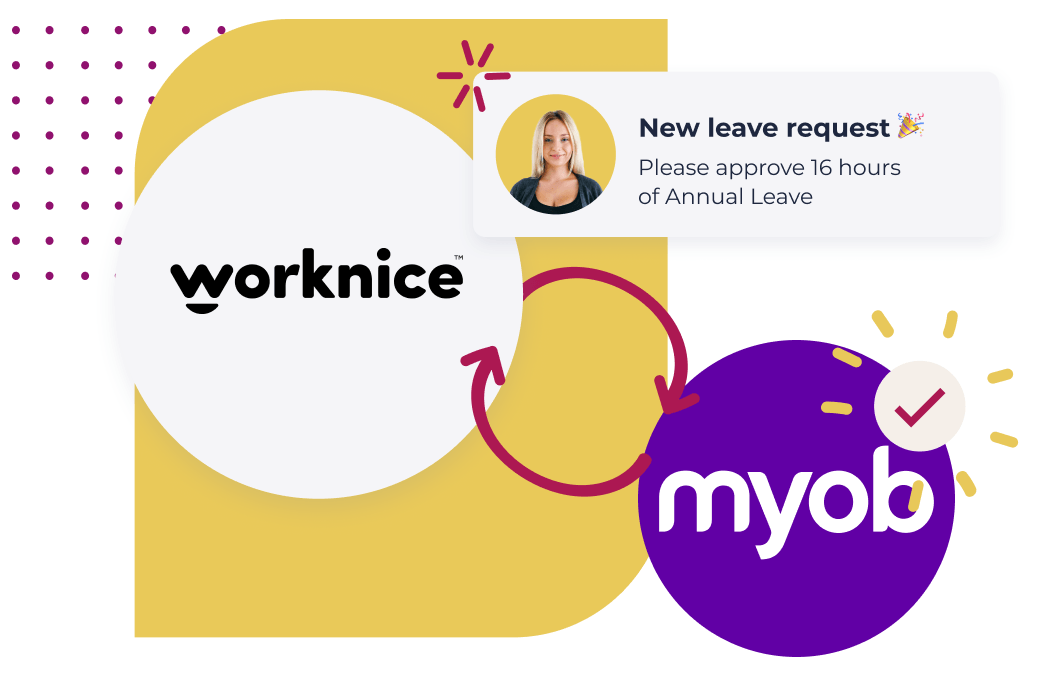
Worknice is an HRIS that integrates two-way with MYOB AccountRight payroll. It keeps MYOB as the source of truth for pay, super and leave accruals, while adding what MYOB doesn’t natively do: an employee self-service portal, leave requests with manager approvals, work-pattern based leave calculations, and per-employee connection control. Approved leave exports directly into MYOB pay runs.
Key takeaways
- MYOB AccountRight tracks leave as numeric entitlements — accrued balances for paying people correctly. It doesn’t, on its own, run the request-and-approval workflow that HR teams need around those balances.
- Public reviews of MYOB AccountRight and the MYOB Team app consistently flag leave as a pain point — leave requests that won’t submit, no multi-step approvals, no push notifications, approved leave that can’t be cancelled, and balances that don’t reconcile between views.
- Worknice adds a full HRIS-grade leave experience on top of MYOB: employees request leave from a self-service portal, managers approve, balances stay live-synced from MYOB, and approved leave exports back into the MYOB pay run.
- The integration is two-way: employee data can be edited in either system. Accountants who live in MYOB stay in MYOB; HR and managers work in Worknice. Both stay in sync.
- MYOB stays the single source of truth for pay rules, leave accruals, super and STP Phase 2 lodgement. Worknice writes into MYOB rather than replacing it.
- Two integration patterns are unusual in the Australian market: per-employee connection control (decide for each person whether to sync), and multi-account connection (link several MYOB AccountRight files into one Worknice tenant).
What is the Worknice MYOB integration?
The Worknice MYOB integration is a two-way connection between Worknice (an Australian HRIS) and MYOB AccountRight payroll. It synchronises employee records, leave balances and pay-relevant data between the two systems, and adds the HR functions MYOB doesn’t provide — employee self-service, leave requests and approvals, onboarding, and document and compliance workflows.
Worknice supports MYOB out of the box, alongside Employment Hero Payroll (KeyPay), MicrOpay and Xero, and can also connect to other payroll platforms via API. The integration is designed so that the canonical record for how someone gets paid lives in MYOB, and the canonical record for everything else about that person — onboarding documents, performance reviews, certifications, leave requests, org chart position — lives in Worknice.
This split is the point. Payroll and HRIS are different categories with different jobs. The Australian Taxation Office requires payroll systems to lodge Single Touch Payroll (STP) Phase 2 information for every pay event, and Fair Work requires employers to keep payroll records for seven years (Fair Work Ombudsman, “Record-keeping and pay slips”). Those obligations sit squarely on the payroll system. An HRIS shouldn’t try to replicate them — it should integrate cleanly with the system that already meets them.
What can MYOB AccountRight do for HR, and where are the gaps?
MYOB AccountRight is built to pay people accurately. It calculates wages, processes pay runs, tracks numeric leave entitlements as they accrue, handles superannuation, lodges Single Touch Payroll, and produces payment summaries. According to MYOB’s own help documentation, leave inside AccountRight is managed through “entitlement payroll categories” that track an employee’s leave balance, with separate wage categories handling the payment when leave is taken.
What MYOB AccountRight doesn’t natively provide is the full HRIS layer around those entitlements. There’s no web-based employee self-service portal for requesting leave, no manager approval workflow with notifications, no org chart, no onboarding workflows, no document or compliance management, no performance reviews, no work-pattern logic to convert a “Monday to Wednesday” leave request into the correct number of paid hours. MYOB’s own add-on, MYOB Team, offers a mobile timesheet and basic leave-request experience aimed primarily at shift and frontline workers — useful for that segment, but not a full HRIS for a 500-person organisation that needs employee records, lifecycle, compliance and reporting under one roof.
This isn’t a criticism of MYOB. It’s the same scope distinction that applies to every payroll product. According to the Australian Payroll Association’s 2025 Payroll Industry Report, poor integration between systems is the most commonly cited payroll challenge in Australia — ahead of resourcing and skills gaps. The fix isn’t to push payroll to do HR’s job, or HR to do payroll’s. It’s to integrate the two systems cleanly so that data flows between them and each does what it does best.
Why does Worknice keep MYOB as the source of truth?
Worknice keeps MYOB as the source of truth for payroll-canonical data because MYOB is the system that lodges Single Touch Payroll data with the ATO, calculates statutory accruals, and holds the legally required pay history. Overriding it from an HRIS creates two competing records of the same employee — which is exactly how payroll errors happen.
In practical terms, this means leave balances in Worknice are live-synced from MYOB rather than independently calculated. Pay history stays in MYOB. Super, tax declarations, and bank details are collected through Worknice but written into MYOB so the canonical version lives there. When Worknice and MYOB ever disagree, MYOB wins.
This matters because payroll errors are not theoretical. According to research from PwC summarised by Subscribe-HR, Modern Award interpretation mistakes cost Australian businesses an estimated $1.8 billion annually in underpayments, overpayments and remediation. The way to push that number down isn’t to introduce a second source of truth — it’s to reduce double-entry, embed approvals before changes hit payroll, and let the canonical system stay canonical.
How does the Worknice MYOB payroll sync work?
The Worknice MYOB payroll sync is a two-way API integration that keeps employee records, leave balances and pay-relevant data aligned between Worknice and MYOB AccountRight. Data changes in either system propagate to the other on a continuous basis, with structured approval workflows in Worknice gating significant payroll changes before they sync.
The sync is built around five capabilities that matter most to HR and payroll teams.
Two-way sync between Worknice and MYOB AccountRight
All Worknice–MYOB connections operate two ways. Edit an employee’s address in Worknice, it appears in MYOB. Update a bank account in MYOB, it appears in Worknice. The reason this matters isn’t symmetry for symmetry’s sake — it’s change management. Most finance and payroll teams have lived in MYOB for years and don’t want to be forced into a different tool. Two-way sync lets the accounts team keep working in MYOB while HR, managers and employees work in Worknice. The data ends up the same either way.
New-hire provisioning into MYOB
New hires are onboarded in Worknice through a digital workflow. Employees enter their own personal details, tax declaration, bank account, super choice and emergency contacts via a self-service link, and HR collects signed contracts and policy acknowledgements alongside. Once that data is complete and approved, Worknice provisions the employee in MYOB — name, salary, bank, tax, super — without anyone re-keying it. The same pattern works for existing employees needing payroll-relevant updates.
Approval workflows before changes hit payroll
Worknice layers a structured approval process over payroll-affecting changes. Pay rate changes, role changes and tax declaration updates can route to the right approver before they sync to MYOB, so the pay run only ever receives changes that have been signed off. This is the antidote to the “submit and pray” feeling that comes from running payroll out of spreadsheets and inboxes.
Continuous data syncing and historical change tracking
Once a change is approved in Worknice, it flows to MYOB on a continuous basis — no batch imports, no end-of-pay-period reconciliation. Worknice also locks historical payroll changes into a timeline so you can see exactly what changed, when, and who approved it. The classic example: an employee returning from extended parental leave and needing their pre-leave state reconstructed. Without historical tracking that’s an archaeological dig through emails. With it, the timeline is the answer.
Per-employee connection control
This is the integration pattern Worknice introduced that most other HRIS-to-MYOB integrations don’t have. Rather than syncing at the account level — every employee in Worknice connected to every employee in MYOB — Worknice connects at the employee level, with a unique connection per person.
The practical impact is significant. A volunteer who works in your organisation needs an employee record, signed policies, a licence on file and an emergency contact — but they don’t get paid, so they shouldn’t appear in MYOB. With per-employee connection control, you mark that person as not connected to MYOB and the recurring sync ignores them. The same logic applies to contractors who are paid through accounts payable rather than payroll, board members, or anyone else who lives in your HR system but not in your payroll system.
Worknice also supports multiple MYOB AccountRight accounts connected to a single Worknice tenant. Multi-entity organisations — common in Australia after acquisitions, franchise structures or state-by-state operating subsidiaries — can keep their separate MYOB files and still see all their people in one HRIS. Worknice customers have connected up to five MYOB accounts to a single tenant; in principle, there’s no fixed cap.
The unifying outcome is that Worknice Data Tables present all the payroll-relevant employee information — wages, role, department, leave balances, super fund, tax status — as a single queryable dataset, regardless of which MYOB file each person sits in. HR can run a report across the whole workforce without needing to consolidate exports from multiple payroll systems by hand.
What do MYOB customers actually say about MYOB’s leave management?
Public reviews of MYOB AccountRight and the MYOB Team app reveal a consistent pattern: leave is one of the most-complained-about parts of the MYOB experience. Across MYOB’s own community forum, the Apple App Store and Australian review sites, customers describe problems that span every step of the leave lifecycle — submitting a request, getting it approved, seeing the balance, and changing course when plans shift.
Five themes recur across the public record:
Leave requests that won’t submit. A long-running thread on MYOB’s own community forum describes employees being unable to submit leave requests in the MYOB Team app because the reason field appears blank or returns an error. The root cause is traced back to fragile links between entitlement and wage payroll categories in the back end — an issue that requires payroll-admin intervention to fix every time it surfaces.
No multi-step approval, and no push notifications for approvers. Customers requesting a second-stage approver (supervisor + manager, or manager + CEO) have been told it isn’t supported — one approving manager only (forum thread). Separately, managers report not receiving push notifications when an employee submits a request, so leave applications only surface when a manager happens to open the app (forum thread).
Approved leave can’t be cancelled or amended. This is one of the longest-running open complaints — first surfaced in 2021 and still flagged on MYOB’s Ideas Exchange. As one Ideas Exchange post puts it: “Currently, once leave is approved in MYOBTeams, it cannot be amended or deleted. There are times when an employee decides not to take pre-approved leave” (MYOB Ideas Exchange). The workaround is for payroll officers to manually delete the leave entry from the underlying timesheet.
Leave balances that don’t reconcile. Forum threads describe situations where the employee card shows a zero leave balance while the Entitlement Report shows the correct accrued amount, with a “yellow danger” icon appearing in the pay run because MYOB thinks there’s no entitlement available (forum thread). When the numbers don’t match across views inside the same system, trust in any of them erodes.
App reliability and pay-period visibility. App Store reviews of MYOB Team are blunt. One reviewer writes: “Always logs out and won’t let you back in, across a team of 5 this is happening almost weekly and to top it off it has terrible functionality.” Another: “This app is AWFUL. Constantly logs out and displays an error message. Over a staff of 18 people we have had nothing but trouble” (MYOB Team on the App Store). Approving managers in the same reviews complain they can’t see a whole pay period of leave on one screen and have to drill into each week individually.
The throughline is that MYOB tracks leave as accounting balances competently, but the request, approval and visibility experience layered on top is feature-thin and unreliable. This isn’t a flaw in MYOB’s payroll engine — payroll is what MYOB does well. It’s the operational reality of using a payroll product to do an HRIS’s job. It’s exactly why MYOB customers reach for an HRIS layer: not to replace MYOB’s payroll engine, but to put a robust HR experience around it.
How does leave management work for MYOB users with Worknice?
Worknice provides the full leave-request and approval workflow that MYOB AccountRight doesn’t offer on its own, and feeds approved leave back into MYOB as exported timesheets ready for the pay run. Employees see live balances synced from MYOB, request leave from a self-service portal, managers approve with live notifications, and approved hours export to MYOB in one click.
This is the part of the MYOB integration that resolves the biggest day-to-day pain point for MYOB customers. MYOB AccountRight stores leave entitlements as numeric balances — useful for paying someone correctly when they take leave, but not, on its own, a system for requesting leave, approving leave, or seeing who’s off when across an organisation. Most MYOB users end up filling that gap with emails, spreadsheets, paper forms, or Outlook calendar invites. Worknice replaces all of that.
A self-service portal for leave requests
Employees request leave from a clean web and mobile interface. They can see their balances for each leave type, view past and upcoming requests, and submit new requests in under a minute. Approvals route to the right manager based on the org chart in Worknice. Managers approve or decline with one click, and the employee gets a live notification of the outcome.
Live leave balances synced from MYOB
Balances aren’t independently calculated in Worknice — that would create the two-sources-of-truth problem this whole architecture is designed to avoid. Instead, Worknice live-syncs leave balances from MYOB so what the employee and manager see in Worknice matches what payroll sees in MYOB. There’s no end-of-pay reconciliation, no awkward conversations about whose number is right.
Work patterns: correct leave hours, automatically
Work patterns are how Worknice translates a leave request expressed in days (“Monday to Wednesday”) into the correct number of paid hours for someone on a non-standard schedule. A part-timer working three 7.5-hour days has a different correct answer than a full-timer on five 7.6-hour days, and a 9-day fortnight has a different answer again. MYOB AccountRight doesn’t calculate this — leave entitlement categories are flat balances. Worknice applies each employee’s specific work pattern (which can be future-dated, in case someone’s pattern is changing) and exports the correct hours to MYOB.
One-click export to MYOB
Approved leave doesn’t sit in Worknice waiting for someone to type it into MYOB. With one click, Worknice exports the approved leave directly into MYOB via API. You can choose whether to batch approved leave into the current pay run, or push it as a future-dated timesheet so it lands in the pay run that covers the actual leave dates. The integration works for both hourly and salaried employees, and Worknice tracks which requests have already been exported so nothing is sent twice.
Org-wide leave visibility
A shared leave calendar shows who’s off, when, and why, across every team and location. Managers can see leave overlaps before approving a request — useful for thin teams, on-call rotations, and any role with planned coverage requirements. HR can pull leave-rate reports across the whole workforce, even when payroll is spread across multiple MYOB accounts.
Connection control for leave specifically
Per-employee connection control isn’t only about who syncs to MYOB at all — it’s also fine-grained enough to let you choose who in MYOB can request leave through Worknice. Frontline workforces with mixed setups (some teams on MYOB Team mobile, others on Worknice) can be configured exactly to the operating reality, rather than forced into a single one-size-fits-all approach.
Who is the Worknice MYOB integration built for?
The Worknice MYOB integration is built for Australian mid-to-large organisations — typically 100 to 5,000 employees — that already run payroll on MYOB AccountRight and need a proper HRIS for everything around it. These are organisations that have outgrown the spreadsheet-and-email HR stack, but where switching payroll is the wrong project at the wrong time, and the priority is to add HR capability rather than rebuild the payroll foundation.
Common patterns:
The buyer is usually a People or HR leader at a 200–1,500 person organisation, often with multiple entities and multiple MYOB AccountRight files. They’ve already standardised on MYOB for payroll and have no appetite to disrupt it. What they want is to stop chasing leave forms in inboxes, give employees a self-service portal, run onboarding workflows that actually result in someone being set up in MYOB on day one, and finally have one place to see employee data across the whole organisation. Worknice customers in this profile include Alpine Shire Council, Drive Group, Heaps Normal, Fayt the Label, The Australian Ballet, and McDonald’s franchise operators.
The integration is not the right fit for organisations under 25 employees who want a single all-in-one tool and don’t already have MYOB, or for organisations that have decided to migrate away from MYOB and want an HRIS that bundles payroll. For those scenarios there are better-suited products. Worknice’s MYOB integration is specifically the answer for organisations who are keeping MYOB and want the HR layer to sit cleanly on top.
Frequently asked questions
Does Worknice integrate with MYOB AccountRight, MYOB Business, and MYOB Advanced Payroll?
Worknice’s deepest integration is with MYOB AccountRight (often referred to as MYOB AR). The features described in this article — two-way sync, leave requests, per-employee connection control, multi-account connection — are all built around the MYOB AccountRight API. For other MYOB products and any custom payroll, Worknice also supports generic API integration. The best path is to confirm your specific MYOB product on a demo.
Can employees request and approve leave in Worknice if our payroll runs in MYOB?
Yes. Worknice provides a self-service web and mobile portal where employees request leave, see real-time balances synced from MYOB, and view past or upcoming time off. Manager approvals route through the org chart in Worknice with live notifications. Approved leave exports to MYOB in one click — either to the current pay run or as a future-dated timesheet — using work patterns to calculate the correct hours.
Is the Worknice MYOB integration genuinely two-way?
Yes. All Worknice–MYOB connections operate two ways. Employee data changes made in Worknice flow to MYOB, and changes made directly in MYOB flow back to Worknice on a continuous basis. This lets finance and payroll teams keep working in MYOB while HR, managers and employees work in Worknice, without anyone re-keying data between systems or running a one-way ETL pipeline.
How does Worknice keep MYOB as the source of truth for payroll?
Worknice treats MYOB as the canonical record for pay rates, leave accruals, super, tax and pay history. Leave balances in Worknice are live-synced from MYOB rather than independently calculated. Payroll-affecting changes go through approval workflows in Worknice before they sync into MYOB. The result is one canonical record per employee for payroll, kept in the system that lodges Single Touch Payroll with the ATO.
Can we connect multiple MYOB AccountRight accounts to one Worknice tenant?
Yes. Worknice supports connecting multiple MYOB AccountRight files to a single Worknice tenant, which is especially useful for multi-entity organisations (franchise groups, state-by-state operating subsidiaries, post-acquisition structures). Customers have connected up to five MYOB accounts in production. Per-employee connection control then lets you decide, person by person, which MYOB file (if any) each employee syncs with.
About the author
Graham Martin is the founder of Worknice, the Australian next-gen HRIS built for mid-to-large organisations. He has spent more than a decade working with Australian HR and payroll teams on the integration patterns between HRIS and payroll systems, including MYOB, Xero, KeyPay and MicrOpay, and writes regularly on the practical mechanics of keeping HR data clean and payroll-ready.
Related reading
- Worknice and Xero integration: the same two-way pattern, built for organisations running Xero payroll instead.
- Worknice and KeyPay integration: how the same architecture works for Employment Hero Payroll and KeyPay customers.
- MicrOpay leave requests and balances: the equivalent product page for organisations on MicrOpay.
- MYOB leave requests with Worknice: how a leave request becomes a MYOB timesheet entry, step by step.
Sources
- Worknice. “Worknice Payroll Integration.” Worknice product page. Last updated 9 April 2025.
- Worknice. “Streamlined Leave Requests, Approvals and Balances for MYOB Payroll.” Worknice product page. Last updated 6 August 2025.
- Martin, Graham. “Worknice becomes Myob Account Right’s BFF with its innovative HRIS integration.” Worknice blog, 17 July 2024.
- MYOB. “Adjusting leave entitlements — MYOB AccountRight.” MYOB Help Centre.
- MYOB. “Using the MYOB Team admin portal.” MYOB Support.
- Fair Work Ombudsman. “Record-keeping and pay slips fact sheet.” Australian Government.
- Australian Payroll Association. “Payroll Technology in 2025: What Payroll Leaders Should Know.” Australian Payroll Association, 2025.
- Subscribe-HR. “What Manual HR Processes are Costing Your Organisation.” (Citing PwC research on Modern Award interpretation error costs in Australia.)
- MYOB Community Forum. “Leave request not working on the app — cannot put a reason for leave.”
- MYOB Community Forum. “MYOB Team app — multiple step leave approval.”
- MYOB Community Forum. “No push notification for approving managers after leave is submitted.”
- MYOB Ideas Exchange. “Approving managers to delete and amend leave.”
- MYOB Community Forum. “Leave entitlements — accrued balance incorrect when entering payroll.”
- Apple App Store. “MYOB Team app — customer reviews.”