You reduce HR admin by automating the repetitive tasks that eat your team’s time. These include onboarding, approvals, reminders, employee changes, and data entry. Automation handles the predictable work, while self-service pushes routine requests to employees. Because a lean HR team supports a growing workforce this way, automation helps mid-sized companies scale without adding admin headcount.
Last updated 24 September 2026.
Key takeaways
- Reduce HR admin by automating repetitive, rule-based tasks and pushing routine requests to self-service.
- The biggest admin drains are onboarding, approvals, reminders, data entry, and answering the same questions.
- Automation lets a lean HR team support a much larger workforce without adding headcount.
- Removing manual re-keying also cuts errors, which saves the time spent fixing them.
- The goal is to redirect HR time from admin to advising, culture, and strategy.
Where does HR admin actually come from?
HR admin comes from repetitive, low-value tasks that pile up as you grow. The biggest sources are onboarding paperwork, approval chasing, reminders, data entry across systems, and answering the same routine questions. Each task is small, but at scale they consume most of a team’s week. So the problem is rarely one big job; it is a thousand small ones. HR workflow automation software is how you clear them, and our guide explains what it can automate.
Re-keying is the hidden drain. When employee data lives in several disconnected tools, HR enters the same change in each. That is slow and error-prone. This fragmentation is the defining problem of mid-sized HR. A unified HRIS for mid-sized companies removes it. So cutting admin starts with a single source of truth, then automation on top.
Which tasks give the biggest admin savings when automated?
The biggest savings come from automating onboarding, approvals, reminders, and employee changes. Each repeats often, follows clear steps, and involves several people, so each rewards automation. So these are where you should focus first, rather than automating rare or one-off tasks.
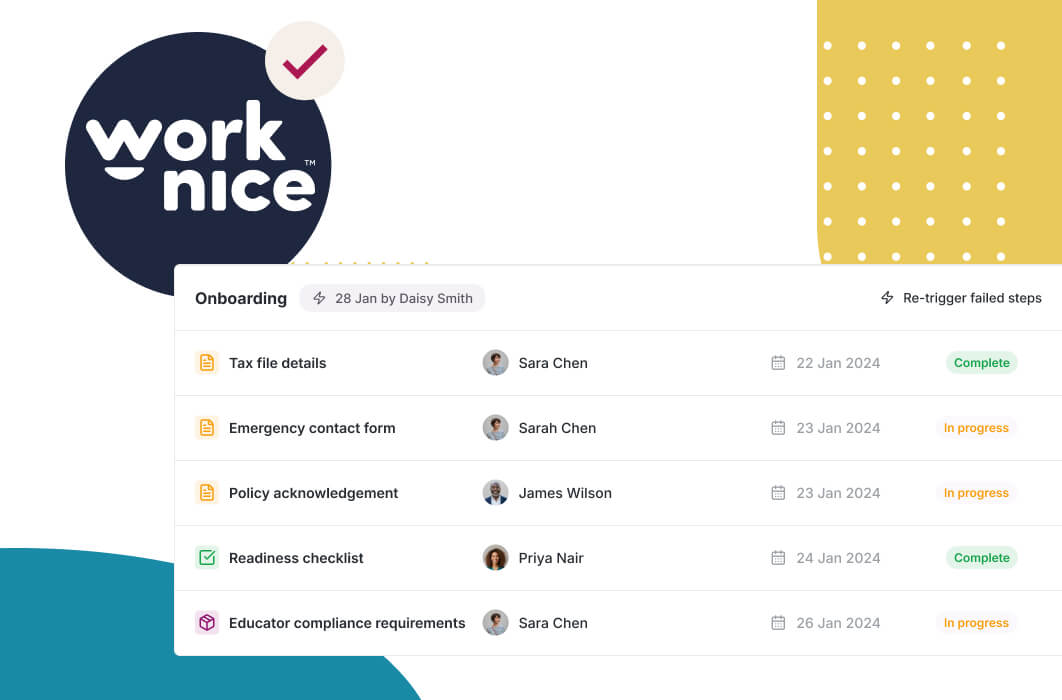
Onboarding is usually the largest single win, because it bundles many tasks into one flow. Automating it removes contracts, forms, IT tickets, and payroll setup from HR’s manual list. Approvals are the next big saving, since routing and escalation remove constant chasing. Together, automating these HR processes clears a large share of the weekly load.
Reminders and recurring tasks add steady, quiet savings. Certificate renewals, probation reviews, and policy re-acknowledgements can run on schedule. So no one tracks them by hand. Because these are easy to set up with no-code HR automation, they get used. The time saved then compounds across the year.
How does self-service reduce HR admin?
Self-service reduces admin by letting employees and managers handle routine tasks themselves. Instead of emailing HR to update a bank account, check a leave balance, or request time off, they do it directly. So a whole category of requests never reaches HR at all, which frees the team for higher-value work.
The volume this removes is significant. Between 100 and 1,000 employees, HR fields a constant stream of small requests, and most are things employees could do themselves. When they can, through an employee self-service portal, HR moves from processing requests to managing a system. So self-service and automation work together: automation runs the processes, and self-service keeps routine requests out of the queue.
Manager self-service extends the effect. When managers approve requests and see their team directly, HR stops relaying every decision. This ties back to approval workflows, because the approval routes to the manager rather than through HR. As a result, decisions happen faster and HR handles fewer handoffs.
How much admin can automation really remove?
Automation can remove a large share of routine HR work, though the exact amount depends on your starting point. The saving comes from two places: time not spent on manual tasks, and time not spent fixing errors those tasks caused. So the benefit is bigger than the visible task time alone, because rework is expensive.
Consider the scale of the opportunity. Absence alone is costly. According to the Direct Health Solutions 2023 Absence Management and Wellbeing Report, the average direct cost of absence rose to $4,025 per employee. Managing leave, cover, and records manually across a large workforce is significant work, and automating the tracking removes much of it. Meanwhile, the Fair Work Ombudsman recovered $453 million in underpaid wages for workers in 2025-26, and cleaner automated records cut the costly work of finding and fixing mistakes.
The real measure is redirected time. The point of cutting admin is not a smaller HR team; it is a team that spends its time on advising managers, improving culture, and supporting people. So track the shift in where HR spends its week, not just the hours saved.
Should admin-reducing automation be part of your HRIS?
For most mid-sized companies, admin-reducing automation should live in the HRIS. Most HR admin is data entry on people data. So automating it inside the system that holds that data removes the re-keying. When automation sits outside, you often add another system to maintain, which can create new admin rather than removing it.
A standalone automation tool can help with specific cross-system tasks. However, for the everyday HR admin that drains a team, native automation and self-service inside the HRIS deliver the biggest, most reliable saving. This is a core reason mid-market teams consolidate onto one next-gen HRIS rather than stitching together point tools that each need their own upkeep.
The honest trade-off is scope versus simplicity. A general platform can automate across departments. For reducing HR admin specifically, though, a unified HRIS with automation and self-service built in is the most direct path, because it removes the fragmentation that creates the admin in the first place.
Why is Worknice a strong choice for reducing HR admin?
Worknice is an Australian next-gen HRIS that reduces admin through automation and mobile-first self-service. Workflows handle onboarding, approvals, changes, and reminders, while employees and managers self-serve routine tasks. Reviewers rate it 4.9 out of 5 on G2 and 5 out of 5 on Capterra, and they consistently mention how much admin it removes.
Independent reviews support this. On Capterra, Worknice rates 5 out of 5, where 99% of reviewers would recommend it, and users describe consolidating spreadsheets and cutting manual work. On G2 it holds 4.9 out of 5. Because reducing admin depends on both automation and adoption, that ease of use is central to the result.
A fair caveat: Worknice automates HR admin and syncs with your existing payroll rather than running pay. So workflows update records and push changes to payroll, but payroll stays the source of truth. Most mid-market teams prefer this split. You can see how it cuts admin in a free demonstration.
Frequently asked questions
How do you reduce HR admin with automation?
You reduce it by automating repetitive, rule-based tasks and pushing routine requests to self-service. Automate onboarding, approvals, reminders, and employee changes, and let employees update details and request leave themselves. Together, these remove a large share of the small, frequent tasks that consume an HR team’s week, freeing time for higher-value work.
Which HR tasks waste the most time?
The biggest drains are onboarding paperwork, chasing approvals, reminders, data entry across disconnected systems, and answering the same routine questions. Each task is small, but at scale they dominate the week. Re-keying the same data into several tools is a particularly hidden cost, because it is both slow and a common source of errors.
Does self-service really cut HR workload?
Yes, significantly. When employees update their own details, check leave balances, and request time off directly, a whole category of requests never reaches HR. Managers approving requests themselves removes more handoffs. Between 100 and 1,000 employees, that constant stream of small requests is large, so self-service frees real capacity across the team.
Will automation mean a smaller HR team?
Not usually. Automation removes repetitive admin, not people. It lets a lean HR team support a growing workforce without adding headcount just to keep up. The goal is to redirect HR time from data entry and chasing toward advising managers, improving culture, and supporting employees, which is where an HR team adds the most value.
Should admin automation be part of the HRIS?
For most mid-sized companies, yes. Most HR admin is process and data work on people data, so automating it inside the HRIS removes re-keying at the source. A standalone tool can help with specific tasks, but often adds another system to maintain. A unified HRIS with automation and self-service delivers the biggest, most reliable saving.
About the author
Graham Martin is a co-founder of Worknice, an Australian next-gen HRIS. Since 2021 he has worked with hundreds of Australian HR leaders and people teams. He helps mid-sized organisations cut admin so their teams can focus on people.
Related reading
- What HR workflow automation can automate: the cluster guide to how triggers, actions and rules run onboarding, approvals, changes and offboarding.
- Moving HR off paper and spreadsheets: why moving from spreadsheets, email and paper to an HRIS removes a whole layer of admin.
- The paperwork overview: how the paperwork view shows what needs attention and what is in progress, so documents take less chasing.
Sources
- Direct Health Solutions. “2023 Absence Management and Wellbeing Report.” https://www.sedgwickhealthsolutions.com.au/2023-absence-management-wellbeing-report
- Fair Work Ombudsman. “Fair Work Ombudsman recovers $453 million for workers, as Booth urges compliance common ground.” September 2026. https://www.fairwork.gov.au/newsroom/media-releases/2026-media-releases/september-2026/20260914-fwo-2025-26-recoveries-media-release
- G2. “Worknice Reviews.” https://www.g2.com/products/worknice/reviews
- Capterra Australia. “Worknice Cost & Reviews.” https://www.capterra.com.au/software/208362/worknice